
 Need help?
Do you have a question about the Philips EasyKey DDL603E and is the answer not in the manual?
Safety precautions before using the Philips EasyKey lock and its components.
Warnings regarding battery usage, electrical connections, and component replacement.
Instructions for enrolling fingerprints for unlocking the door.
Methods for unlocking the door from the exterior using key tag, fingerprint, or PIN code.
How to unlock the door from the interior using the handle.
Procedures for locking the door from both the exterior and interior sides.
Procedure to reset the lock to its original factory defaults.
Describes alerts for low battery and anti-dismantling.
Details on low battery warnings and how they are communicated.
Explains the alert triggered when the lock is tampered with.
Emergency charging procedure using a USB power source.
Instructions for replacing the batteries in the lock.
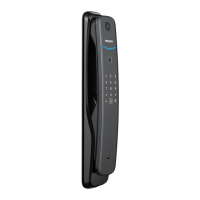
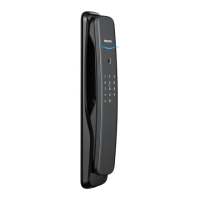
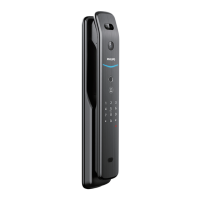
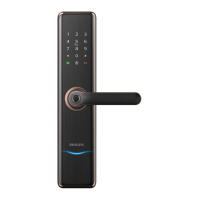
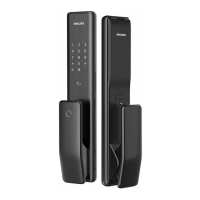
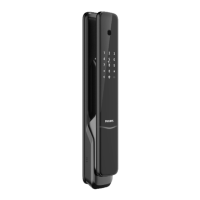
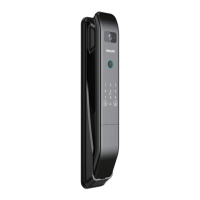
The Philips EasyKey 6000 series DDL603E is a smart lever door lock designed to provide secure and convenient access to your home. This user manual outlines its functions, usage, and maintenance features, ensuring you get the most out of your smart lock.
The Philips EasyKey DDL603E offers multiple unlocking methods, making it versatile for various user preferences. It supports unlocking from the outside using a key tag, fingerprint, or PIN code. From the inside, the door can be unlocked simply by pressing down the handle, thanks to its indoor fast opening mortise. For enhanced security, the lock also features an interior lockout function, enabling an inside deadlock by turning the rotary knob to the "lock" icon. This prevents unauthorized entry even if someone manages to bypass the exterior locking mechanisms.
The lock operates in two main modes: General mode and Dual verification mode. In General mode, any registered identity information (key tag, fingerprint, or PIN code) can unlock the door. Dual verification mode, on the other hand, requires a combination of two different verification methods (e.g., PIN code and fingerprint) for unlocking, offering an extra layer of security.
For locking, the Philips EasyKey DDL603E can be secured from both the outside and inside. From either side, lifting the handle after the door is closed will engage the latch bolt, locking the door.
The Philips EasyKey DDL603E is designed for ease of use with a clear interface and intuitive controls.
Unlocking from Outside:
Unlocking from Inside: The indoor fast opening mortise allows for direct unlocking by pressing down the handle. However, it's crucial to ensure the safe handle switch is toggled to the green scale (safe handle function disabled) for this to work.
Locking:
Master Mode and User Settings: The lock features a master mode for managing user information and system settings. To enter master mode, light up the keypad, then enter '#' followed by the master PIN code and '#'.
Deletion of User Information:
System Settings:
Extended Functions: Press '5' to access extended functions, such as joining or exiting a network, which may require the Philips EasyKey APP. These functions are optional.
System Query:
One-Key Mute Mode: When the system is awake, long-press the mute button for 2 seconds to enter or exit one-time mute mode. The button glows white when active.
Mechanical Key Opening: In emergencies (e.g., dead battery, forgotten PIN code), a mechanical key can be used. Find the key in the Philips EasyKey box, open the mechanical key cover, insert the key into the keyhole, and rotate it clockwise or counter-clockwise by a full circle and a half to unlock.
Proper maintenance ensures the longevity and optimal performance of your Philips EasyKey DDL603E.
Battery Replacement: The lock is powered by four AA batteries and can accommodate up to eight. When a low battery alert is triggered (voice prompt "Low battery voltage, please replace all batteries"), replace all batteries immediately. Ensure correct pole matching (+/-). To replace, loosen the buckles on the lower part of the rear escutcheon and drag it upward.
Emergency Charging: If the battery voltage is too low to open the door from outside, a 5V power bank can be plugged into the micro USB interface on the lock to temporarily power it up. After unlocking, replace the batteries instantly.
System Initialization: To restore the lock to factory settings and clear all user information, remove the battery cover and double-press the [RES] hole with a sharp object. A voice prompt "Restoring to default settings" confirms the reset.
Anti-Dismantling Alert: If the front escutcheon is pried open or a gap appears between the door frame and the lock, an anti-dismantling alert will be triggered. This alert can be turned off automatically or by verifying user identity.
Door Lock Status Indicator: The lock provides visual cues through its status indicator:
Mute Mode Indicator: A white light indicates that mute mode is on or off.
System Lockup Indicator: If there are five consecutive incorrect inputs of fingerprint, PIN code, or key tag within 5 minutes, the system will lock up for 3 minutes. The indicator flashes three times for a 3-minute lockup, twice for 2 minutes, and once for 1 minute.
General Care: Clean the product with a soft cloth. Avoid exposing it to water leakage, splashing, or corrosive substances. Do not hang objects on the handle as this may affect normal use. Ensure the rear cover is firmly fastened after installation to prevent it from falling.
By understanding these features and following the maintenance guidelines, you can ensure your Philips EasyKey DDL603E provides reliable security and convenience for years to come.
 General
| Brand | Philips |
|---|---|
| Model | EasyKey DDL603E |
| Category | Door locks |
| Language | English |




 To Next Page