EasyManua.ls Logo

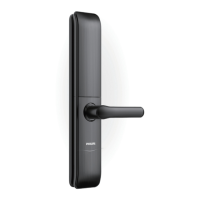
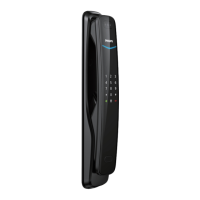
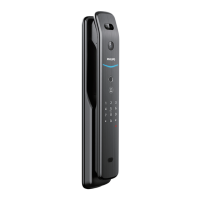
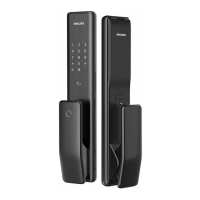
Philips EasyKey 7300 - User Manual

Philips EasyKey 7300
30 pages
Print Icon
To Next Page IconTo Next Page
Loading...

Questions and Answers

  • D
    Dr. Christopher Parker IIIAug 2, 2025
    How to use emergency power on Philips EasyKey 7300 Door locks?
    • R
      Rebecca BoydAug 2, 2025
      If the battery voltage is insufficient, preventing you from opening the door from the outside, you can use a 5V power bank as an emergency power supply via the Micro USB interface. If there is a system crash and you cannot open the door, press and release the Reset button to restart the system automatically.
  • D
    Dennis DavidsonAug 5, 2025
    What to do if Philips EasyKey 7300 have insufficient battery voltage and the door cannot be opened from outside?
    • B
      Bryan GarciaAug 5, 2025
      If your Philips Door lock has insufficient battery voltage and you're unable to open it from the outside, power up the lock through the Micro USB interface using a 5V power bank as an emergency power supply. After opening the door, replace the batteries.
  • M
    Mason WattsAug 10, 2025
    What to do if Philips EasyKey 7300 system crash and I am unable to open the door from outside?
    • M
      mmccannAug 10, 2025
      If the system of your Philips Door locks crashes and you can't open the door from the outside, press the Reset button and release it to allow the system to restart automatically.
  • S
    Scott JacobsAug 14, 2025
    Why Philips EasyKey 7300 Door locks have a low battery alarm?
    • C
      Christine GonzalezAug 14, 2025
      The Philips Door locks are indicating that the battery is low and all batteries should be replaced.
  • P
    paigeoneillAug 18, 2025
    What to do if my Philips EasyKey 7300 Door locks trigger an outside forced unlock mode inside unlocking alarm?
    • A
      Alexa EdwardsAug 18, 2025
      The alarm can be turned off by a successful verification method of any type.
  • J
    Jennifer DavisAug 23, 2025
    How to disable anti-dismantle alarm on Philips EasyKey 7300 Door locks?
    • V
      Victor SparksAug 23, 2025
      The anti-dismantle alarm on Philips Door locks can be turned off automatically or by any one of the successful verification methods.
  • D
    David WallaceAug 27, 2025
    What to do about abnormal latch bolt alarm on Philips EasyKey 7300?
    • T
      Tanya Turner MDAug 27, 2025
      The abnormal latch bolt alarm on Philips Door locks will be automatically turned off.

Summary

Important Info

Security

Guidelines for safe usage of the Philips EasyKey and its components.

Install EasyKey

Installation Steps

Step-by-step guide for physically installing the Philips EasyKey lock on the door.

Set Up Your EasyKey

Register User PIN Code

Steps to register a new user PIN code, including entering and confirming the code.

Modify Master PIN Code

Procedure to change the existing master PIN code for enhanced security.

Register Fingerprint

Instructions for enrolling a user's fingerprint for authentication.

Register Card

Steps to register an access card for unlocking the door.

Use Your EasyKey

Unlock from Outside

Methods to unlock the door from the exterior using PIN, fingerprint, or card.

Unlock from Inside

How to unlock the door from the interior using the handle.

Lock from Outside;Inside

Instructions on how to lock the door from both exterior and interior sides.

Dead Lock from Inside

Procedure for enabling the internal deadlocking function for enhanced security.

Other Functions

Restore Factory Settings

Procedure to reset the lock to its original factory default state.

Troubleshooting

How to Replace Batteries

Instructions for safely removing old batteries and installing new ones.

Philips EasyKey 7300 Specifications

General IconGeneral
BrandPhilips
ModelEasyKey 7300
CategoryDoor locks
LanguageEnglish

Related product manuals