The Philips EasyKey 6000 series DDL608-5HWS is a bridge-cut aluminum smart door lock designed for enhanced security and convenience in residential settings. This user manual provides comprehensive instructions for its assembly, operation, and maintenance, ensuring users can fully utilize its advanced features.
Function Description
The Philips EasyKey 6000 series DDL608-5HWS functions as a smart door lock, offering multiple access methods for unlocking and locking doors. It supports both general mode and dual-verification mode, providing flexible security options. In general mode, any single enrolled access method (PIN code, key tag, or fingerprint) can unlock the door. For heightened security, the dual-verification mode requires any two enrolled access methods to unlock the door. The lock is designed for doors with four opening directions: left-hand inswing, left-hand outswing, right-hand inswing, and right-hand outswing, with adjustable lever and latch directions to accommodate various door configurations.
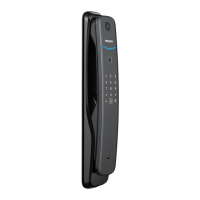
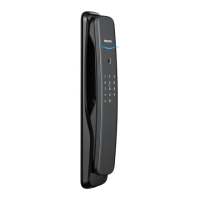
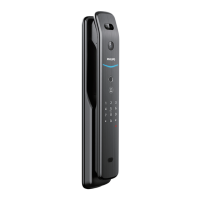
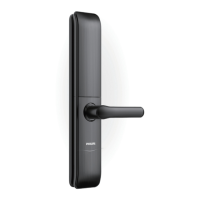
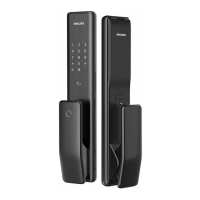
The exterior assembly of the lock features an indicator, keypad, card reader, mute button, fingerprint sensor, exterior lever, key hole, and a reset and power supply interface. The interior assembly includes a battery compartment, interior lever, reset button, and a cover. These components work in conjunction to provide a seamless and secure user experience.
Usage Features
The Philips EasyKey 6000 series DDL608-5HWS offers a variety of usage features that prioritize convenience and security:
-
Multiple Access Methods:
- PIN Code: Users can set and use PIN codes for unlocking. The system supports both master PIN codes and user PIN codes. The default initial PIN code is 12345678, which should be changed immediately after installation.
- Fingerprint Recognition: The integrated fingerprint sensor allows for quick and secure access. Users can enroll their fingerprints, and the system provides voice prompts during the enrollment process to guide them.
- Key Tag: Key tags can be enrolled and used by placing them on the card reader for unlocking.
- Mechanical Key: For emergencies, a mechanical key can be used to unlock the door. This is particularly useful if the battery is dead, the PIN code is forgotten, or the lock malfunctions.
-
Master Mode and User Settings:
- Master Access Method Settings: The lock allows for the addition and deletion of master access methods (master PIN code, master fingerprint, master key tag). These master methods are essential for accessing the lock's settings.
- User Settings: Individual user PIN codes, fingerprints, and key tags can be added or deleted. Each user is assigned a unique user number, which can be queried for reference.
-
System Settings:
- Voice Guide Settings: Users can enable or disable the voice guide, which provides audio feedback for operations. Disabling the voice guide puts the system in mute mode, suitable for situations where silence is preferred.
- System Mode Settings: The lock can be switched between general mode and dual-verification mode, allowing users to choose their preferred level of security.
-
Network Settings and Application Binding:
- The lock supports network connectivity, enabling integration with smart home ecosystems. Users can connect the lock to a hotspot or use auto-connect features.
- Tuya Smart App Integration: The lock can be bound to the Tuya Smart App, allowing for remote control and management. Users need to download the app, connect the lock to a hotspot or use auto-connect, and then add the device within the app. It's important to note that the lock supports only 2.4GHz band Wi-Fi routers, and the visual distance between the router and the lock should be less than 10 meters for optimal signal strength.
-
Locking Mechanisms:
- Outdoor/Indoor Locking: After closing the door, lifting the handle automatically engages the latch bolt, securing the door.
-
Passage Mode:
- When enabled, passage mode allows anyone to open the lock by simply pressing down on the lever, without requiring any enrolled access method. This feature is convenient for periods when the door needs to be frequently accessed, such as during parties or when moving items. It can be activated after verification by any enrolled master access method.
-
Verification Code & Local Data Query:
- Users can check the verification code and local software version by entering specific codes on the touchscreen. This provides useful information for troubleshooting or system updates.
Maintenance Features
The Philips EasyKey 6000 series DDL608-5HWS incorporates several features to ensure its longevity and reliable operation:
-
Battery Management:
- Low Battery Alert: The system automatically detects battery voltage and triggers an alert with a voice prompt when the battery level is insufficient, reminding users to replace the batteries.
- Battery Replacement: The lock operates on 4 AAA alkaline batteries. Instructions are provided for unscrewing the interior assembly cover to access and replace the batteries.
- External Power Supply: In case of a completely drained battery, an external 5V power bank can be connected to the Type-C port on the exterior assembly to temporarily power the lock, allowing the door to be opened. After opening, the batteries should be replaced immediately.
-
Default Settings and Reset:
- Default Settings: The lock can be restored to its default settings, which empties all user information. This is achieved by pressing the [RESET] button for 6 seconds and confirming with [#]. This feature is useful for resetting the lock or preparing it for a new user.
-
Troubleshooting and Alerts:
- Anti-dismantling Alert: If the outside escutcheon is pried open, the lock triggers repeated alerts. These alerts can be turned off automatically, by successful identity verification, or by unlocking the door from the inside in a normal way. This feature enhances security by deterring tampering.
- System-locking Indicator: If there are 5 consecutive incorrect verifications of any enrolled access method within 5 minutes, the door lock will be locked for 100 seconds. A system-locking indicator will be displayed on the touchscreen during this period.
-
Cleaning and Care:
- Users are advised to use a soft cloth soaked in water to remove fingerprints and dirt from the surface of the assembly, ensuring the lock maintains its aesthetic appeal and functionality.
-
Installation and Safety Precautions:
- The manual emphasizes the importance of reading and understanding all instructions before use to prevent damage that would void the warranty.
- It specifies using only manufacturer-specified accessories and alkaline batteries of the same type.
- Users are cautioned against forcibly disassembling the product, scraping the fingerprint sensor with sharp objects, or exposing the product to water leakage, splashing, or corrosive substances.
- Proper installation by Philips authorized service centers or professional technicians is recommended for component replacement.
- The mechanical keys should be stored properly, and PIN codes should not be disclosed to others.
-
Disposal of Used Products and Batteries:
- The manual provides guidelines for the proper disposal of used products and batteries, encouraging users to familiarize themselves with local collection and recycling systems to minimize negative environmental and health impacts.
Overall, the Philips EasyKey 6000 series DDL608-5HWS is a feature-rich smart door lock designed for ease of use, robust security, and convenient management, making it a reliable choice for modern homes.

 Need help?
 General




 To Next Page