- 30 -
Connection
You can choose dierent connection options with this menu feature.
Direct + via Wi-Fi setting helps to extend the wireless range between the
camera and parent unit by using your home Wi-Fi router as a bridge�
Video 20.3
o
C
Menu
Nightlight
Zoom
Temperature alert
Connection
Settings
>
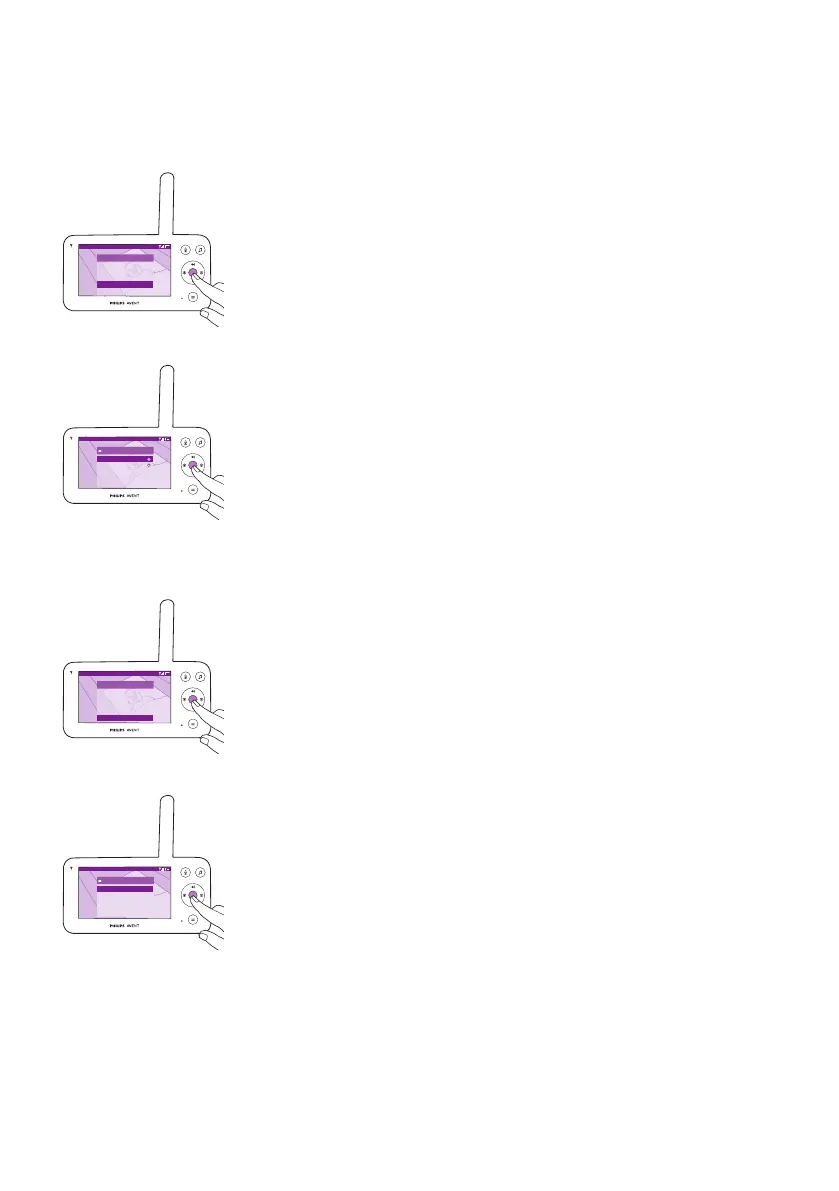
1 Press the conrm button to enter the connection menu.
Video 20.3
o
C
Connection
Direct only
Direct + via WLAN
2 Press the top or bottom part of the control button and the conrm
button to choose the desired connection�
Settings
Video 20.3
o
C
Menu
Nightlight
Zoom
Temperature alert
Connection
Settings
>
Press the conrm button to access the settings menu.
Video 20.3
o
C
Settings
Language >
Firmware
Licenses
App download
You can change the language setting of the parent unit�
1 Press the conrm button to access the list of languages.
2 Press the top or bottom part of the control button to scroll through all
the languages and then press the conrm button to select the desired
language�













 To Next Page