Direction of Use
8-4
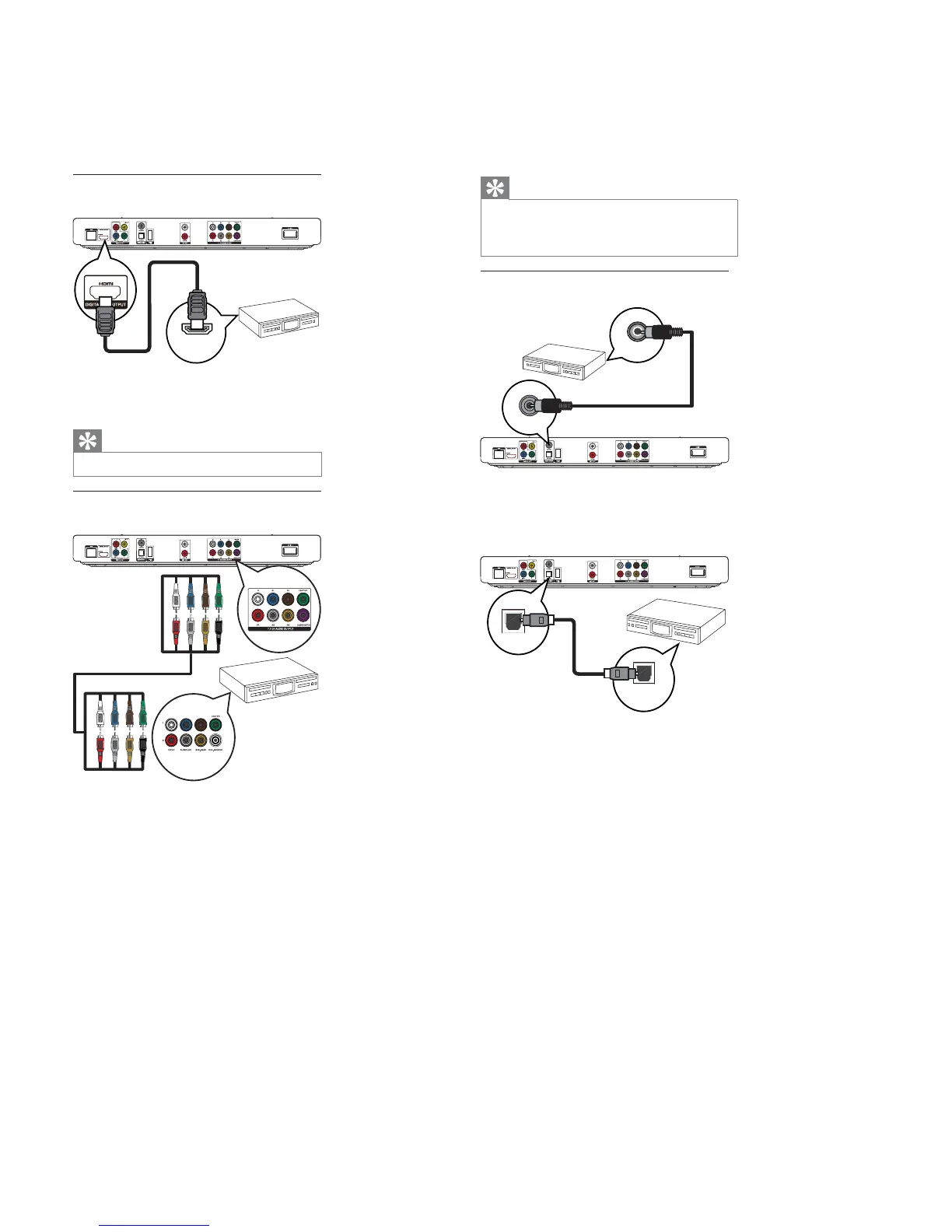
Connect to HDMI-compliant AV receiver/
DPSOL¿HU
1 Connect an HDMI cable (not supplied) to:
the•HDMIjackonthisproduct.
theHDMIjackinputjackonthedevice.•
Tip
TheHDMIconnectionprovidesbestaudioquality.•
Connect to multi-channel AV receiver/
DPSOL¿HU
1 Connect the 7.1-channel audio cables (not
supplied) to:
the•7.1CHAUDIOOUTPUTjackson
this product.
the corresponding AUDIO input jacks•
on the device.
HDMI IN
7.1 CH AU DIO IN
Tip
To connect 5.1-channel AV receiver/ampli¿er, connect•
the 7.1-channel audio jacks except the SL/SR jacks.
Youcanoptimizethespeakeroutput(see“Adjust
•
settings” > [Audio Setup] >[Speaker Setup] ).
Connect to digital A9DPSOL¿HUreceiver
Connect to coaxial jack
COAXIAL
COAXIAL
1 Connect a coaxial cable (not supplied) to:
the•COAXIALjackonthisproduct.
the COAXIAL/DIGITAL input jack on•
the device.
Connect to optical jack
1 Connect an optical cable (not supplied) to:
the•OPTICALjackonthisproduct.
the OPTICAL/DIGITAL input jack on the•
device.
OPTICAL
OPTICAL



 To Next Page