Direction of Use
8-5
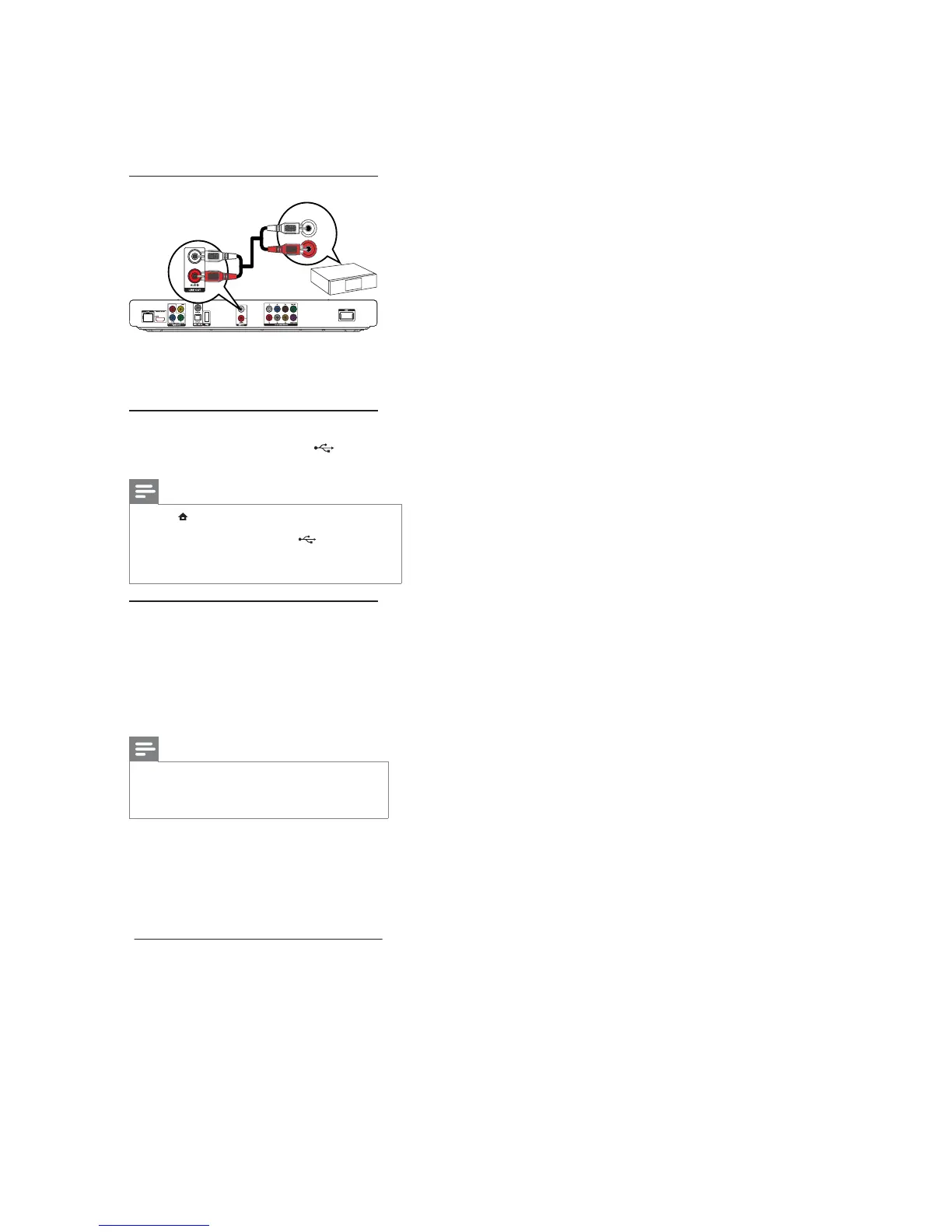
Connect analogue stereo system
1 Connect the audio cables to:
the• LINE OUT/AUDIO-L/Rjacks on
this product.
the AUDIO input jacks on the device.•
Connect a USB device
1 Connect a USB device to the (USB) jack
on the front panel of this product.
Note
Press• , and select [Browse USB]in the menu to access
the content and play the ¿les.
Connect a USBdeviceonlytothe
• jack on the front
panel of this product.
PhilipsdoesnotguaranteecompatibilitywithallUSB
•
devices.
Connect a network
With a wiredorwirelessconnection(see“Get
started” > “Set up a network”), you can connect
this product to:
theInternet(forsoftwareupdate/BD•
Live/Net TV service).
or a home network (to access media ¿Oes•
from a DLNAmediaserver,e.g.PC).
Note
InternetaccesstoPhilipswebsiteforsoftwareupdate•
maynotbeallowed,dependingontherouteryouuse
or the Internet Service Provider’s policy. Contact your
Internet Service Provider for more information.
AUDIO IN



 To Next Page