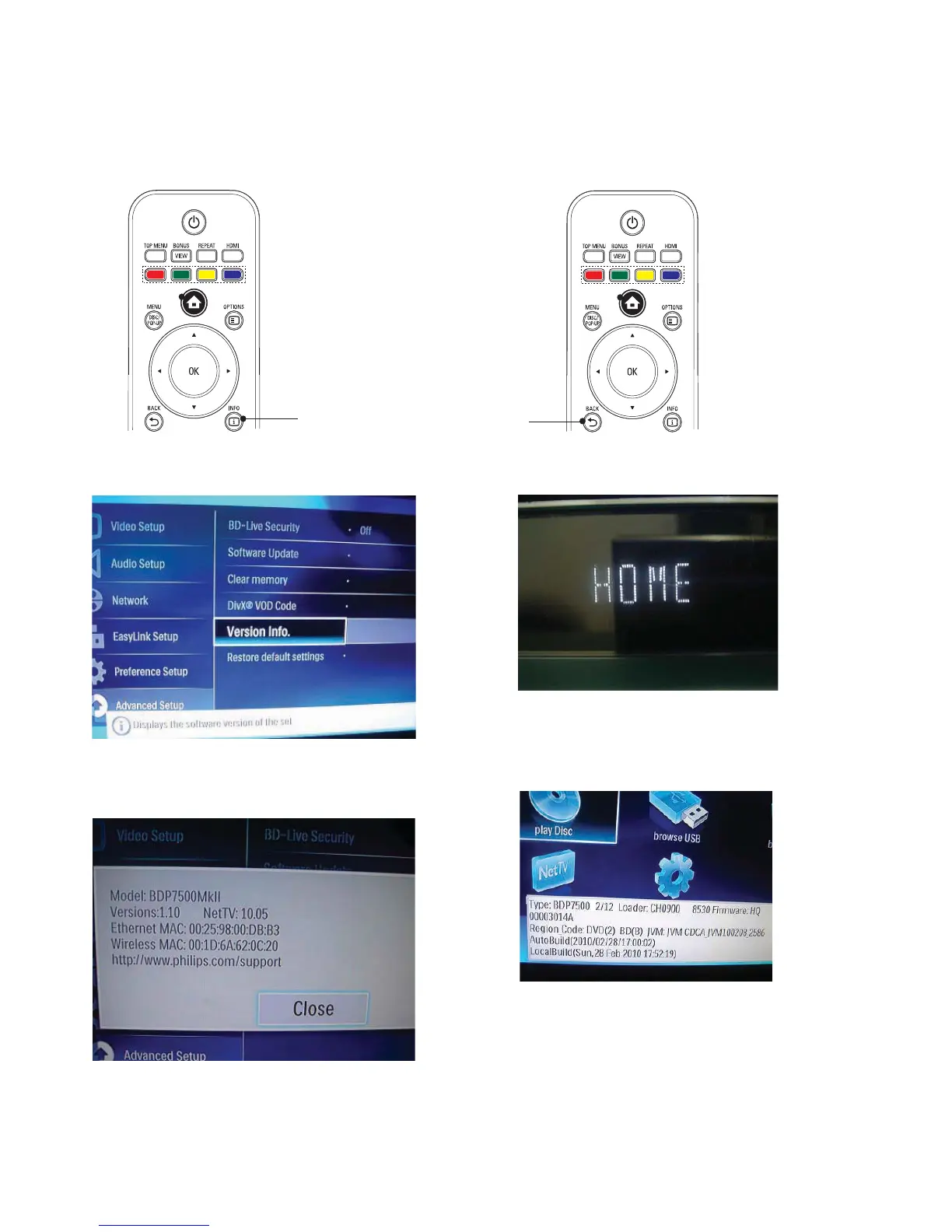
Software Version Check
1, Select the “IFO”, like below show:
2, TV Screen Display,select Version Info.
3, Select OK to get the Version information :
4, Press BACK on Remote Control:
TV Screen display:
5, Press 8-5-2-0 on Remote Control,can find
Software Version:
12-1
B



 To Next Page