Service Modes, Error Codes, and Fault Finding
EN 20 BP2.2U, BP2.3U5.
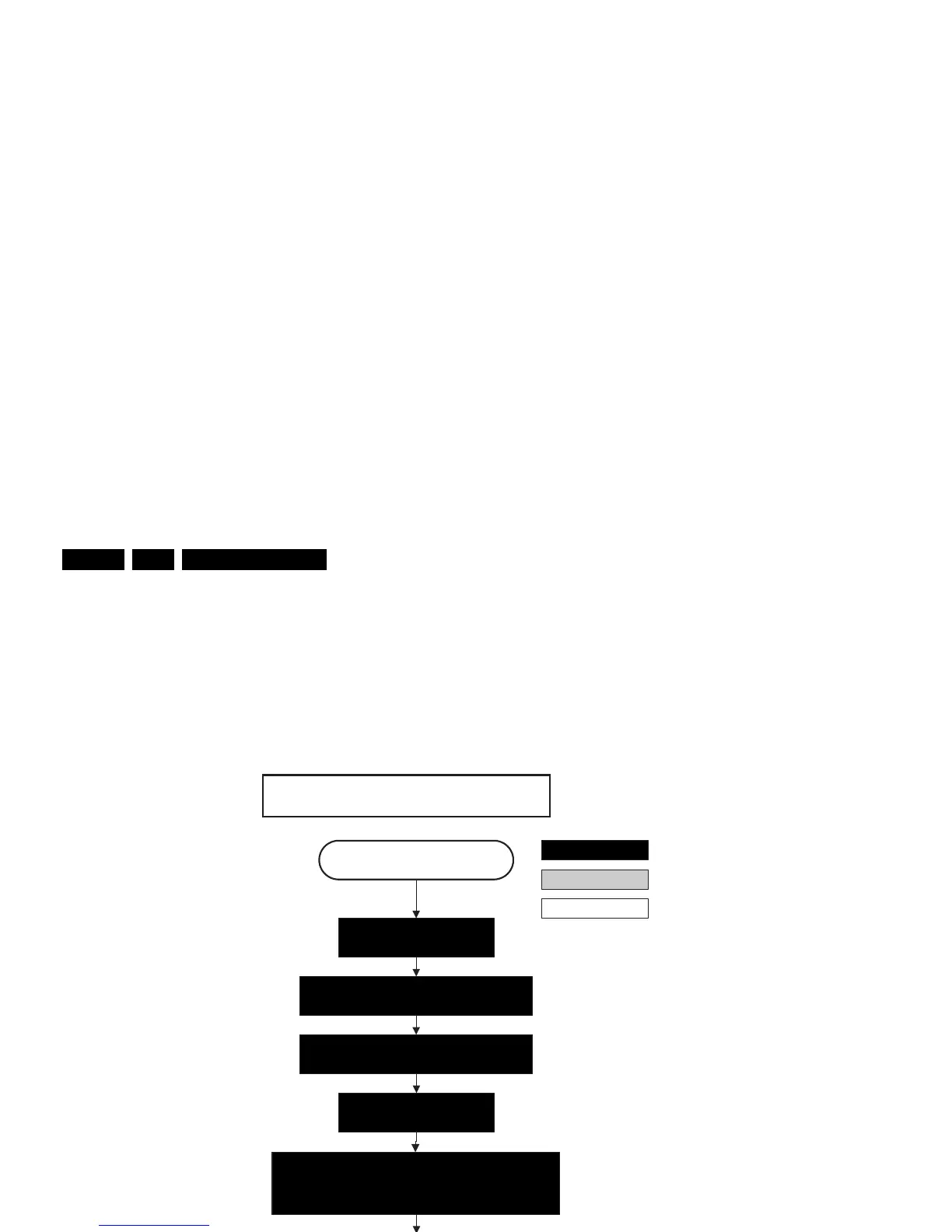
Figure 5-6 “Semi Stand-by” to “Active” flowchart
Switch “off” RGB blanking after valid, stable video.
Active
Semi Stand-by
action holder: MIPS
autonomous action
action holder: St-by
Initialize audio and video processing ICs and
functions.
RGB video blanking
and audio mute.
Wait untill QVCP generates a valid LVDS
output clock
Switch Audio-Reset and sound enable “low” and demute.
Switch “on” LVDS transmitter
(PNX2015) (if not already on).
F_15400_097.eps
260505
42" / 50" SDI V4
Enable anti-aging
(if applicable).
Switch the SDI Picture Flag “low” to enable picture. 1.5
seconds later, the display will unblank automatically
and show the LVDS content.










 To Next Page