Service Modes, Error Codes, and Fault Finding
EN 21BP2.2U, BP2.3U 5.
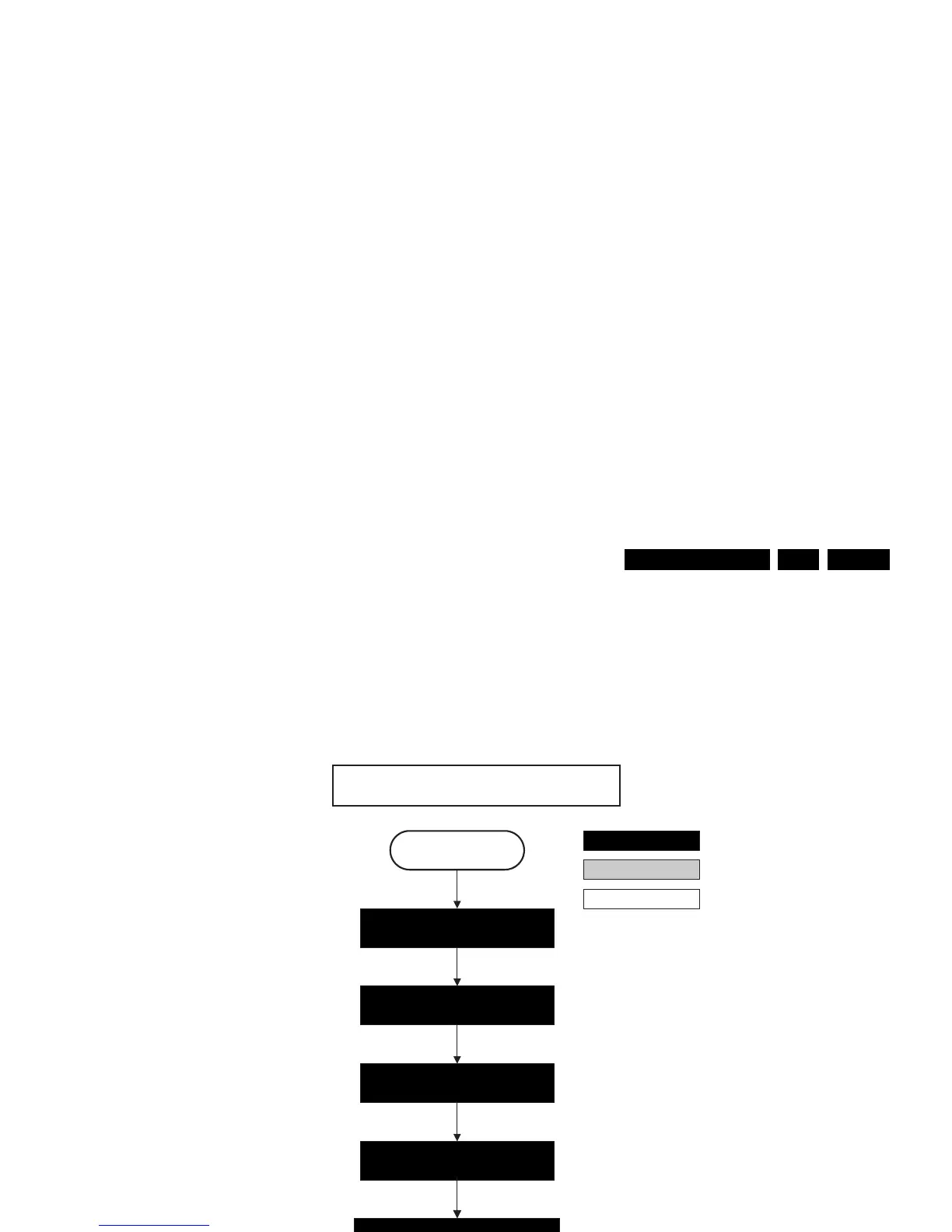
Figure 5-7 “Active” to “Semi Stand-by” flowchart
Semi Stand-by
Active
action holder: MIPS
autonomous action
action holder: St-by
Switch “off” LVDS signal
(PNX2015).
Mute all sound outputs.
Mute all video outputs.
Blank PDP display.
Switch RESET_AUDIO and
SOUND_ENABLE lines “high”
F_15400_098.eps
260505
42" / 50" SDI V4
Wait 600ms to prevent image
retention
(display error)
Switch the SDI Picture Flag “high” to prevent
testpattern display in semi-standby mode









 To Next Page