5EN
3 Get started
Always follow the instructions in this
chapter in sequence.
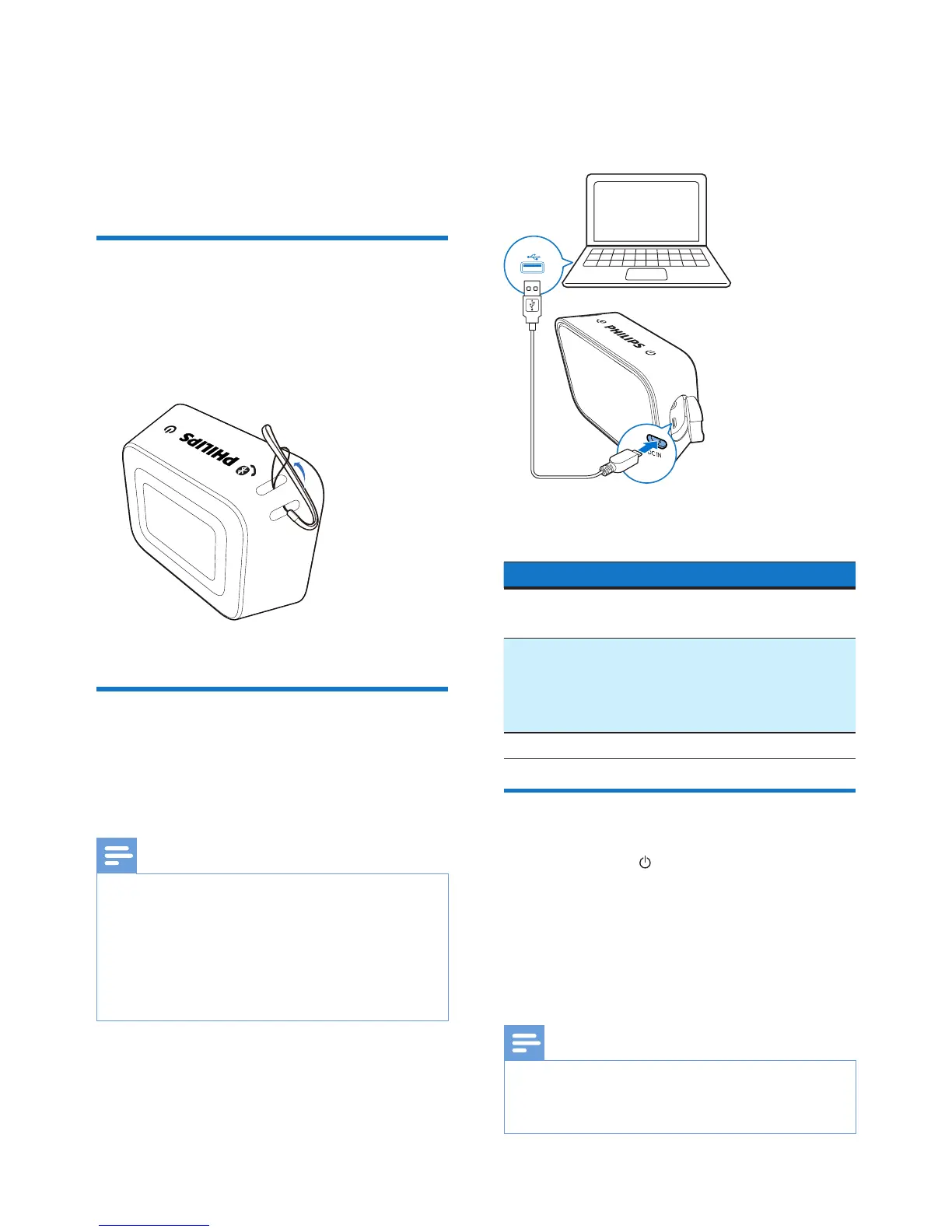
Attach the string
For easy carrying, attach the supplied
string to this speaker as illustrated.
Charge the built-in
battery
The speaker is powered by a built-in
rechargeable battery.
Note
• Before use, fully charge the built-in battery.
• The micro USB socket is for charging only.
• It takes you approximately four hours to
fully charge the battery.
• Rechargeable battery has a limited number
of charge cycles. Battery life and number of
charge cycles vary by use and settings.
Connect the USB cable between
• the DC IN socket on the speaker,
and
• a USB socket on a computer.
The LED indicator indicates the battery
status.
Battery Status LED Indicator
Under
charging
Red
Fully charged/
Not charging
O (in power-o
mode);
Blue (in Bluetooth
mode)
Low battery Flashing red
Turn on/o
Press and hold for three seconds to
turn the speaker on or o.
» When the speaker is turned on,
the LED indicator begins to ash.
» When the speaker is turned o,
the LED indicator lights o.
Note
• When there is no operation and audio
output for 15 minutes, the speaker switches
to standby mode automatically.



 To Next Page