6
EN
4 Play from
Bluetooth
devices
With this speaker, you can listen to
audio from Bluetooth-enabled devices.
Connect a device
Note
• The speaker can memorize a maximum of
four paired devices. The fth paired device
will replace the rst one.
• Any obstacle between this speaker
and a Bluetooth device can reduce the
operational range.
• Keep away from any other electronic
device that may cause interference.
• The operational range between this
speaker and a Bluetooth device is
approximately 10 meters (30 feet).
• Make sure that there is no audio input
cable connected to the AUDIO IN socket.
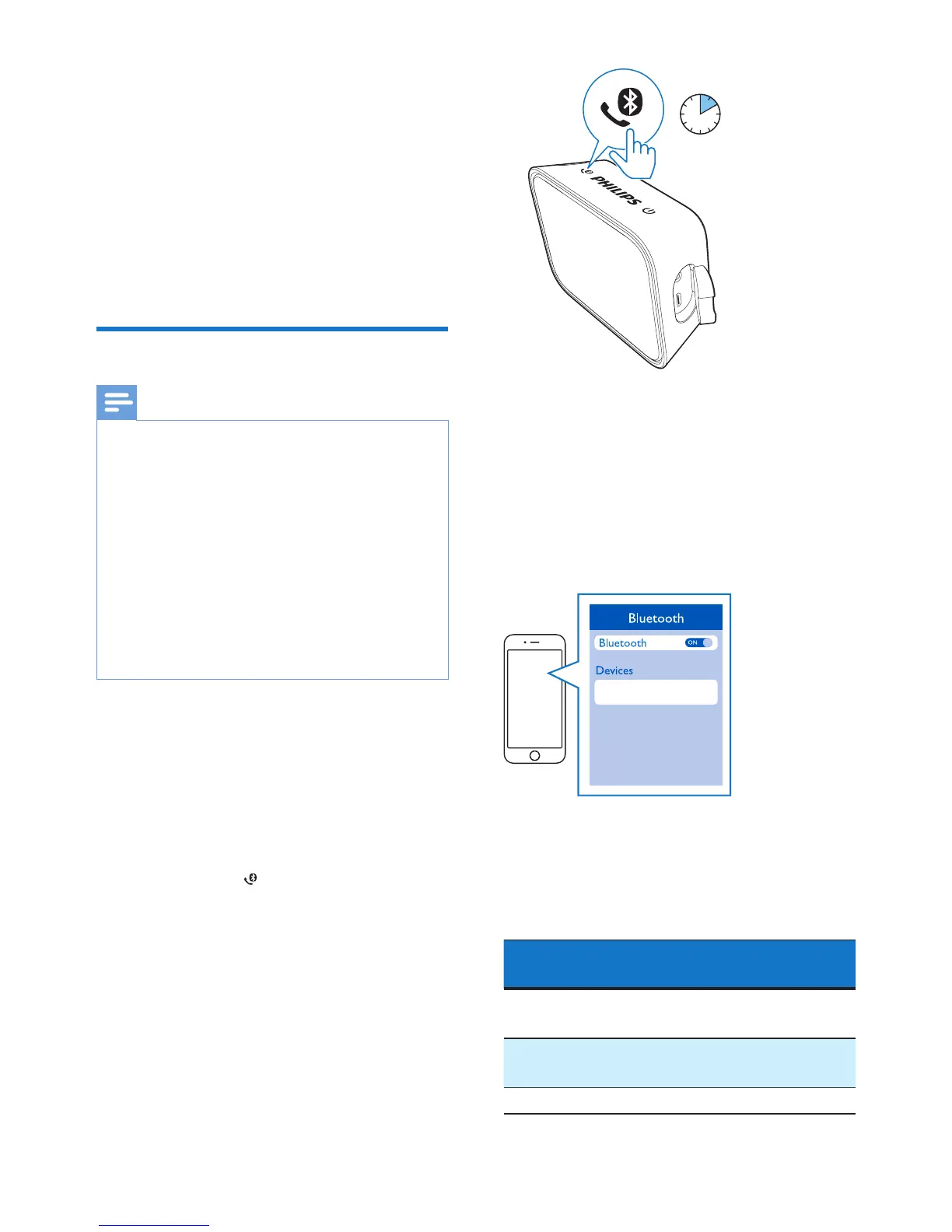
1 Make sure that the speaker is in
Bluetooth pairing mode
• For rst-time use, the
speaker enters pairing mode
automatically.
• If the speaker has been paired
with other device before, press
and hold on the speaker for
two seconds to enter pairing
mode.
» The LED indicator ashes blue
quickly.
2 On your Bluetooth device, enable
Bluetooth and search for Bluetooth
devices that can be paired (refer to
the user manual of the device).
3 Select [Philips BT110] displayed
on your device for pairing and
connection. If necessary, input
“0000” as the pairing password.
» After successful pairing and
connection, the speaker beeps
twice, and the LED indicator
turns solid blue.
LED indicator (blue)
Indicator Bluetooth Connection
Status
Quick ashing
(2Hz)
Pairing
Slow ashing
(1Hz)
Connecting
Solid blue Connected
2 sec



 To Next Page