10EN
4 Play
Play disc
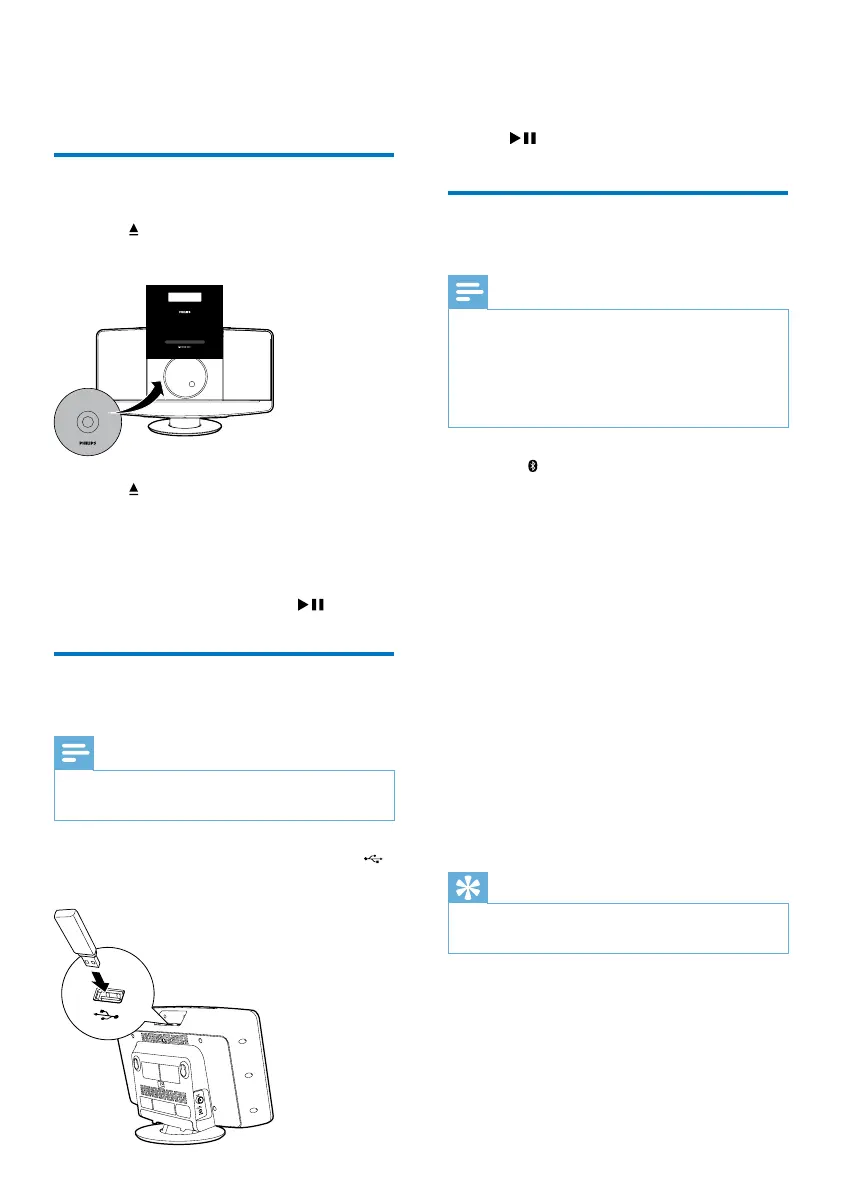
1
Press to open the disc tray.
2 Insert a disc with the printed side facing up.
3 Press to close the disc tray.
4 Press CD on the remote control to select
the disc source.
» [Reading] (reading) blinks for a
moment, then CD starts playing
automatically. If not, press
.
Play from a USB storage
device
Note
•
Make sure that the USB device contains playable audio
content.
1 Insert the USB storage device into the
socket.
050
2 Press USB on the remote control to select
the USB source.
» Play starts automatically. If not, press
.
Play from Bluetooth-enabled
devices
Note
•
The effective operating range between the system and
the paired device is approximately 10 meters (30 feet).
• Any obstacle between the system and the device can
reduce the operational range.
• Compatibility with all Bluetooth devices is not
guaranteed.
1 Press to select Bluetooth source.
» [BT] (Bluetooth) is displayed.
» TheBluetoothindicatorashesblue.
2 On your Bluetooth device, enable
Bluetooth and search for Bluetooth devices
that can be paired (refer to the user
manual of the device).
3 When [BTM2056] is displayed on your
device, select it to start pairing and
connection.
» After successful pairing and connection,
the Bluetooth indicator turns solid
blue, and the system beeps twice.
4 Play audio on your device.
» Audio streams from your device to this
micro system.
Tip
•
The system can memorize up to 5 previously
connected Bluetooth devices.
To disconnect the Bluetooth-enabled device:
• Deactivate Bluetooth on your device; or
• Move the device beyond the
communication range.



 To Next Page