11 EN
To clear Bluetooth pairing history:
Press and hold
for 3 seconds.
» The current Bluetooth connection is
disconnected.
» After successful clearing, [CLEAR] (clear) is
displayed for 3 seconds.
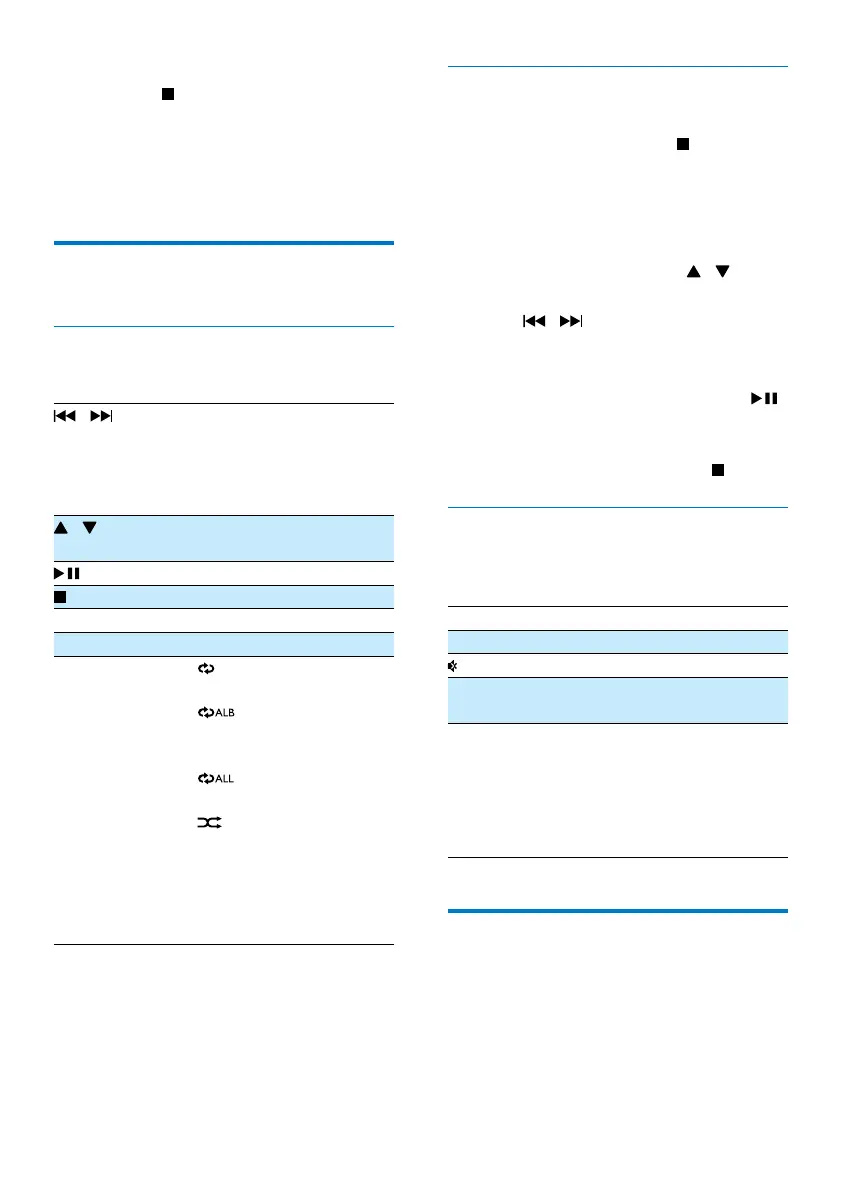
Play options
Control play
In CD or USB mode:
/ Selectanaudiole;
Press and hold to fast
forward or fast reverse the
track during playback, then
release to resume play.
/ For MP3/WMA tracks, select
an album or folder.
Start or pause play.
Stop play.
OK Conrmaselection.
Numeric buttons Select a track directly.
REPEAT
/SHUFFLE
[
]: Play the current track
repeatedly.
[
] (for MP3/WMA
only): play all tracks in this
album repeatedly.
[
]: play all tracks
repeatedly.
[
]: play all tracks
randomly.
To return to normal play,
press REPEAT/SHUFFLE
repeatedly until the repeat
orshufeiconsdisappear.
Program tracks
You can program a maximum of 20 tracks.
1 In CD or USB mode, press to stop
playback.
2 Press PROG to activate the programming
mode.
» [PROG] (program) is displayed.
3 For MP3/WMA tracks, press /
repeatedly to select an album.
4 Press / repeatedly to select a track,
then press PROGtoconrm.
5 Repeat steps 3-4 to program more tracks.
6 To play the programmed tracks, press .
» During play, [PROG] (program) is
displayed.
• To erase the program, press
twice.
Adjust sound
During play, you can adjust volume and select
different sound effects.
Key Function
VOL +/- Increase or decrease volume.
Mute or resume sound.
DBB Turn dynamic bass enhancement on
or off.
DSC Select a sound effect:
[POP] (pop)
[JAZZ] (jazz)
[ROCK] (rock)
[CLASSIC] (classic)
[FLAT](at)
Display different information
During play, press DISPLAY repeatedly to view
time and different play information.



 To Next Page