Getting started
10
3.4 Configure your phone
Additional handsets must be registered to the
base station before you can use them. Up to five
handsets can be registered to one base station.
Press to access the main menu
Scroll / to select ADVANCED SET
Press and / to select
REGISTRATION
Press and / to select your
desired base station
Note
The registered base station is marked with an
asterisk at the rightmost of the display.
Press and enter the 4-digit master PIN
when prompted (default master PIN is
0000)
Press and press on the base station
for more than three seconds at the same
time.
• A beep tone is emitted from the handset to
indicate successful registration and the screen
returns to idle mode.
Note
If the base is found and the PIN is correct, the
unused handset numbers will be assigned
automatically.
If the PIN is incorrect, WRONG PIN! will be
displayed with an error tone, and the handset
returns to idle mode.
If no base is found within a certain period, NO
BASE would be displayed with an error tone,
and the handset returns to idle mode.
3.5 How to power off or on the
handset power
You can power off your handset in order to
save battery power.
Press and hold for about five seconds to
power off the handset
Press to power on the handset again
2
1
6
5
4
3
2
1
3 Getting started
3.1 Connect the charger
Insert the plug of the power cord into the
socket under the charger.
Connect the other end of the power cable
to the electricity socket.
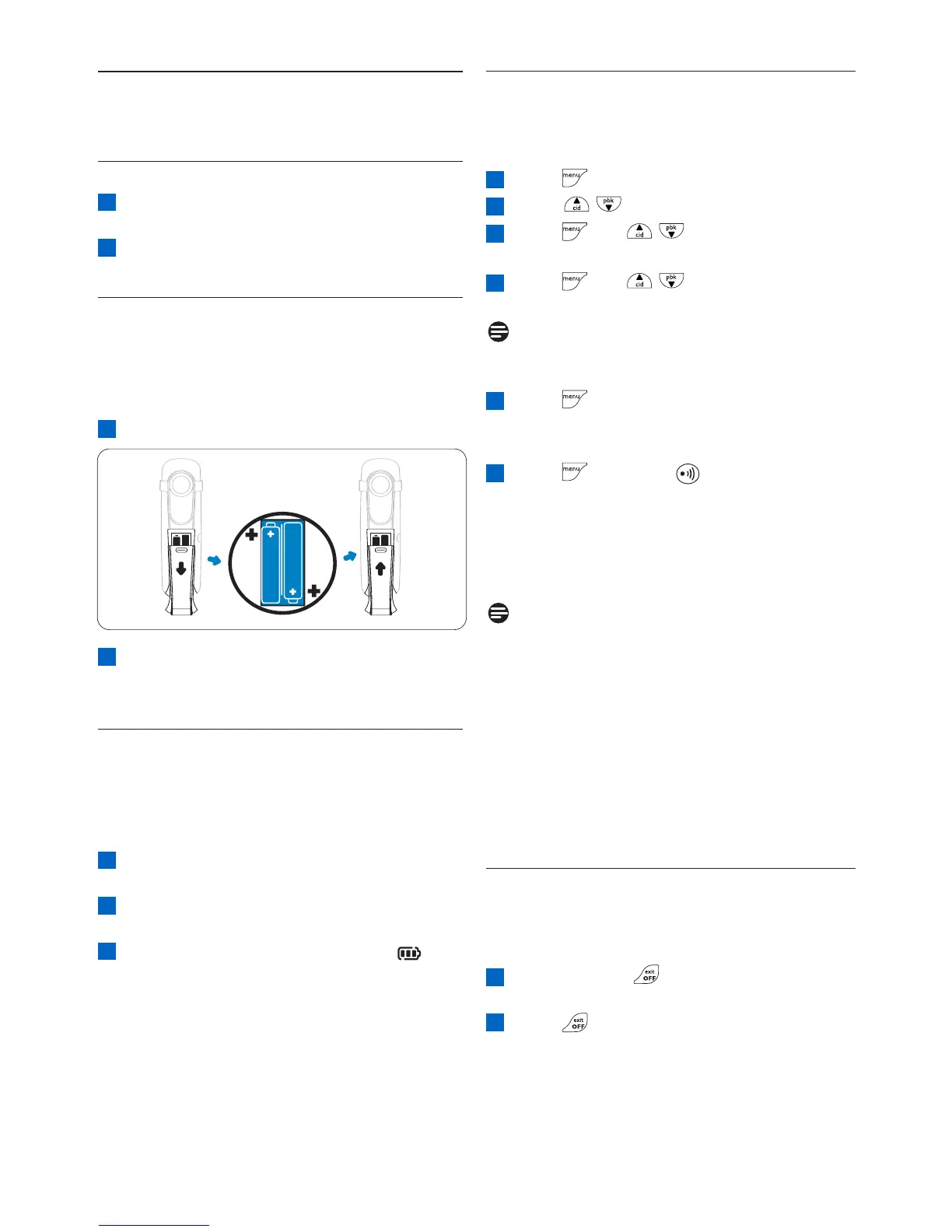
3.2 Install rechargeable batteries
Your CD4450 is supplied with two
rechargeable batteries. Before using the
handset, install the batteries into the handset
and fully charged them up.
Slide out the battery cover
Place the batteries as indicated in the
battery compartment and replace the
battery cover.
3.3 Place the handset on the charging
cradle
When the battery is fully charged, the talk time
of your phone is approximately 12 hours and
the standby time is approximately 150 hours.
Place the handset on the charging cradle of
the base station.
Leave it there until the batteries are fully
charged.
When the handset is fully charged, is
displayed.
3
2
1
2
1
2
1



 To Next Page