Use more of your phone
21
ENGLISH
6 Frequently asked
questions
In this chapter you will find the most frequently
asked questions and answers about your phone.
Connection
The handset does not switch on!
• Charge the battery: Put the handset on
charger.After a few moments the phone will
switch on.
• Check the charger connections
• Use only the SUPPLIED
RECHARGEABLE BATTERIES
The phone does not work at all.
• Make sure that the adaptor and the phone
cord are connected properly
• Check that the batteries are fully charged
and installed properly
• This phone does not work during power
failure
Communication is lost during a call!
• Charge the battery
• Move closer to the base station
Poor audio quality
• Move closer to the base station
• Move the base station at least one metre
away from any electrical appliances
No dialling tone
• Check the connections. Reset the phone:
unplug and plug back in the mains.
• Charge the batteries for at least 24 hours
• Move closer to the base station
• Use the line cable provided
• Connect the line adaptor (when needed) to
the line cord
The is blinking.
• Move closer to the base station
• Check battery level
• Register the handset to the base station
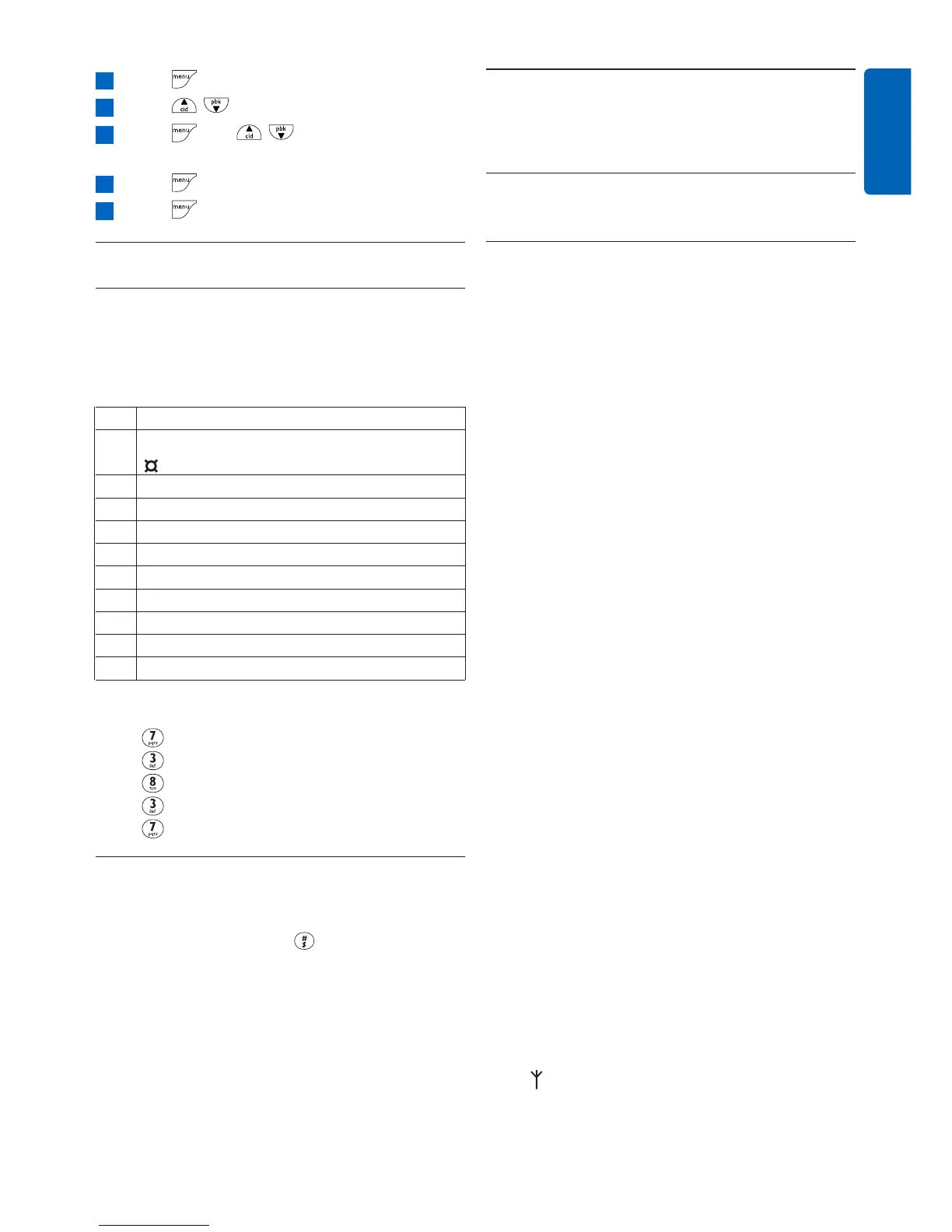
Press to access the main menu
Press / to select ADVANCED SET
Press and / to select CONFER.
MODE
Press to select ON or OFF
Press to save the settings
5.8 How to enter text and number
5.8.1 Entering text and digit
You can enter the names of your phonebook
entries characters by character by pressing the
relevant key once or several times to reach the
desired character.
Key Assignment
1 space 1 @ _ # = < > ( ) & £ $ ¥ € [ ] { }
2 a b c 2 à ä Ç å Æ
3 d e f 3 é è ∆ Φ
4 g h i 4 ì Γ
5 j k l 5 Λ
6 m n o 6 Ñ ò ö
7 p q r s 7 ß Π Θ Σ
8 t u v 8 Ù Ü
9 w x y z 9 Ø ΩΞ Ψ
0 . 0 , / : ; " ' ! ¡ ? * + - % \ ^ ~ |
For example, to enter the name “PETER” in
editing mode:
Press once: P
Press twice: E
Press once: T
Press twice: E
Press three times: R
5.8.2 Switching between lowercase and
uppercase
By default, all characters entered will be in
uppercase. You can press to switch between
uppercase and lowercase letters.
5
4
3
2
1



 To Next Page