11
English
EN
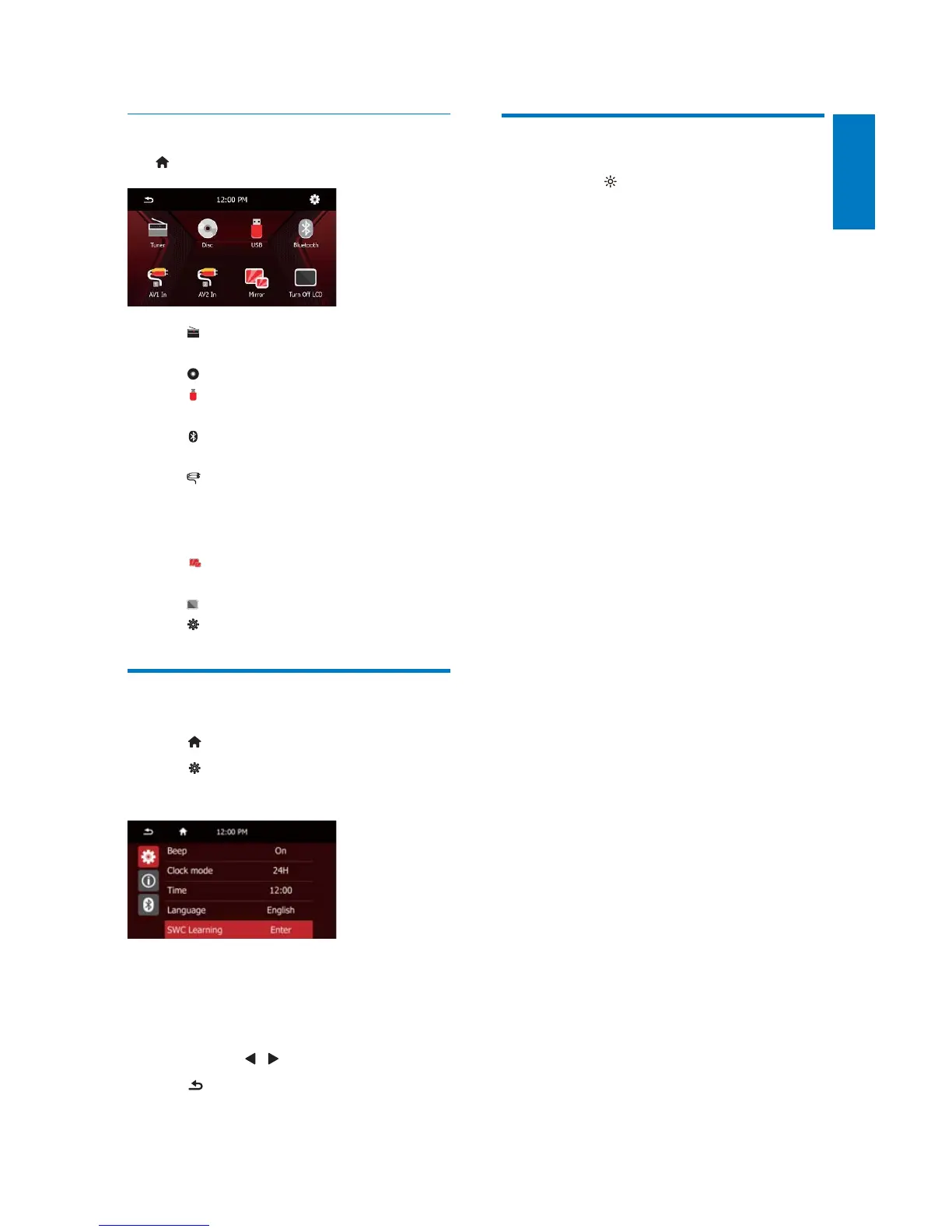
Access the home menu
Tap to access the home menu.
[Tuner]: Switch the source to FM/
AM radio.
[Disc]: Switch the source to disc.
[USB]: Switch the source to USB
storage device.
[Bluetooth]: Use the Bluetooth
feature.
[AV1 IN]/[AV2 IN]: Switch the
source to the audio and video input
that is transferred from an external
video player.
[Mirror]: Connect with the external
mirror box (not supplied).
[Turn Off LCD]: Turn the LCD off.
: Access the system menu.
Set the time
1 Tap .
2 Tap .
» The following menu is displayed.
3 Tap [Clock mode] to select a time format.
[24 Hour]: 24-hour time format
[12 Hour]: 12-hour time format
4 Tap [Time] , tap the hour or minute digits,
and then tap
/ to set the hour or minute.
5 Tap to return to the previous menu.
Adjust the screen brightness
Press and hold on the front panel to select a
brightness level of the screen.



 To Next Page