18 EN
3 Tap to send the call.
To end the call, tap
.
To enter numbers during the call, tap
WRGLVSOD\WKHNH\SDGÀUVW
Redial the last called number
1 Tap .
» The last called number is displayed.
2 Tap again to send the call.
Answer a call
Note
By default, all incoming calls are picked up automatically.
You can disable the function of automatic answer.
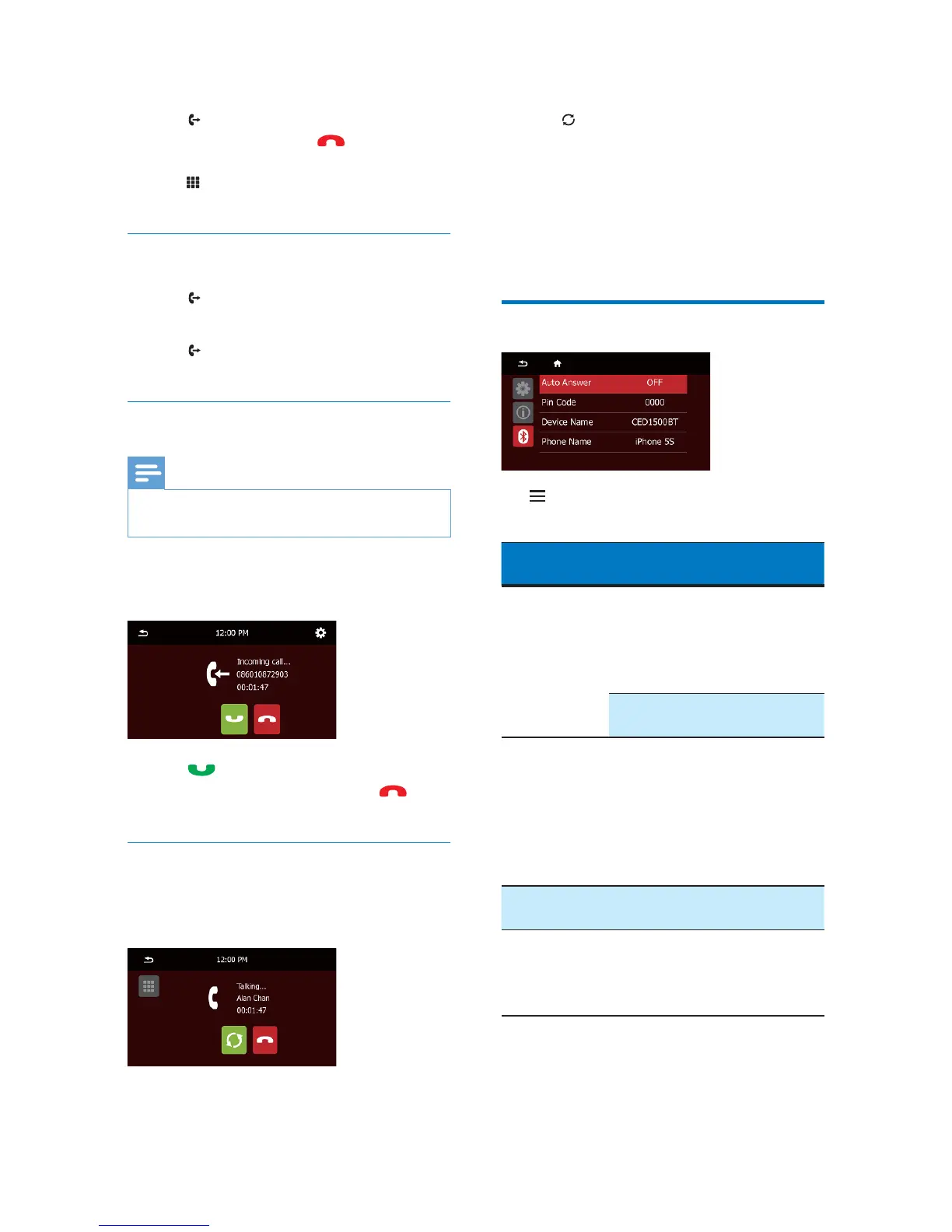
1 When there is an incoming call, [Incoming
call…] is displayed on the screen.
2 Tap to answer the call.
To reject or end the call, tap
.
Transfer a phone call to mobile phone
By default, the voice comes from the
loudspeakers during a call.
1 Tap to transfer the phone call to your
mobile phone.
» The loudspeakers are muted, and the
voice comes from the mobile phone
only.
2 Take up your mobile phone for the
conversation.
Adjust Bluetooth settings
Tap to access the menus for Bluetooth
settings.
Bluetooth
settings
Options Description
[Auto Answer] [On] Answer phone calls
automatically when
the paired mobile
phone receives an
incoming call.
[Off] Answer phone calls
manually.
[Pin Code] Set the password
for pairing the car
entertainment
system with
another Bluetooth
device. The default
password is 0000.
[Device name] CED
1500BT
Turn on the external
microphone.
[Phone Name] Show the phone
name that is
connected with
CED1500BT.



 To Next Page