5
English
EN
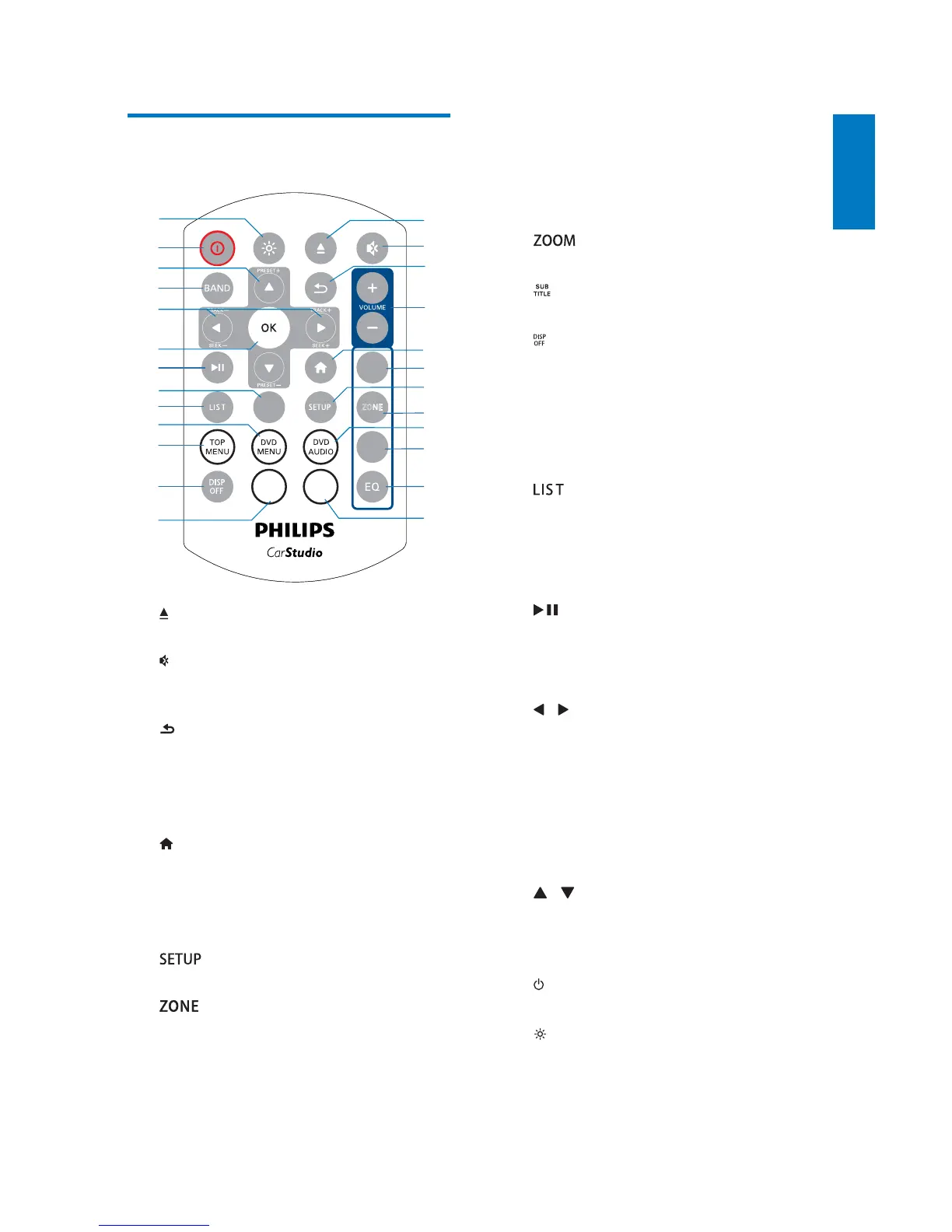
Overview of the remote
control
a
Press to eject the disc.
b
Press to mute the speakers or release
them from mute status.
c
Return to the previous menu or mode.
d VOLUME + / -
Press to increase or decrease the
volume.
e
Access the home menu.
f AUDIO
Select an audio language or audio
channel.
g
Access to system setup menu..
h
Select music listening zone.
i DVD AUDIO
Select an audio language or audio
channel.
b
c
a
d
f
h
g
e
j
i
k
l
x
w
y
v
t
u
s
q
o
p
r
n
m
ZOOM
SUB
TITLE
ZONE
AUDIO
SU BW
RADIO
OPTION
j SUBW
Access the menu for subwoofer
settings.
k EQ
Select a preset sound equalizer.
l
Select a music listening zone.
m
Select an available subtitle.
n
Turn on or off the screen.
o TOP MENU
Access the top menu.
p DVD MENU
Access the DVD menu.
q
$FFHVVWKHWKHIROGHURUÀOHOLVW
r RADIO OPTION
In radio mode, press to display
available menus or options.
s
Start, pause, or resume the play.
t OK
&RQÀUPDQRSWLRQ
u
/ /TRACK -/TRACK +
Skip to the previous or next track,
FKDSWHURUÀOH
For DVD, press and hold to select a
speed for fast backward or forward
search.
v BAND
Select a tuner band.
w
/ /PRESET +/PRESET -
Tune to the previous or next preset
radio station.
Skip to the previous or next folder.
x
Turn the car audio on or off.
y
Press to adjust the brightness of the
LCD screen.



 To Next Page