4 EN
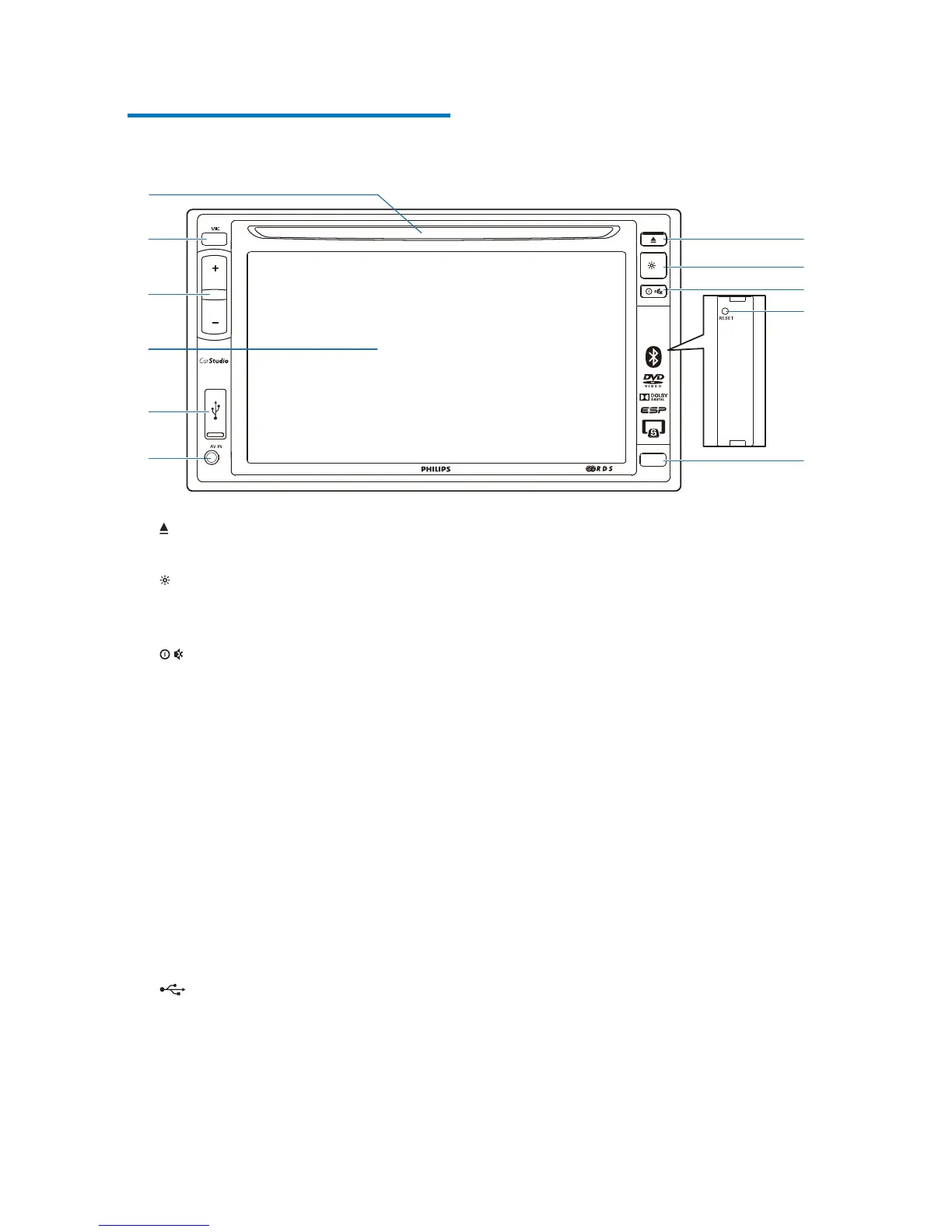
Overview of the main unit
a
Press to eject the disc.
b
Press and hold to adjust the brightness
of LCD screen.
c
Press to power on the unit.
Press and hold to power off the unit.
Press to mute the speakers or release
them from mute status.
d RESET
Press to reset the system.
e iR sensor
The sensor that receives infra-red
signals from the remote control.
f AV-IN
Connect to the audio and video
output sockets of an external player by
a composite AV cable.
g
Connect to a USB storage device.
h LCD screen
CED1500BT
a
b
c
e
f
h
i
g
k
j
d
i +/-
Press to increase or decrease the
volume.
j MIC
The built-in microphone for phone
calls.
k Disc slot



 To Next Page