13
English
EN
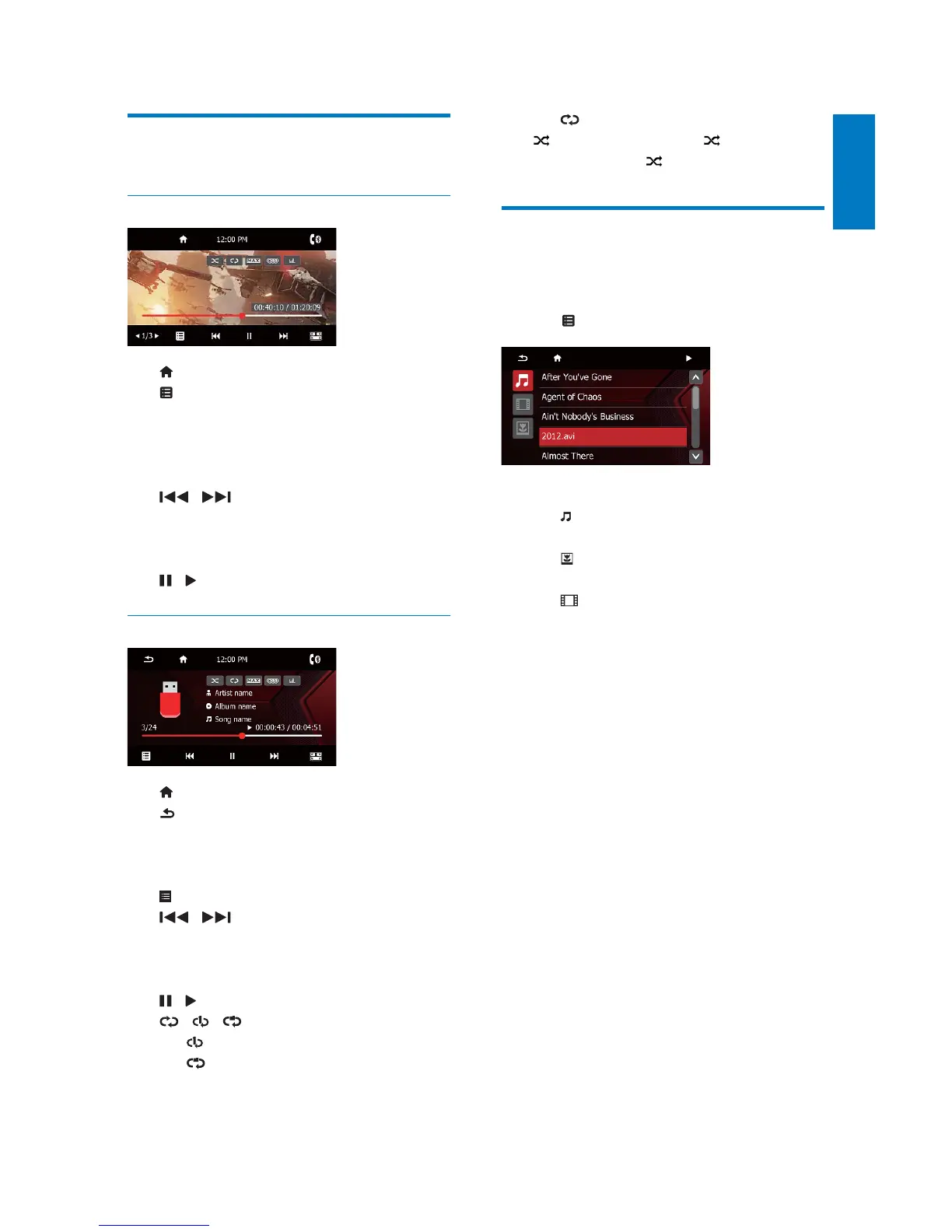
Control play
Videos and pictures
: Return to the home menu.
For DVD, return to the disc menu or
root menu.
)RUUHFRUGHGÀOHVUHWXUQWRWKHOLVWRI
ÀOHVRUIROGHUV
/ : Skip to the previous or next
WLWOHFKDSWHUWUDFNRUÀOH
To search forward fast or rewind the
track, tap on the progress bar.
/ : Start, pause, or resume play.
Audios
: Return to the home menu.
Press once to access the track list.
Press repeatedly to return to the
playback interface.
: Return to the list of tracks or folders.
/ : Skip to the previous or next
track.
To search forward fast or rewind the
track, tap on the progress bar.
/ : Start, pause, or resume play.
/ / : Select a repeat mode.
: Repeat the current track.
)RUUHFRUGHGÀOHVUHSHDWDOOWUDFNV
in the current folder.
(highlighted): Repeat all tracks.
: Select random play ( highlighted) or
sequential play (
in gray).
%URZVHUHFRUGHGÀOHV
'XULQJSOD\LQJUHFRUGHGÀOHV\RXFDQDFFHVV
WKHÀOHOLVWDQGVHOHFWÀOHVIURPWKHOLVW
1 Tap WRDFFHVVWKHOLVWRIÀOHVRUIROGHUV
2 7DSDQLFRQWRVHOHFWDÀOHFDWHJRU\
: Display the list of audio tracks or
folders.
'LVSOD\WKHOLVWRISLFWXUHÀOHVRU
folders.
'LVSOD\WKHOLVWRIYLGHRÀOHVRU
folders.
3 7DSWKHQDPHRIDÀOHWRVWDUWSOD\



 To Next Page