29
English
EN
Adjust Bluetooth settings
Bluetooth
settings
Options Description
[New
Pairing]
Search for new
devices.
[Auto
Connect]
[On] When a paired
device is within
effective range, the
system reconnects
with the device
automatically.
[Off] Reconnect manually.
[Auto
Answer]
[On] Answer phone calls
automatically when
the paired mobile
phone receives an
incoming call.
[Off] Answer phone calls
manually.
[Pin Code] Set the password
for pairing the car
entertainment
system with
another Bluetooth
device. The default
password is 0000.
[External
microphone]
[On] Turn on the external
microphone.
[Off] Use the integrated
microphone.
11 Others
Play external audio/video
input
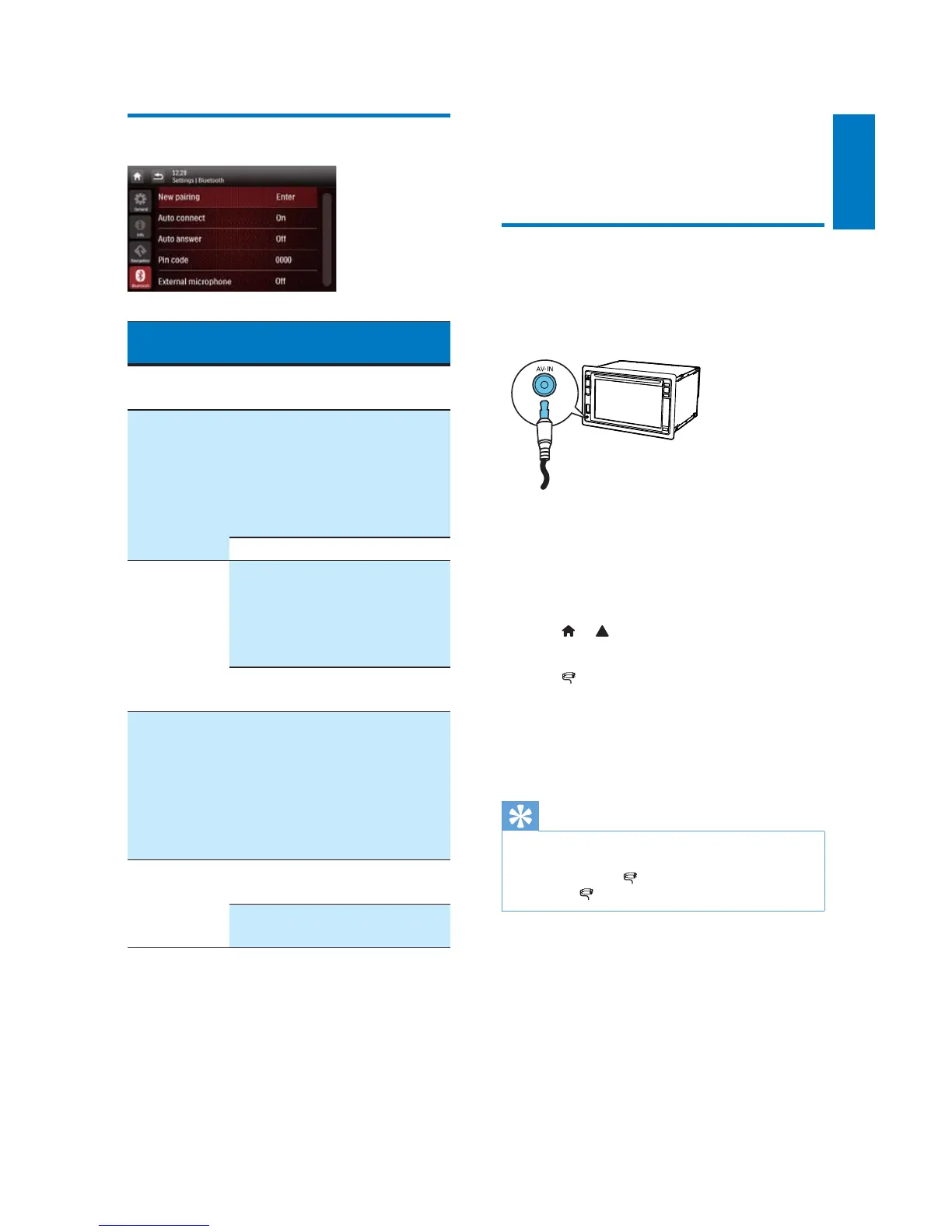
You can connect an external audio/video player
to this system.
1 Connect a composite AV cable to
the AV-IN socket on the front panel,
and
the audio and video output sockets of
the external player.
2 Tap > to access the full menu with all
feature icons displayed.
3 Tap [AV-IN1] to display the playback
interface.
4 Operate on the external player to start
play (see the user manual of the external
device).
Tip
If you connect this system to an external player through
the VIDEO IN, AV-IN L, and AV-IN R sockets on
the rear panel, tap
[AV-IN2] to switch the source
instead of
[AV-IN1].



 To Next Page