10
Mount in the dashboard
Note
Check wire connections before you mount the •
unit into a car.
If preset radio stations are lost when the •
ignition key is turned OFF and then back ON,
reconnect the red leads crosswise to the
yellow ones.
1 If the car does not have an on-board
drive or navigation computer, disconnect
the negative terminal of the car battery.
If you disconnect the car battery in •
a car that has an on-board drive or
navigation computer, the computer
may lost its memory.
If the car battery is not disconnected, •
to avoid short-circuit, ensure that
bare wires do not touch each other.
2 Ensure that the horizontal slant of the car
dashboard opening is between 0 and 20
degrees. The unit cannot be used if the
dashboard opening’s slant angle is above
20 degrees.
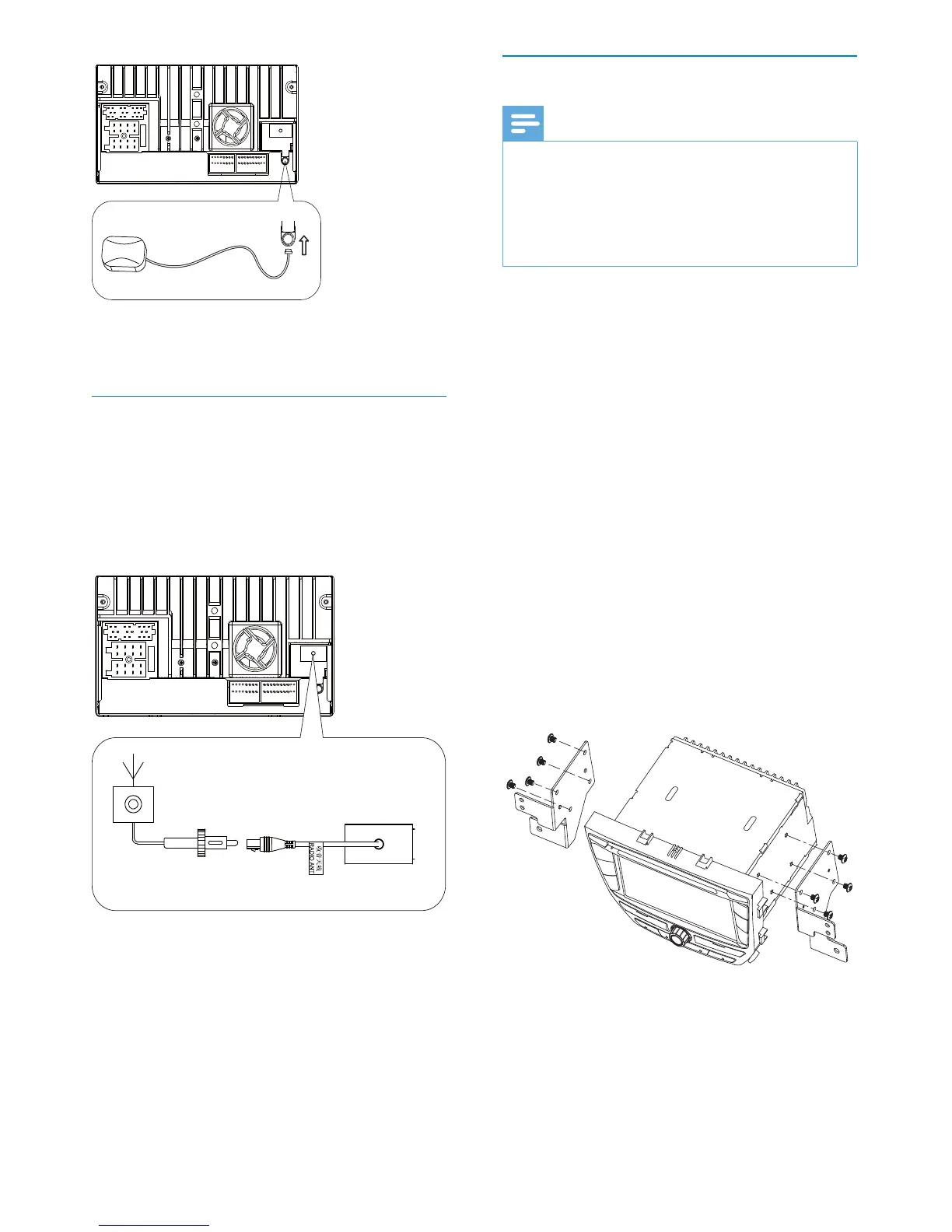
3 Fix the mounting brackets to the
unit with screws (supplied by the car
manufacturer).
4 Slide the unit into the dashboard and fix
it to the car with four screws.
2 Stick the other end of the GPS antenna to
a metal surface of the car.
Connect radio antenna
If your car has built-in radio antenna, connect
it to the radio antenna of the system for
better radio signal.
1 Connect the radio antenna to the car
antenna.
EN



 To Next Page