9
Notes on speaker connection
Never connect speaker wires to the •
metal body or chassis of the car.
Never connect speaker wires with stripes •
to one another.
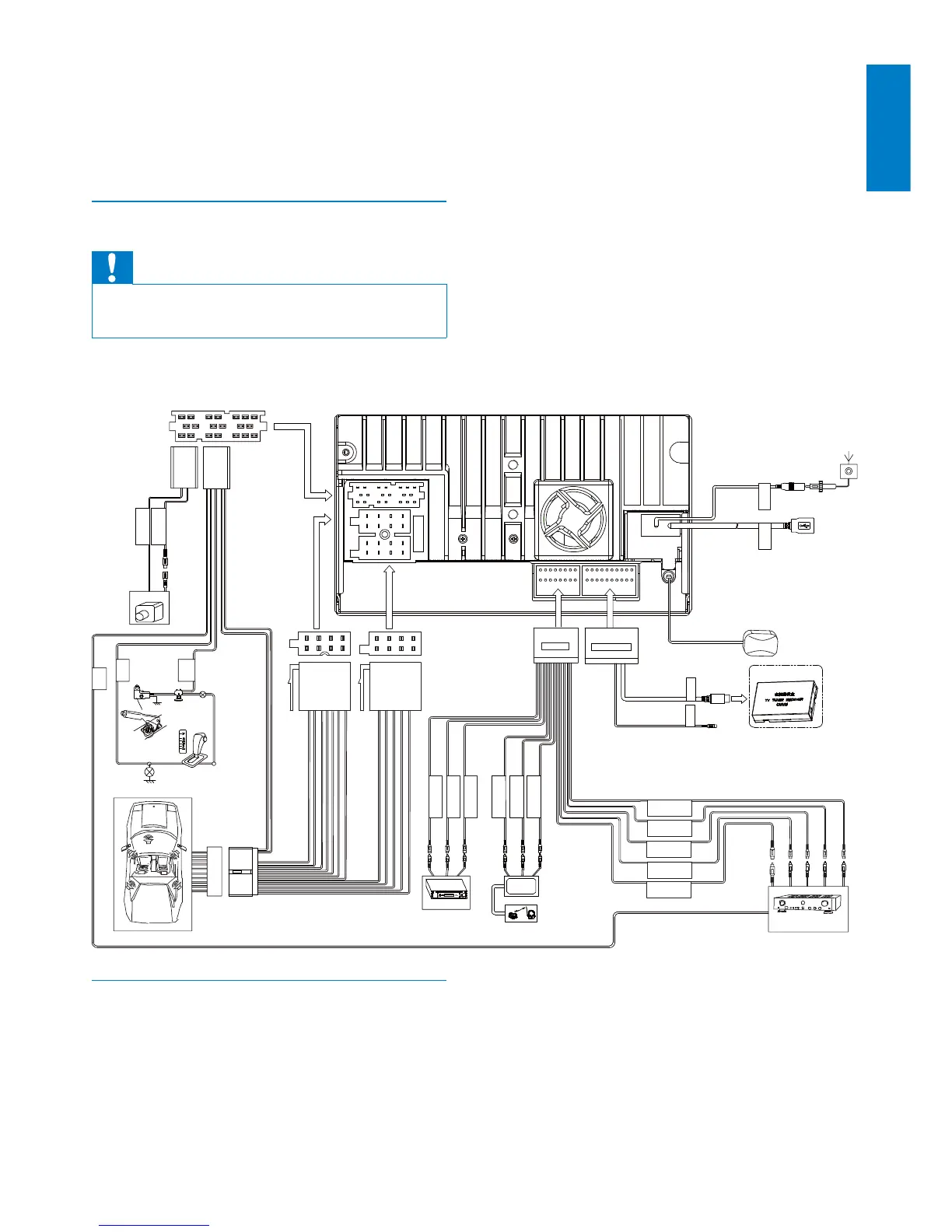
Connect wires
Caution
Ensure that all loose leads are insulated with •
electrical tape.
1 Check the car’s wirings carefully, then
connect them to the unit.
5DGLRDQWHQQD
*36DQWHQQD
2SWLRQDO
Amplifier
൰ၿࠓใཐ
ޮԬଇ
%ODFN
ᇛֲၿൿԟ
ޮႻၿൿԟ
ޮቔၿൿԟ
ఱႻၿൿԟ
ఱቔၿൿԟ
$8;
$9V\VWHP
:LUHOHVVKHDGSKRQH
5HDUVFUHHQ
:KLWH
<HOORZ
ڧᇽ൮ൿೊ
ڧᇽቔၿൿೊ
ڧᇽႻၿൿೊ
ޮ൮ൿԟ
ޮ൮ൿԟ
ޮቔၿൿԟ
:KLWH
5HG
<HOORZ
:KLWH
5HG
5HG
:KLWH
5HG
%URZQ
5$',2$17
86%
AUX IN VIDEO
AUX IN L
AUX IN R
SUB. W
REAR R
REAR L
FRONT R
FRONT L
REAR VIDEO OUT 1
RE AR OUT/R
RE AR OUT/L
<HOORZ *UHHQ
CAMERA
BRAKE
REVERSE
P.CONT
CMMB BUS
MZ-TFT
ޮ൮ࣨ܆ֽཐ
&$0(5$*1'
ޮ൮ࣨ൮ൿೊ
&$0(5$9,'(2
%ODFN
<HOORZ
%OXH:KLWH
3LQN5HG
*UHHQ:KLWH
Gearbox
೯Ӟࡣҭ
֞Ӟࡣҭ
܃٦ᇉ
Connect GPS antenna
To receive signal from satellites, connect the
supplied GPS antenna to your car and the
system.
1 Connect the supplier GPS antenna to the
system first.
English
EN



 To Next Page