22
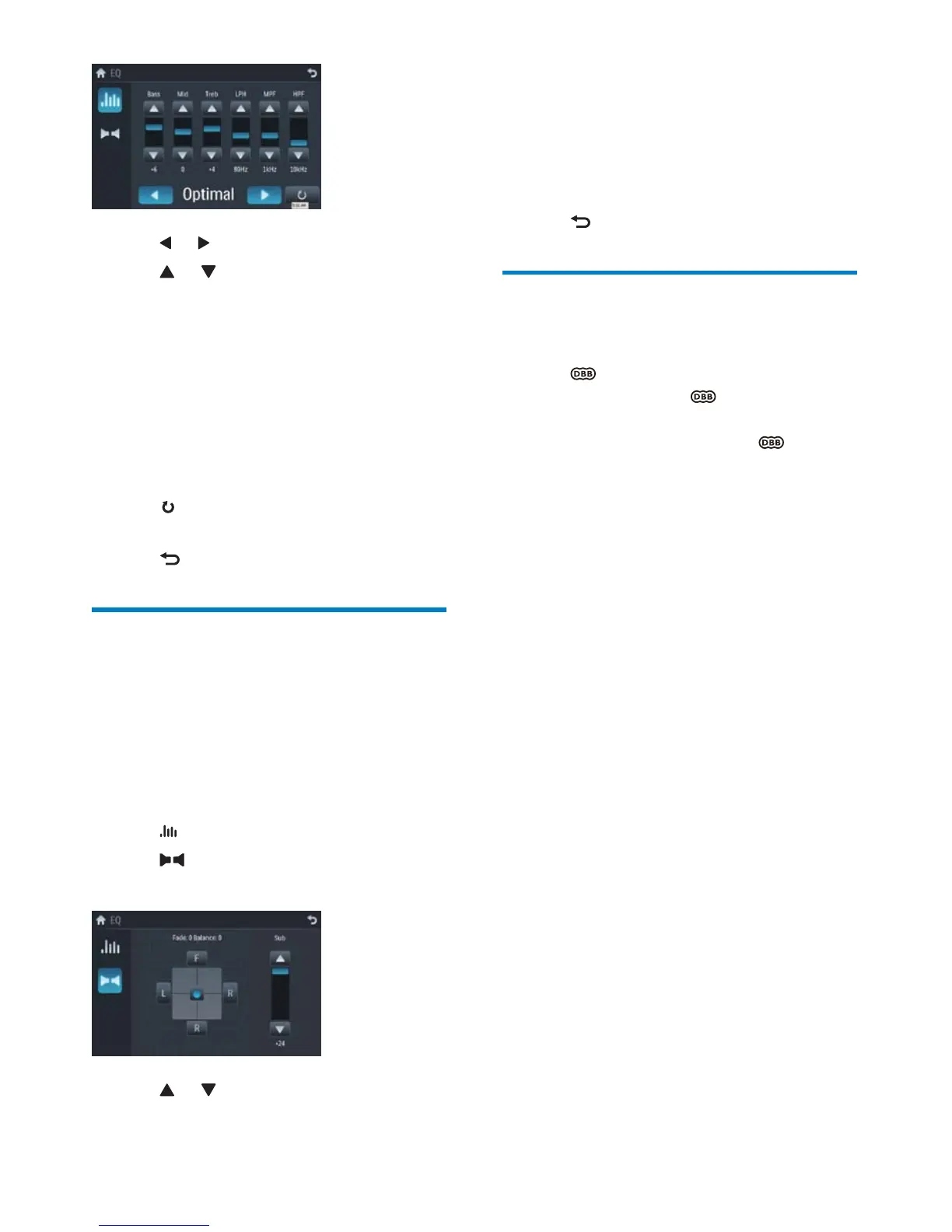
5 Tap F, R, L, or R to adjust fader/balance
value.
• [Fade] fader range: +24 to -24. (F =
front speaker, R = rear speaker)
• [Balance] balance range: -24 to +24.
(L = left speaker, R = right speaker)
6 Tap to exit.
Set Dynamic Bass Boost
(DBB)
1
Tap to toggle between the settings.
• [DBB] on: The
icon is
illuminated.
• [DBB] off (default): The
icon is
gray.
3 Tap or to select an EQ.
4 Tap or to adjust below settings:
• [Bass] bass range: -14 to +14
• [Mid] middle range: -14 to +14.
• [Treb] treble range: -14 to +14
• [LPH] low pass filter range: 60, 80,
100, 200.
• [MPF] middle pass filter range: 500,
1K, 1.5K, 2.5K.
• [HPF] high pass filter range:10K,
12.5K, 15K, 17.5K.
5 Tap to restore the above settings into
default settings.
6 Tap to exit.
Adjust fader/balance
You can also adjust the front and rear speaker
balance, the left and right speaker balance, and
subwoofer settings.
1 Tap anywhere except for the upper left
corner to display menu on the screen, if
necessary.
2 Tap .
3 Tap
Below options are displayed: »
4 Tap or to select subwoofer volume.
• [Sub] subwoofer volume: 0 to 24.
EN



 To Next Page