7
h
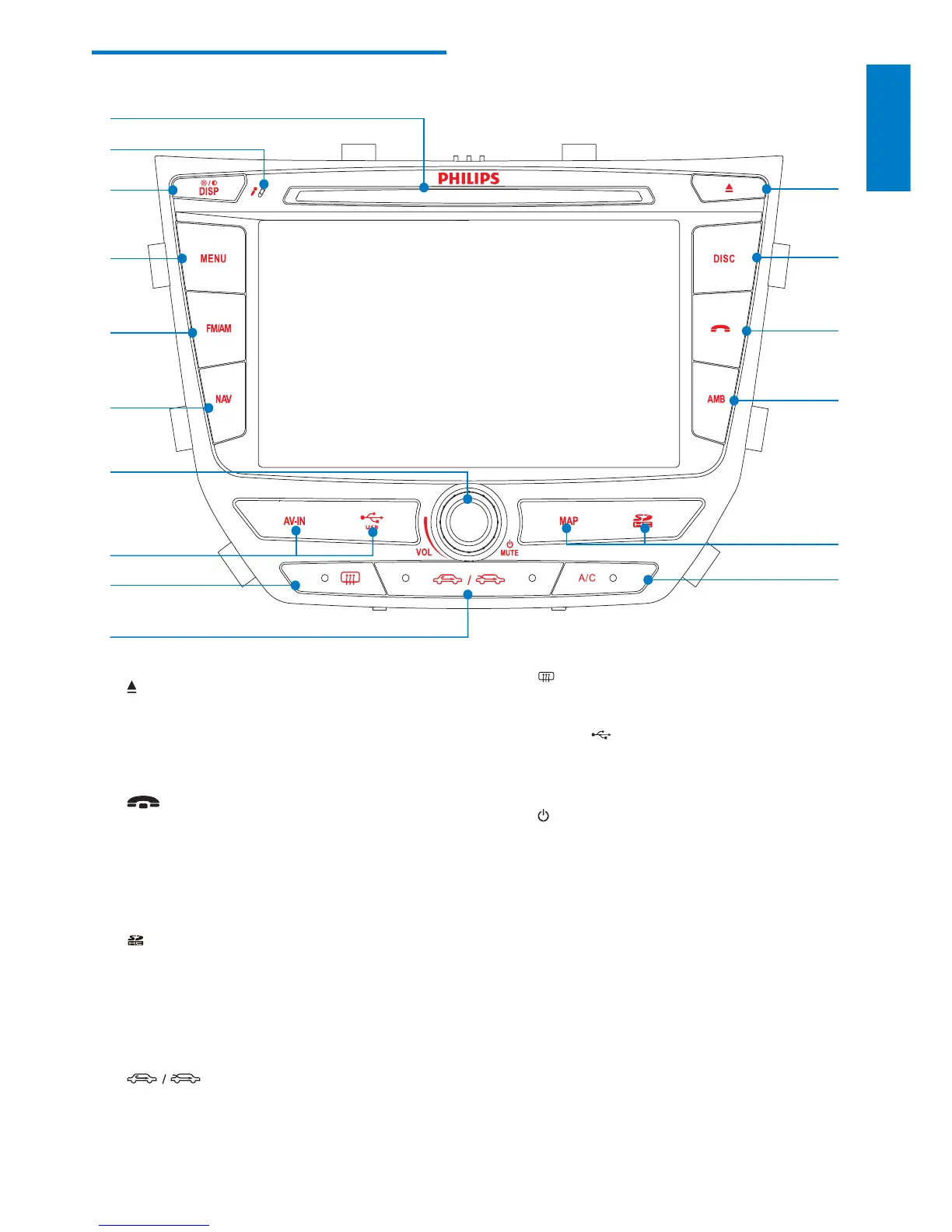
Turn on the rear window defroster.•
i AV IN/
Open the cover and connect the AV •
IN/USB device.
j
/MUTE/VOL
Turn the unit on or off.•
Mute or unmute audio.•
Adjust volume.•
k NAV
Enter the GPS navigation system or •
exit.
l FM/AM
Switch to the FM/AM source. •
m MENU
Return to the home menu.•
Overview of the main unit
a
Eject disc.•
b DISC
Select the disc source.•
c
Terminate call.•
d AMB
Display the air conditioning •
information.
e
/MAP
Open the cover and insert/remove •
the SDHC/GPS map card.
f A/C
Turn on/off the air conditioner.•
g
Select in-car air recycling system/air •
refreshing system.
n
o
p
m
l
k
j
h
i



 To Next Page