16
English
Music mode
PLAYING STORED MUSIC
You can transfer music to the player from your PC (see
TRANSFER).After successul transfer, you can enjoy the
stored music.
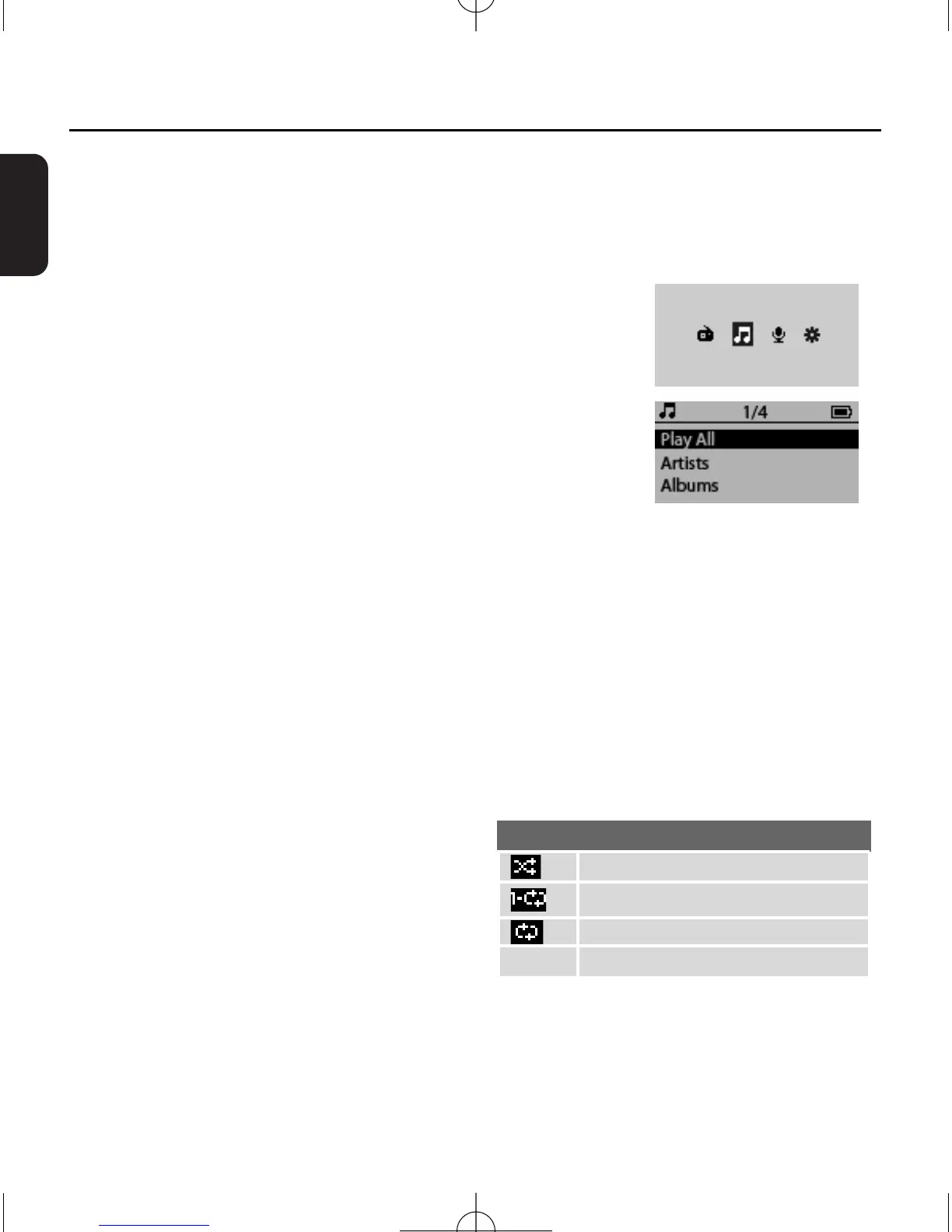
1 In power-on mode, press MENU
to enter the main menu
.
2
Press
1/ 2 once or more to select the Music icon.
3 Press
2;
/B
to confirm.
➜ Display shows the categories of your music library:
Play All, Artists,Albums, Playlists.
Play All: plays all tracks.
Artists: collection of albums sorted by artist name in
alphanumeric order.
Albums: collection of albums sorted by album name in
alphanumeric order.
Playlists: collection of your favorite tracks sorted by the name
of the playlists in alphanumeric order.
4
Press 3/4 to select your option.
5
Press
2
or
2;
/B to start playback.
➜ The playback screen appears.
6
To pause playback, press
2;
/B.To resume playback, press the
button again.
SETTING PLAY MODE
1 Press MENU
and select the settings
icon.
2 Press
2;
/B to enter the settings menu.
3 Press
3/4 to select Play Mode.
4 Press 1/ 2
to select
Shuffle/Repeat/Repeat All/OFF.
5 Press
2;
/B to confirm.


 To Next Page