English
16
Easy-start
The Easy-start feature gently increases the power
over the rst 14 brushings to help you get used
to the brushing with the Philips Sonicare. The
Easy-start feature only works in Clean and White
modes. This Philips Sonicare model comes with
the Easy-start feature activated.
Activating or deactivating the Easy-start
feature
1 Attach the brush head to the handle.
2 Place the handle on the charging platform.
To activate Easy-start:
Press and hold the power on/o and mode button
for 2 seconds. You hear 2 beeps to indicate that
the Easy-start feature has been activated.
To deactivate Easy-start:
Press and hold the power on/o and mode button
for 2 seconds. You hear 1 beep to indicate that the
Easy-start feature has been deactivated.
Note: Using the Easy-start feature beyond the initial
ramp-up period is not recommended and reduces
Philips Sonicare eectiveness in removing plaque.
Note: Each of the rst 14 brushings must be at least
1 minute in length to properly move through the
Easy-start ramp-up cycle.
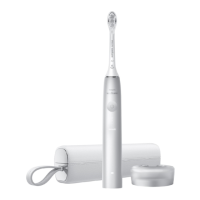
Traveling with your Philips Sonicare
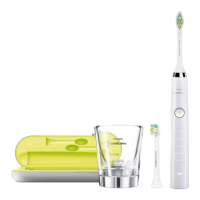
1 Open the travel case and remove the middle
insert.
2 Place the charger base and wall adapter in the
bottom of the case.





 To Next Page