English
13
Remote Control (continued)
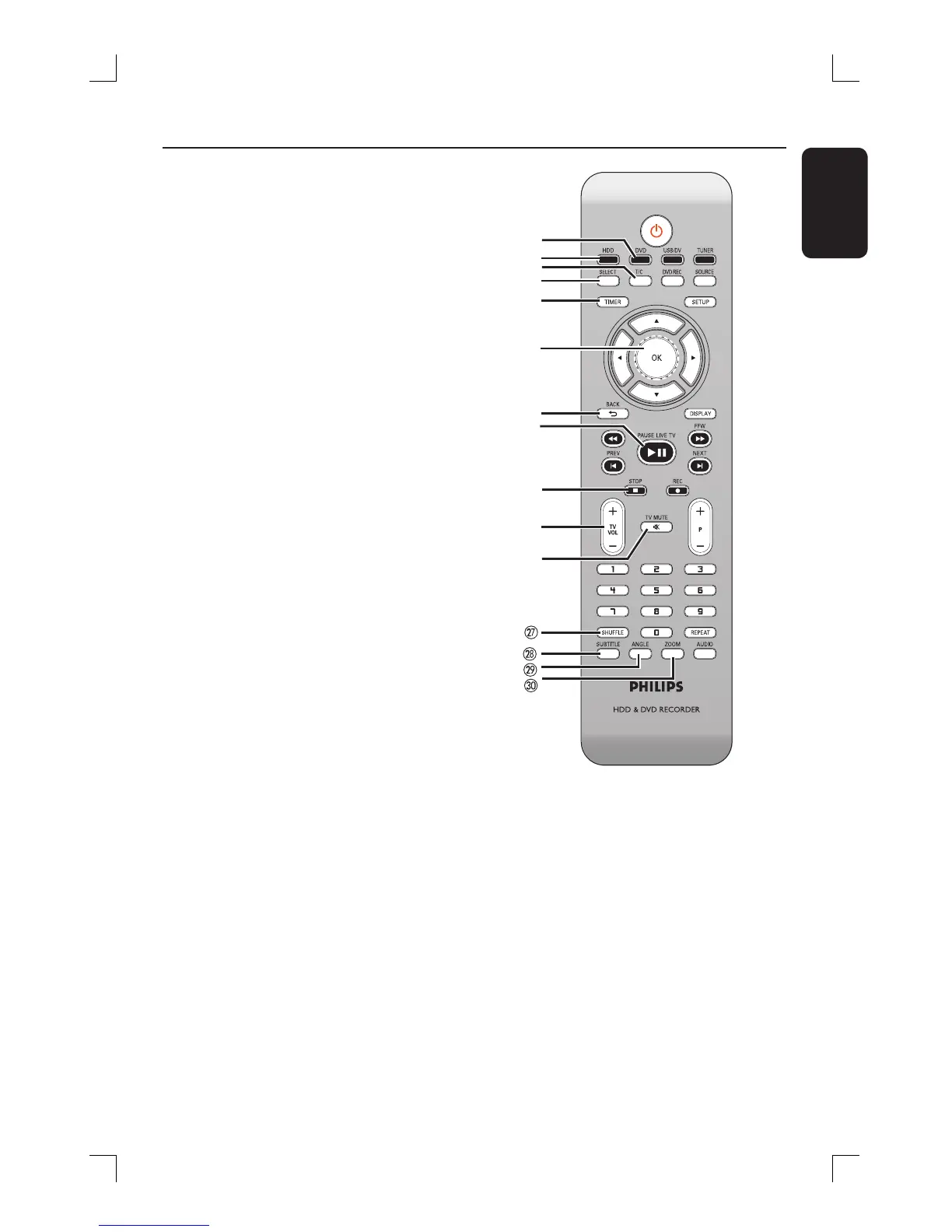
p
DVD
– Switches to disc mode or displays the
disc content menu.
q
HDD
– Enters the HDD content menu.
r
T/C
– Displays title/chapter information.
s
SELECT
– Selects a track/chapter/ le in the program
menu.
– In HDD title menu, marks titles for
copying to a DVD recordable disc.
t
TIMER
– Enters/exits the timer recording menu.
u
OK
– Stores/con rms an entry.
– Con rms a selection.
v
BACK2
– Returns to the previous menu of a video
CD (VCD) or some DVDs.
w
PAUSE LIVE TV
u
– Plays a disc.
– Pauses playback.
– Pauses ‘Live TV’ viewing.
x
STOP
– Stops playback/recording.
– Holding down the key will open and close
the disc tray.
y
TV VOL +/ -
– Adjust the volume of the TV set (Philips
TV only.)
z
TV MUTE H
– Mute the volume of the TV set (Philips
TV only.)
wm
SHUFFLE
– Switches to random playback of an audio
CD, Video CD (VCD), picture CD or
DVD disc.
– In HDD title menu, select to sort the titles.
p
q
r
s
t
u
v
w
x
y
z
wk
SUBTITLE
– Selects a DVD subtitle language.
wl
ANGLE
– Selects a DVD disc camera angle (if
available).
e;
ZOOM
– Enlarges a picture on the TV screen.






 To Next Page