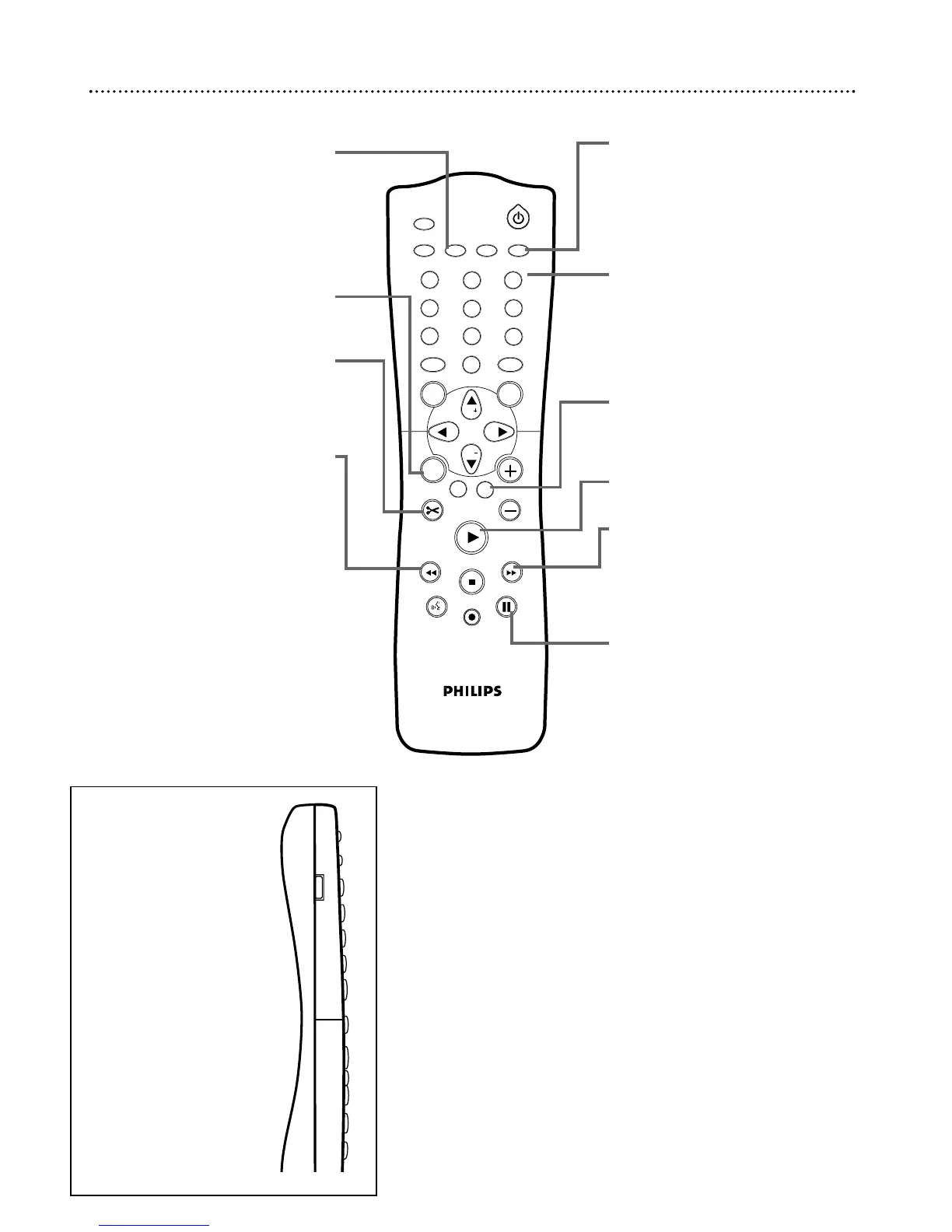
T/C Button
(Title/Chapter)
Press to select “T” (Title/Track) or “C”
(Chapter) in the Menu Bar. Then press
CH+8 or CH-9 to select the
Title/Track/Chapter you want to play.
This button has no effect during
Monitor mode.
TIMER Button
Press to access or remove the Timer
Recording menu. See pages 42-44.
FSS Button
(Favorite Scene Selection)
Press to display or remove the Favorite
Scene Selection menu during playback of
a DVD+R or DVD+RW. See page 51.
Previous j Button
Press to return to the beginning of the
current Chapter/Track.
Press repeatedly to return to previous
Chapters/Tracks. See page 34.
Press and hold for two seconds to
search backward during play.
See page 38.
REC MODE Button
Press repeatedly to select a recording
speed: M1, M2, M2x, M3, M4, or M6.
This determines the quality of the
recording and the amount/length of
time you can record on a Disc.
See page 49.
Number Buttons
Press to select numbered items in a
menu. See page 20. Press during play to
select a Chapter (within the current Title)
or Track for play. See page 34.
Press to select a TV channel while in
Monitor mode.
CLEAR Button
Press to delete the last entry of informa-
tion into a menu. Press to clear a timer
recording. See page 44.
PLAY : Button
Press to play a Disc.
Next G
Press to skip to the next Chapter or
Track during play. See page 34.
Press and hold for two seconds to
search forward during play.
See page 38.
PAUSE k Button
Press once to pause play. Press repeat-
edly to advance a paused picture one
frame at a time (frame-by-frame play-
back). See page 37.















 To Next Page