EasyManua.ls Logo

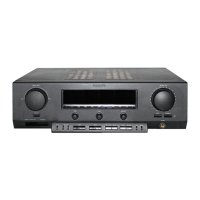
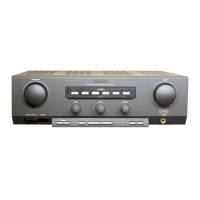
Philips FA 950 - Operation Overview

Philips FA 950
14 pages
Print Icon
To Next Page IconTo Next Page
To Previous Page IconTo Previous Page
Loading...
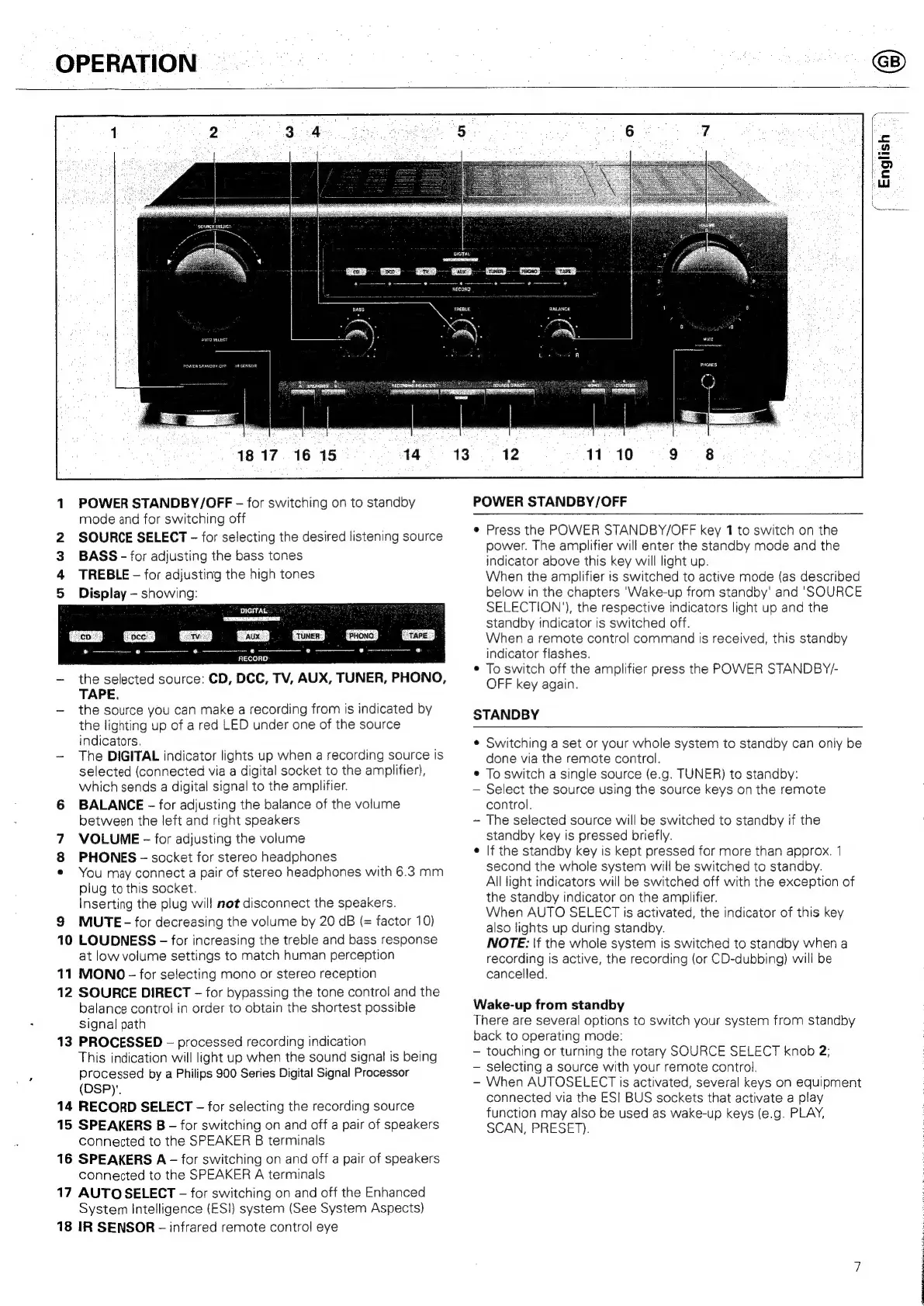
OPERATION
1817
16
15
1
POWER
STANDBY/OFF
-—
for
switching
on
to
standby
mode
and
for
switching
off
SOURCE
SELECT
-
for
selecting
the
desired
listening
source
BASS
-
for
adjusting
the
bass
tones
TREBLE
for
adjusting
the
high
tones
Display
showing:
or
WN
DIGITAL
[co
im
occ
Mim
tv
me
aux.
img
Tuner
Dame
Prono
TE
tare
J
RECORD:
-
the
selected
source:
CD,
DCC,
TV,
AUX,
TUNER,
PHONO,
TAPE.
-
the
source
you
can
make
a
recording
from
is
indicated
by
the
lighting
up
of
a
red
LED
under
one
of
the
source
indicators.
~-
The
DIGITAL
indicator
lights
up
when
a
recording
source
Is
selected
(connected
via
a
digital
socket
to
the
amplifier),
which
sends
a
digital
signal
to
the
amplifier.
6
BALANCE
-
for
adjusting
the
balance
of
the
volume
between
the
left
and
right
speakers
VOLUME
-—
for
adjusting
the
volume
PHONES
-
socket
for
stereo
headphones
¢
You
may
connect
a
pair
of
stereo
headphones
with
6.3
mm
plug
to
this
socket.
Inserting
the
plug
will
not
disconnect
the
speakers.
9
MUTE
-
for
decreasing
the
volume
by
20
dB
(=
factor
10)
10
LOUDNESS
-
for
increasing
the
treble
and
bass
response
at
low
volume
settings
to
match
human
perception
11
MONO
-
for
selecting
mono
or
stereo
reception
12
SOURCE
DIRECT
-
for
bypassing
the
tone
control
and
the
balance
control
in
order
to
obtain
the
shortest
possible
Signal
path
13
PROCESSED
-
processed
recording
indication
This
indication
will
light
up
when
the
sound
signal
is
being
processed
by
a
Philips
900
Series
Digital
Signal
Processor
(DSPY.
14
RECORD
SELECT
-
for
selecting
the
recording
source
15
SPEAKERS
B
-
for
switching
on
and
off
a
pair
of
speakers
connected
to
the
SPEAKER
B
terminals
16
SPEAKERS
A
-
for
switching
on
and
off
a
pair
of
speakers
connected
to
the
SPEAKER
A
terminals
17
AUTO
SELECT
-—
for
switching
on
and
off
the
Enhanced
System
Intelligence
(ESI)
system
(See
System
Aspects)
18
IR
SENSOR
-
infrared
remote
control
eye
»
eam
aie
nan
on
POWER
STANDBY/OFF
Press
the
POWER
STANDBY/OFF
key
1
to
switch
on
the
power.
The
amplifier
will
enter
the
standby
mode
and
the
indicator
above
this
key
will
light
up.
When
the
amplifier
is
switched
to
active
mode
(as
described
below
in
the
chapters
‘Wake-up
from
standby'
and
'SOURCE
SELECTION’),
the
respective
indicators
light
up
and
the
standby
indicator
is
switched
off.
When
a
remote
control
command
is
received,
this
standby
indicator
flashes.
To
switch
off
the
amplifier
press
the
POWER
STANDBY/-
OFF
key
again.
STANDBY
Switching
a
set
or
your
whole
system
to
standby
can
only
be
done
via
the
remote
control.
To
switch
a
single
source
(e.g.
TUNER)
to
standby:
Select
the
source
using
the
source
keys
on
the
remote
control.
The
selected
source
will
be
switched
to
standby
if
the
standby
key
is
pressed
briefly.
If
the
standby
key
is
kept
pressed
for
more
than
approx.
1
second
the
whole
system
will
be
switched
to
standby.
All
light
indicators
will
be
switched
off
with
the
exception
of
the
standby
indicator
on
the
amplifier.
When
AUTO
SELECT
is
activated,
the
indicator
of
this
key
also
lights
up
during
standby.
NOTE:
|f
the
whole
system
is
switched
to
standby
when
a
recording
is
active,
the
recording
(or
CD-dubbing)
will
be
cancelled.
Wake-up
from
standby
There
are
several
options
to
switch
your
system
from
standby
back
to
operating
mode:
touching
or
turning
the
rotary
SOURCE
SELECT
knob
2;
selecting
a
source
with
your
remote
control.
-
When
AUTOSELECT
is
activated,
several
keys
on
equipment
connected
via
the
ESI
BUS
sockets
that
activate
a
play
function
may
also
be
used
as
wake-up
keys
(e.g.
PLAY,
SCAN,
PRESET).

Related product manuals