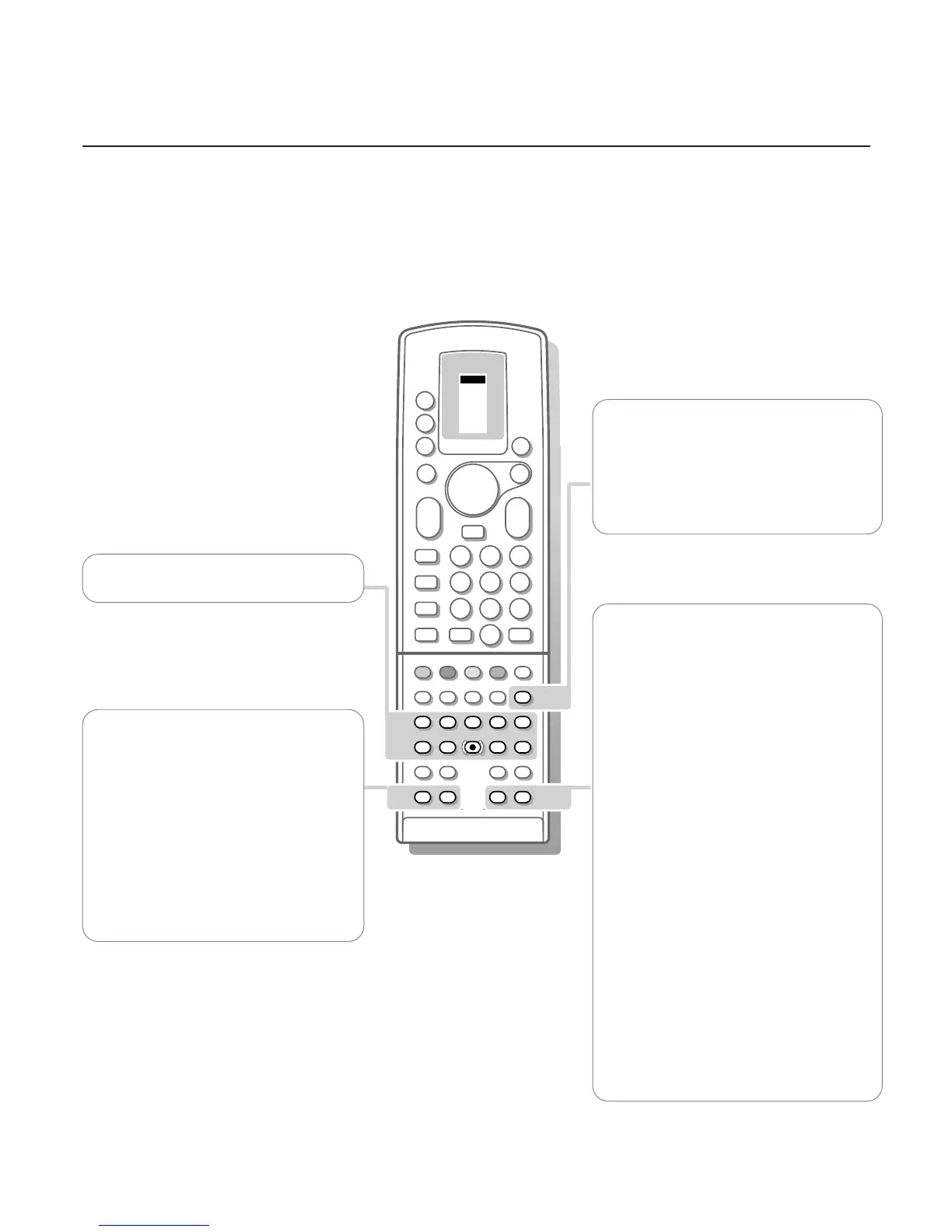
U Time display
The time, downloaded from the TV channel
(with teletext) stored on programme number
1 or the lowest favourite programme number
greater than 1, is displayed in the upper left
corner of the screen.
This function is not available when continuous
subtitles have been switched on.
fi Multi screen
A menu line
MOSAIC appears.
Select the desired function with the p or π
keys and press the OK key.
Scan: the TV channels placed in the favourite
list appear subsequently.
Press the - P + key to select a next series of
12 channels.After the selection is finished,
press the c key to make the main picture in
the centre of the screen equal to the active
small picture.The active TV channels, indicated
by a red border, can be selected immediately
with the OK key.
Photo Finish: the main picture is displayed in
successive frozen pictures.
Press the OK key again to have a new
sequence of frozen pictures.
Strobe: the picture is reproduced image by
image.
Press the OK key again to have a faster speed.
Press fi to switch off the mosaic screen.
Never perform a scan while recording a TV
programme with a video recorder recording from
EXTERNAL 1 or 2, since the scan will be recorded on
tape.
s Personal Preferences
Restore picture and sound settings, stored
with General PP store in the features menu
(see p. 15).
Video recorder keys see p. 26
Digital Video Disc keys see p. 26
S Freeze
When pressed, the displayed picture is
frozen.
Press again to de-activate the frozen picture.
In Dual Screen both pictures are frozen.
P Digital Noise Reduction
To reduce the image noise and improve
picture quality when receiving weak signals.
Press this key to select
DNR
min
, DNR
med
(optimum picture quality for normal strength
signal),
DNR max (for poor picture quality) or
DNR off.












 To Next Page