Note
•
If the pressure cooking time is less than
10 minutes, you use this function by
tapping Add ingredient directly during
cooking process.
2
You can also tap Add ingredient
anytime during pressure maintain
process.
»
The current cooking process
pauses, the All-in-One cooker
beeps and starts to release
pressure.
3
When pressure is released
completely, the lid unlocked
indicator on the cooking process
indicator blinks and the All-in-One
cooker beeps. You can open the
top lid to add more ingredients you
want.
4
Turn the handle clockwise to lock
the top lid.
5
If you don’t add the ingredients in
two minutes, it will resume to the
previous cooking process.
Note
•
You can tap the Pressure release button
to quickly release the pressure.
•
Wait until the All-in-One cooker cools
down naturally to open the lid if you
don’t tap the Pressure release button.
•
After the cooking process is nished,
unplug the All-in-One cooker from the
electrical outlet.
Adding ingredient
With this function, you can open the lid
during pressure cooking process and
add more ingredients.
Note
•
The Add ingredient function is not
available for the Risotto/Rice and Source
thickening functions.
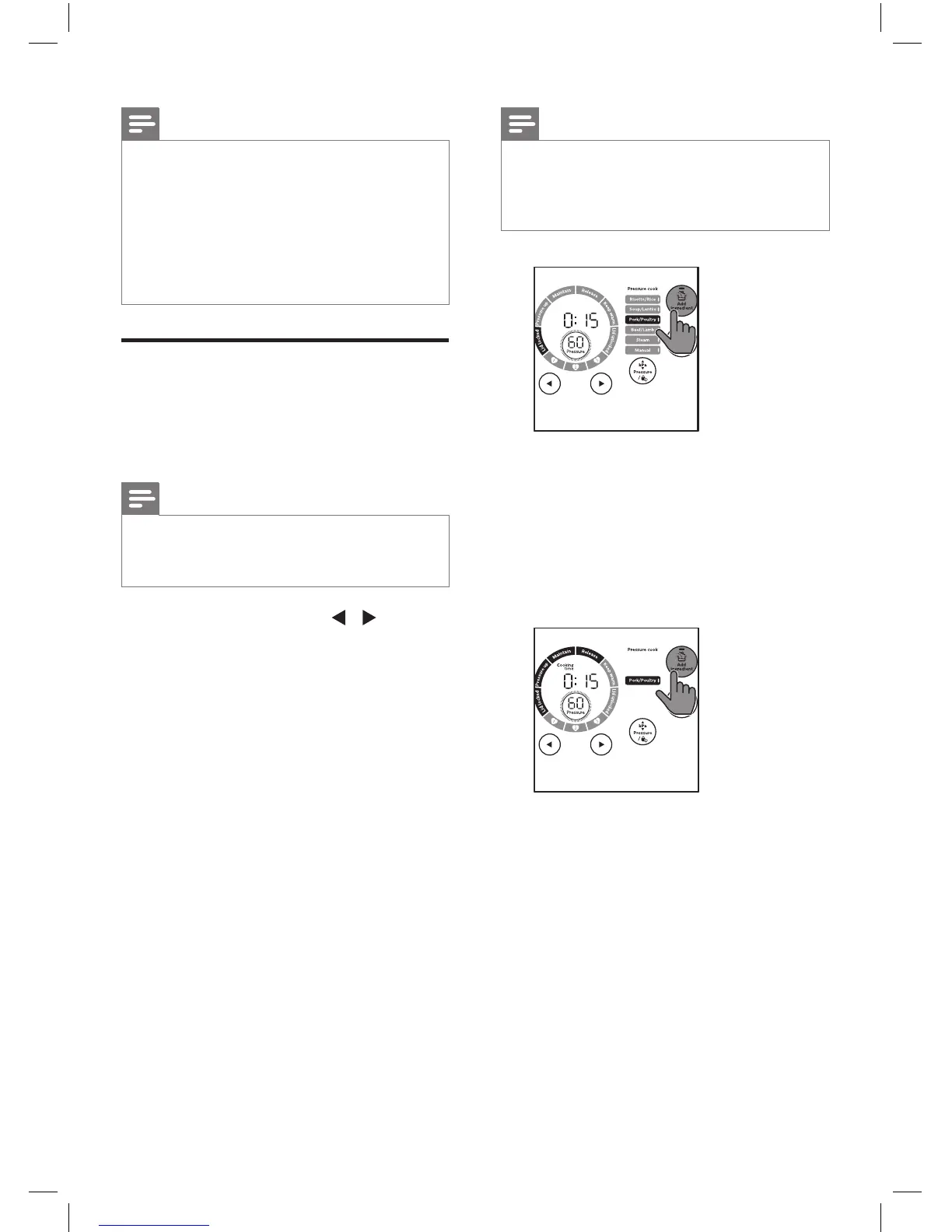
1
In standby mode, tap / to
choose the function you need, and
then tap
Add ingredient
.
»
Tap and hold
Start/Reheat
for
3 seconds to start the cooking
process. When the remaining
cooking time is 10 minutes left,
the current cooking process
pauses, the All-in-One cooker
beeps and starts to release
pressure.



 To Next Page