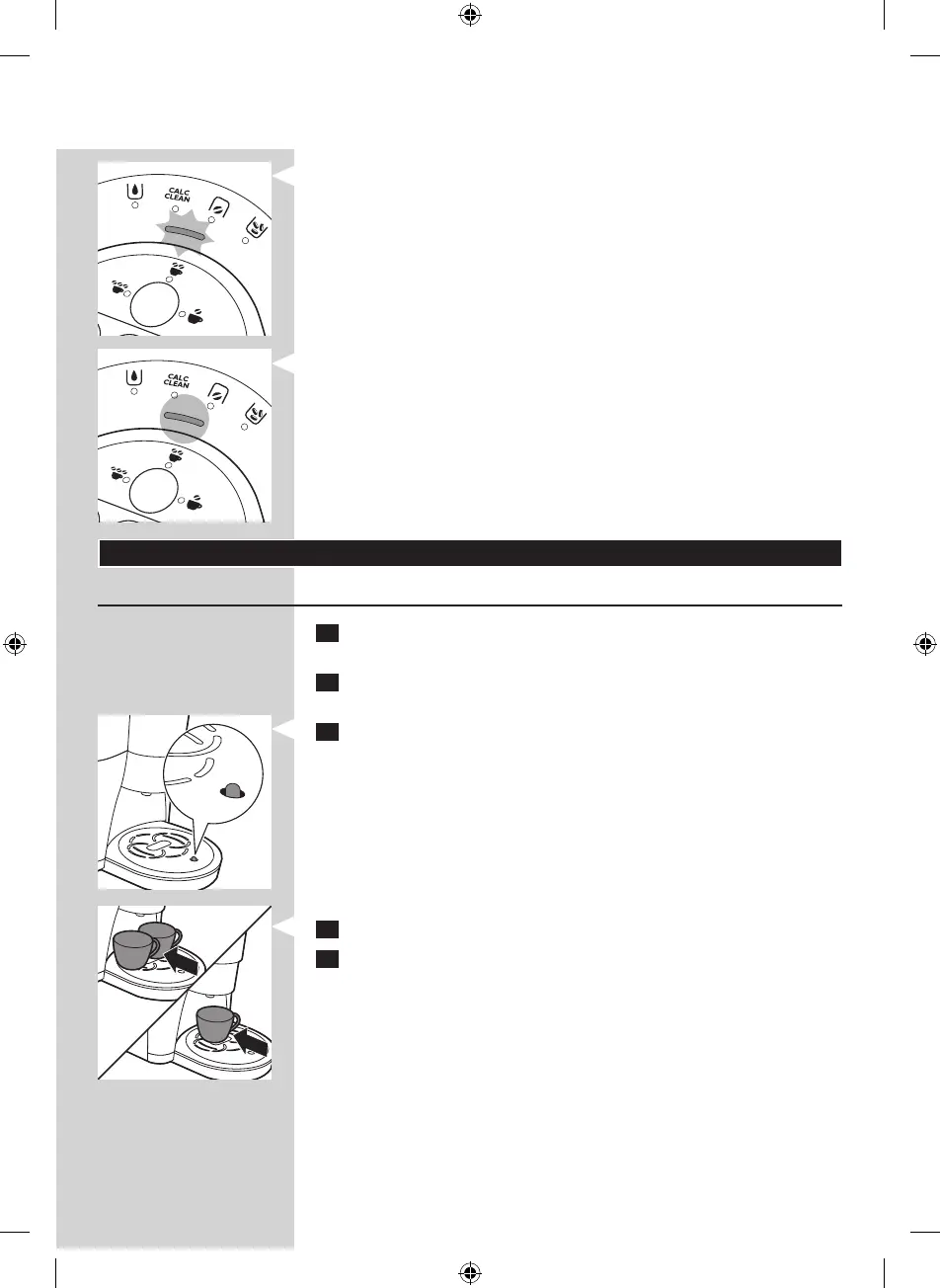
, The activity light starts ashing.
, After a brief heating-up time, water ows into the cup and the drip
tray via the spout and internal circuits. Empty the cup and the drip
tray into the sink.
, When the activity light lights up continuously, the automatic rinsing
cycle is nished and the coffeemaker is ready for use.
Using the coffeemaker
Brewing 1 or 2 cups of coffee
1 Check if there is enough water in the water tank. Fill the water tank
with water, if necessary (see chapter ‘Preparing for use’).
2 Make sure the bean-funnel is attached properly (see chapter ‘Before
rst use’).
3 Empty the drip tray if the ‘drip tray full’ indicator is visible.
Note: If you ignore the ‘drip tray full’ indicator, the drip tray may overow
during brewing and water may end up under the appliance.
4 Place 1 or 2 cups on the drip tray cover.
5 Press the 1-cup or 2-cup button.
Tip: You can interrupt the brewing cycle at any time, which can give you a
stronger coffee. To do this, press the same cup button (1-cup button or 2-cup
button) that you pressed to start brewing coffee.
Note: Each cup of coffee is brewed from freshly ground beans.
ENGLISH 9
4203_000_7242_2_DFU-Luxury_A5_v1.indd 9 1/9/13 1:37 PM



 To Next Page