58
ENGLISH
Yellow
2
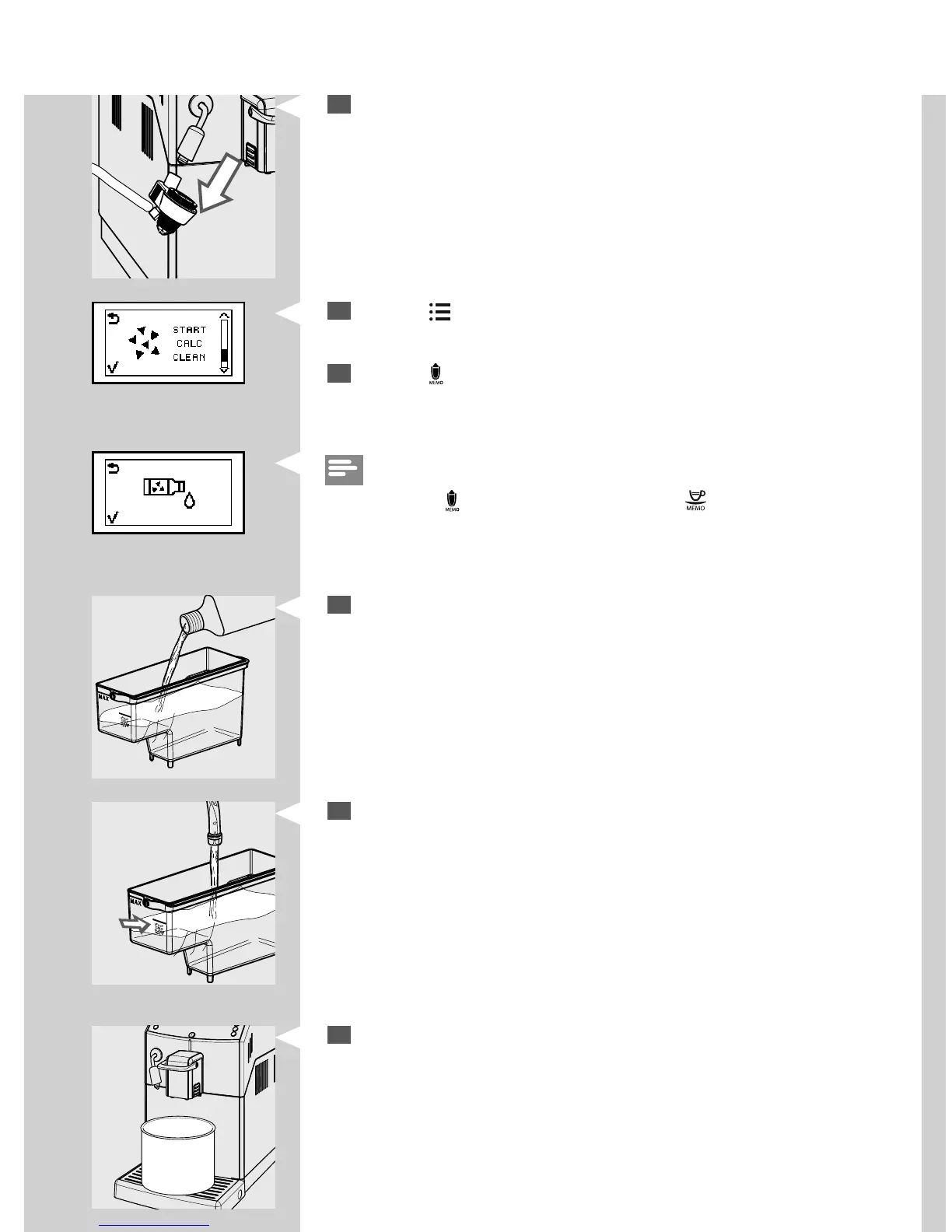
Remove the Automatic Milk Frother from the steam/hot water wand.
3
Press the “ ” button until this display is shown.
4
Press the “ ” button to select the descaling function.
4
Remove the “INTENZA+” water lter (if installed) from the water tank
and replace it with the small white original one. Pour all the descaling
solution into the water tank.
5
Fill the water tank with fresh water up to the CALC CLEAN level and put
it back into the machine.
CALC
CLEAN
6
Place a large container (1.5l) under both the steam/hot water wand
and the co ee dispensing spout.
Yellow
Note:
If you press the “
” button by mistake, press the “ ” button to quit.


 To Next Page