10
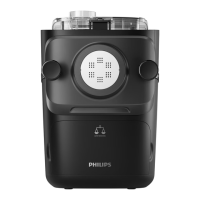
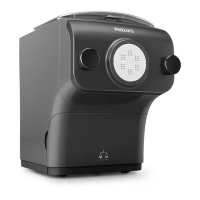
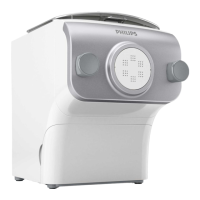
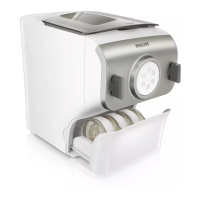
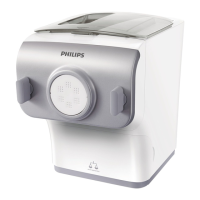
Product overview (Fig.1)
a
Mixing chamber lid
j
Pasta cutter
b
Safety switch hole of the mixing
chamber lid
k
Front panel knobs
c
Power cord
l
Front panel
d
Disc holder safety switch
m
Shaping disc
e
Main unit
n
Disc holder
f
Shaping disc storage
o
Disc holder safety switch lever
g
Water/our cup
p
Mixing paddle
h
Cleaning brush
q
Mixing chamber
i
Angle hair shaping disc cleaning brush
Control panel overview (Fig.2)
a
On/o button
d
Start/pause button
b
Automatic button
e
Display
c
Extrusion only button
Disassembling and cleaning before rstuse
1 Remove the mixing chamber lid. (Fig.3)
2 Loosen the front panel control knobs. (Fig.4)
Note: The front panel is heavy. Take extra caution when removing it.
3 Disassemble the front panel, the shaping disc, the shaping disc holder, the mixing paddle,
and the mixing chamber in order. (Fig.5)
4 Clean all detachable parts, and wipe them dry. (Fig.6)
5 Pull out the shaping disc storage drawer, and clean all discs and cleaning tools. (Fig.7)
Assembling
1 Push the mixing chamber into the appliance. (Fig.8
2 Point the mixing paddle to the hole in the main unit. Insert the mixing paddle all the way
into the main unit. (Fig.9)
3 Attach the disc holder onto the appliance. (Fig.10)
4 Put the shaping disc onto the disc holder , and make sure it is rmly xed on the disc
holder. (Fig.11)
Note: Make sure the inner cavity of the shaping disc and disc holder is properly tted. (Fig.12)
5 Attach the front panel to the main unit. (Fig.13)
Note:
y The front panel is heavy. Take extra caution when assembling it.
6 Fasten the front panel control knobs. (Fig.14)


 To Next Page