10
Set up network
1 Connect the home theater to a network
router through wired or wireless network
connection (see ‘Connect a Wi-Fi USB
adapter’ on page 11).
2 Turn on your TV and switch to the correct
source for the home theater.
3 Press (Home).
4 Select [Setup], then press OK.
5 Select [Network] > [Network Installation],
then press OK.
• For wired network, select [Wired
(Ethernet)] and press OK.
• For wireless network, select [Wireless
(Wi-Fi)] and press OK.
6 Follow the instructions on the TV to
complete the setup.
» The home theater connects to the
internet. If connection fails, select [Retry],
then press OK.
7 Select [Finish], then press OK to exit.
Caution
• Familiarize yourself with the network router,
media server software and networking
principles before attempting to connect the
home theater to a computer network. If
necessary, read documentation accompanying
network components. Philips is not responsible
for lost, damaged or corrupt data.
Connect to a computer
network and the Internet
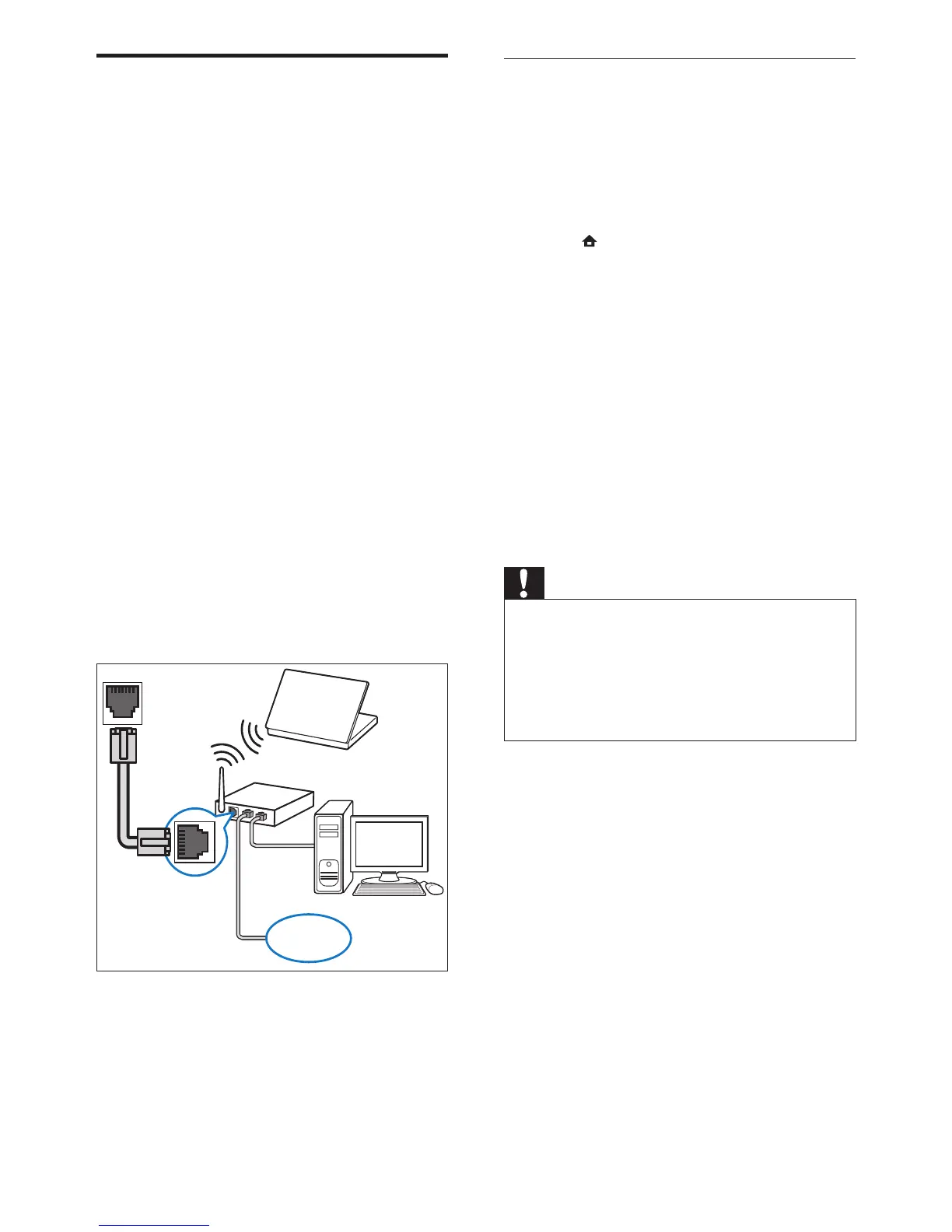
Connect the home theater to a computer
network and enjoy:
• Multimedia content streamed from your
computer : view photos, play music and
watch video les streamed from your
computer (see ‘Play from PC (DLNA)’ on
page 16).
• Net TV : browse Net TV services (see
‘Browse Net TV’ on page 17).
• Software update : update the software of
the home theater through the network (see
‘Update software from the network’ on
page 22).
What you need:
• A network router (with DHCP enabled).
• A network cable (RJ45 straight cable).
• A computer with media server software
installed (see ‘Set up media server software’
on page 16).
• For Net TV and software update, make sure
that the network router has access to the
Internet and is not restricted by rewalls or
other security systems.
(Cable not supplied)






 To Next Page