11
5 Use your home
theater
This section helps you use the home theater to
play media from a wide range of sources.
Before you start
Check that you:
• Make the necessary connections described
in the Quick Start and User Manual.
• Complete the rst time setup. First time
setup appears when you turn on the home
theater for the rst time. If you do not
complete the setup, you are prompted
to complete it each time you turn on the
home theater.
• Switch the TV to the correct source for the
home theater.
Access the home menu
The home menu gives you easy access to
connected devices, audio and video settings, and
other features.
1 Press (Home).
» The home menu appears.
2 Press the Navigation buttons and OK to
select the following:
• [play Disc] : Starts disc play.
• [browse USB] : Accesses the content
browser of the connected USB storage
device.
• [browse iPod] : Accesses the content
browser of the connected iPod or
iPhone.
• [browse PC] : Accesses the content
browser of the connected PC network.
• [browse Net TV] : Accesses Net TV.
• [Setup] : Accesses menus to change
picture, sound and other settings.
• [User Manual] : Launches the
electronic user manual.
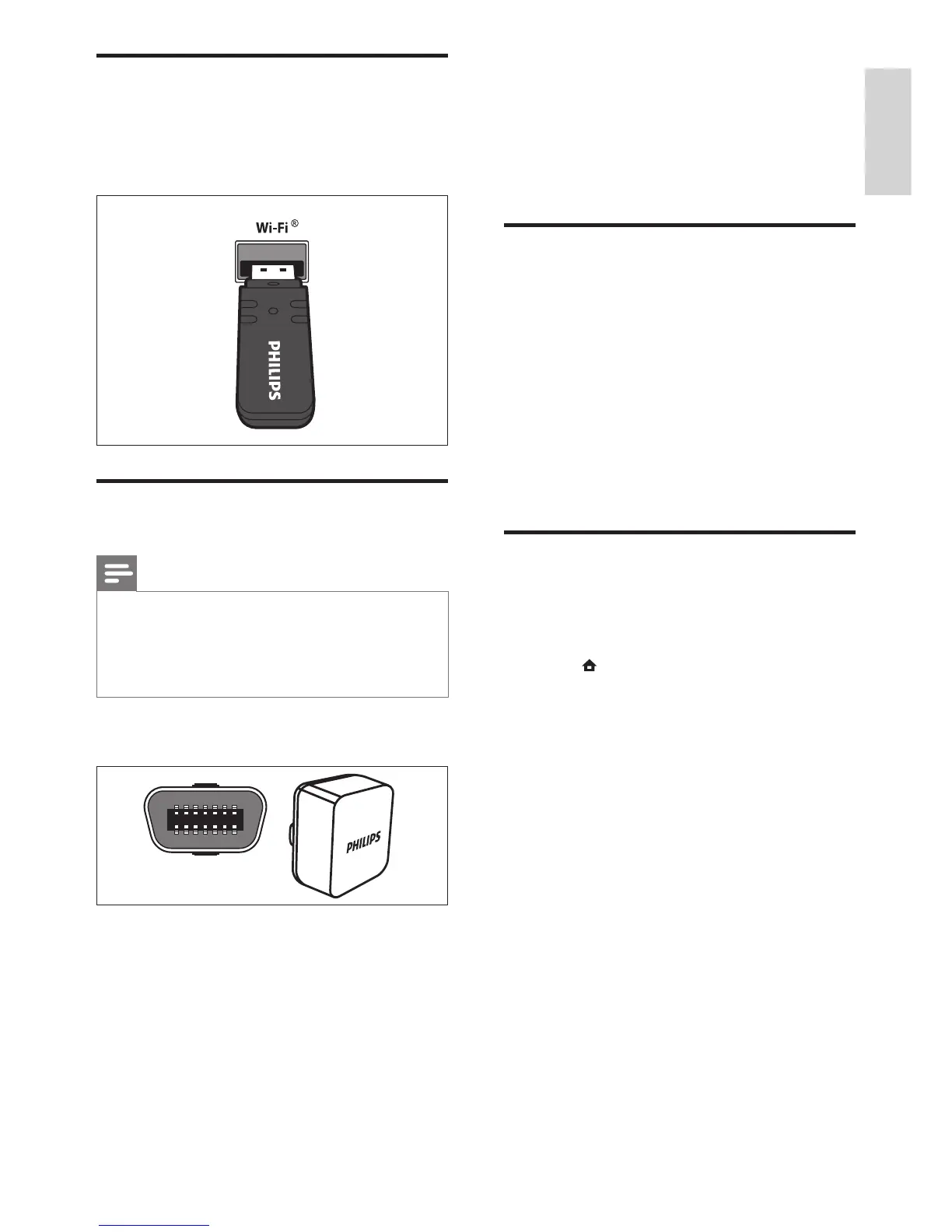
Connect a Wi-Fi USB adapter
Purchase a Wi-Fi USB adapter (model: PHILIPS
WUB1110) and set up the wireless network (see
‘Set up network’ on page 10).
Connect a wireless module
Note
• When you connect and switch on the wireless
module, the rear speaker connectors on the
home theater are muted, the rear surround
sound is output through the connectors on the
wireless receiver.
(Wireless module not supplied - Philips
RWSS9500)






 To Next Page