23
8 Product specifications
Note
• Specication and design are subject to change
without notice.
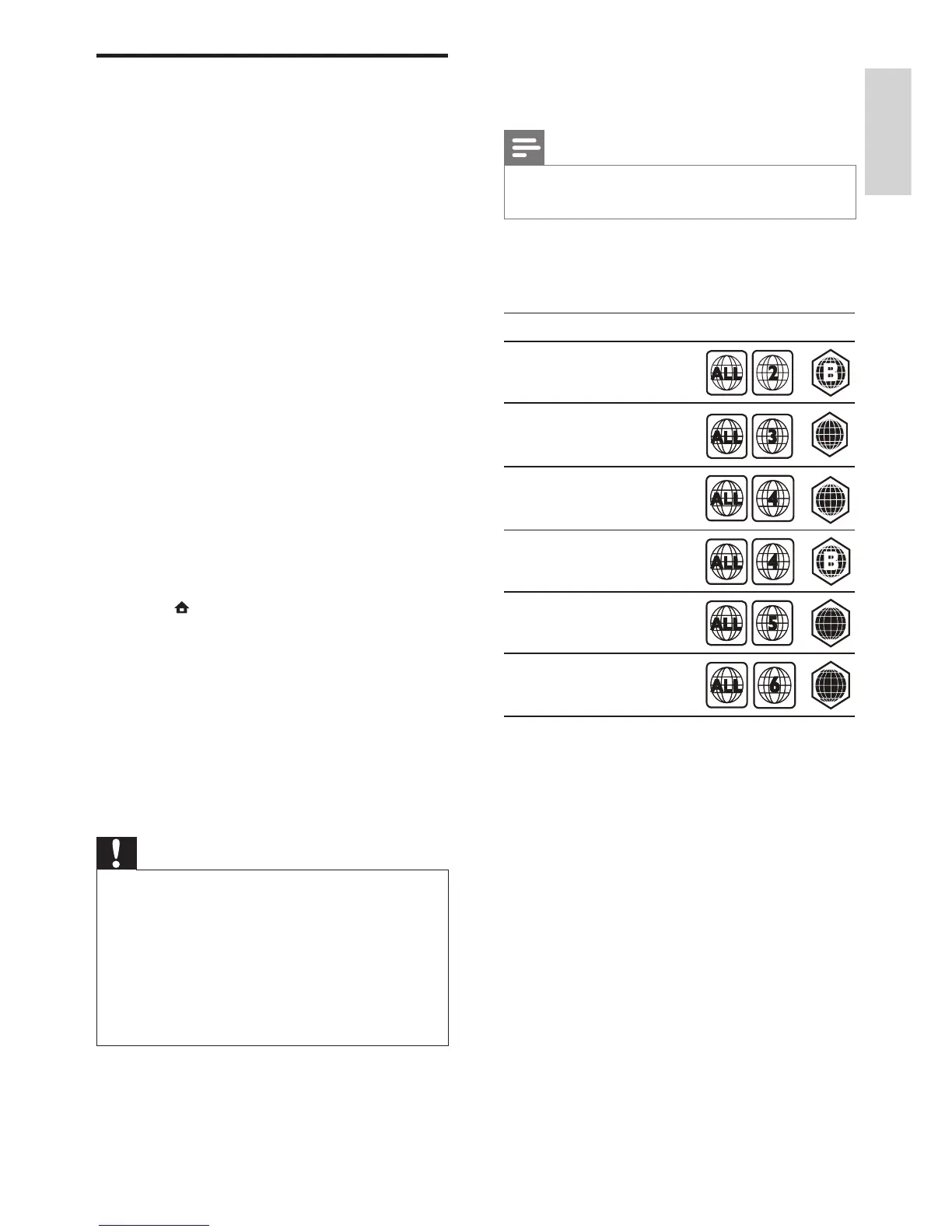
Region code
The type plate on the back or bottom of the
home theater shows which regions it supports
Playback media
• AVCHD, BD-RE, BD-Video, DVD-Video,
DVD+R/+RW, DVD-R/-RW, DVD+R/-R
DL, CD-R/CD-RW, Audio CD, Video CD/
SVCD, Picture CD, MP3-CD, WMA-CD,
DivX (Ultra)-CD, USB storage device
File Format
• Audio: .mp3, .wma, .wav
• Video: .avi, .divx, .mp4, .mkv, .wmv
• Picture: .jpg, .gif, .png
Amplier
• Total output power: 800 W RMS
• Frequency response: 40 Hz-20 kHz / ±3dB
• Signal-to-noise ratio: > 65 dB (CCIR) /
(A-weighted)
• Input sensitivity:
• AUX1, AUX2: 400 mV
• MP3 LINK: 150 mV
Update electronic user manual
1 Check the current version of the electronic
user manual installed in your home theater
(see ‘Check software version’ on page 22).
2 Insert a USB storage device into your PC.
3 In your web browser, navigate to www.
philips.com/support, and nd your product.
4 Click on ‘Software and drivers’ in the left
panel, and then locate the ‘Electronic
Manual’. The electronic user manual is
compressed into a *.zip archive.
5 If the *.zip le at the Philips Support website
is a later version than the le in your home
theater, download the le in the root
directory of your USB storage device.
6 Unzip the downloaded le in the root
directory of the USB storage device.
» A le named ‘HTSxxxxeDFU.zip’ is
extracted in the ‘\UPG’ folder of your
USB storage device, ‘xxxx’ being the
model number of your home theater.
7 Disconnect the USB storage device from
the PC, and connect it to the home theater.
8 Press (Home).
• Ensure that there is no disc inside
the disc compartment of your home
theater and it is closed.
9 Press [3], [3], [8] on the remote control.
» Software update starts. When complete,
the home theater automatically switches
off and restarts.
10 When complete, disconnect the USB
storage device from the home theater.
Caution
• Do not turn off the power or remove the USB
storage device during the update.
• If power failure occurs during the update,
do not remove the USB ash drive from the
home theater. The home theater continues the
update as soon as the power is restored.
• If an error occurs during the update, retry
the procedure. If the error reoccurs, contact
Philips Consumer Care.
Engli s h
EN






 To Next Page