33
English
Playing an MP3/ JPEG/
MPEG-4/Windows Media
™
Audio disc
This DVD system can playback most of
the MP3, JPEG, MPEG-4 and Windows
Media™ Audio les recorded on a
CD-R/RW disc or commercial CD.
Before you start...
You have to switch on your TV and set
to the correct Video In channel. (See the
section “Finding the correct viewing
channel”).
A Insert a disc.
The disc reading time may exceed 30
seconds due to the complexity of the
directory/ le con guration.
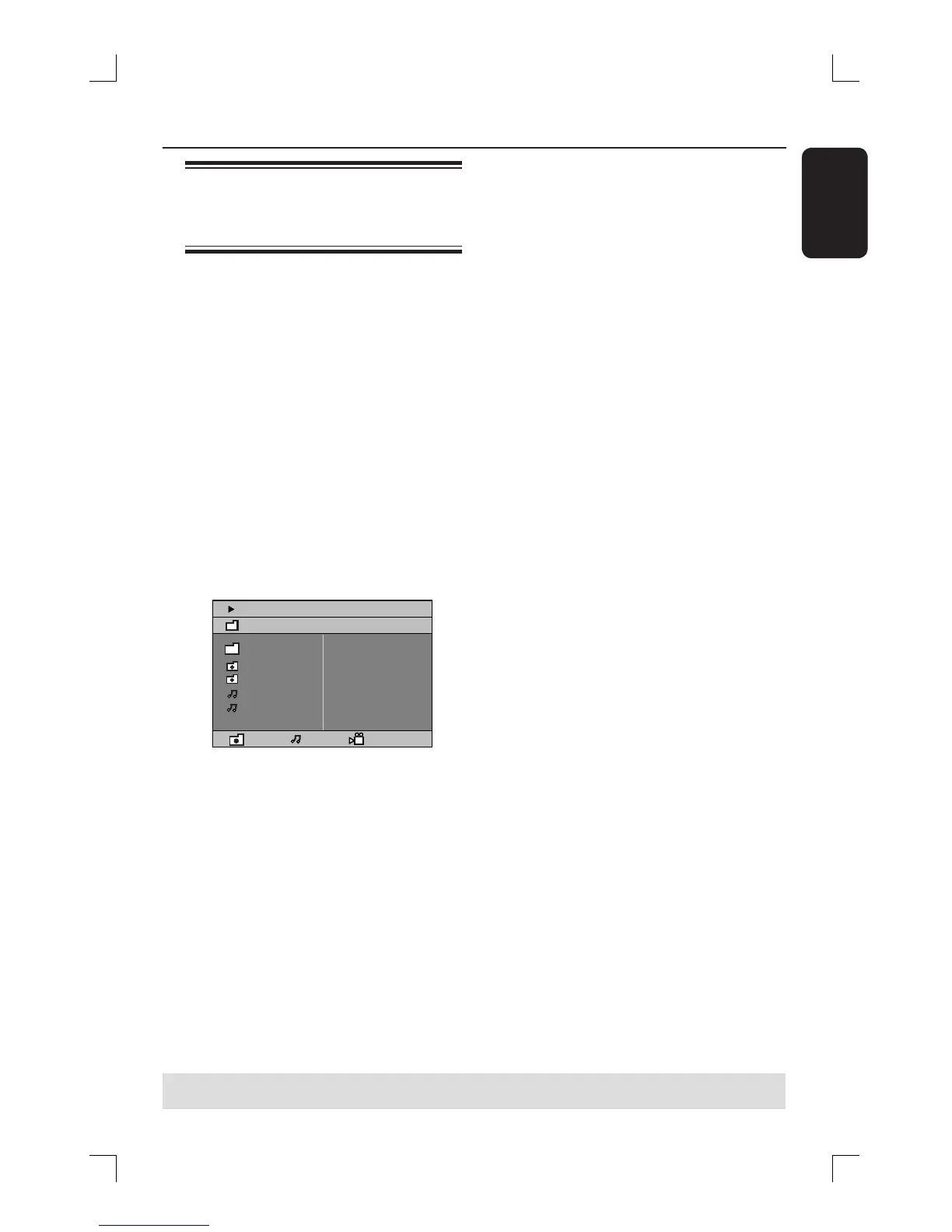
The disc menu appears on the TV
screen.
00:19 04:39 001/003
\MP3_files_128kbs
Previous
Picture 1
Picture 2
MP3 Music 1
MP3 Music 2
050 003 000
B If the disc main menu contains various
folders, use ST keys to select a desired
folder and press OK to open the folder.
C Use ST keys to select a track/ le and
press OK to start playback.
Playback will start from the selected
le and continue till the end of the folder.
During playback, you can;
Press ./ > to select another track/
le in the current folder.
Press and hold ./ > to fast
reverse/forward search for a music track.
To select another folder from the
current disc, press S to return to the
root menu, then use ST keys to make
your selection and press OK to con rm.
Press REPEAT repeatedly to access
various play modes.
D To pause playback, pressÅon the
remote control. To resume playback,
press the PLAYÉ button.
E To stop playback, press Ç.
Disc operations (continued)
TIPS: The operating features described here might not be possible for certain discs.
Always refer to the instructions supplied with the discs.







 To Next Page