Illuminate™ www.seasonalspecialties.com Page 18 of 26
Rev 082015
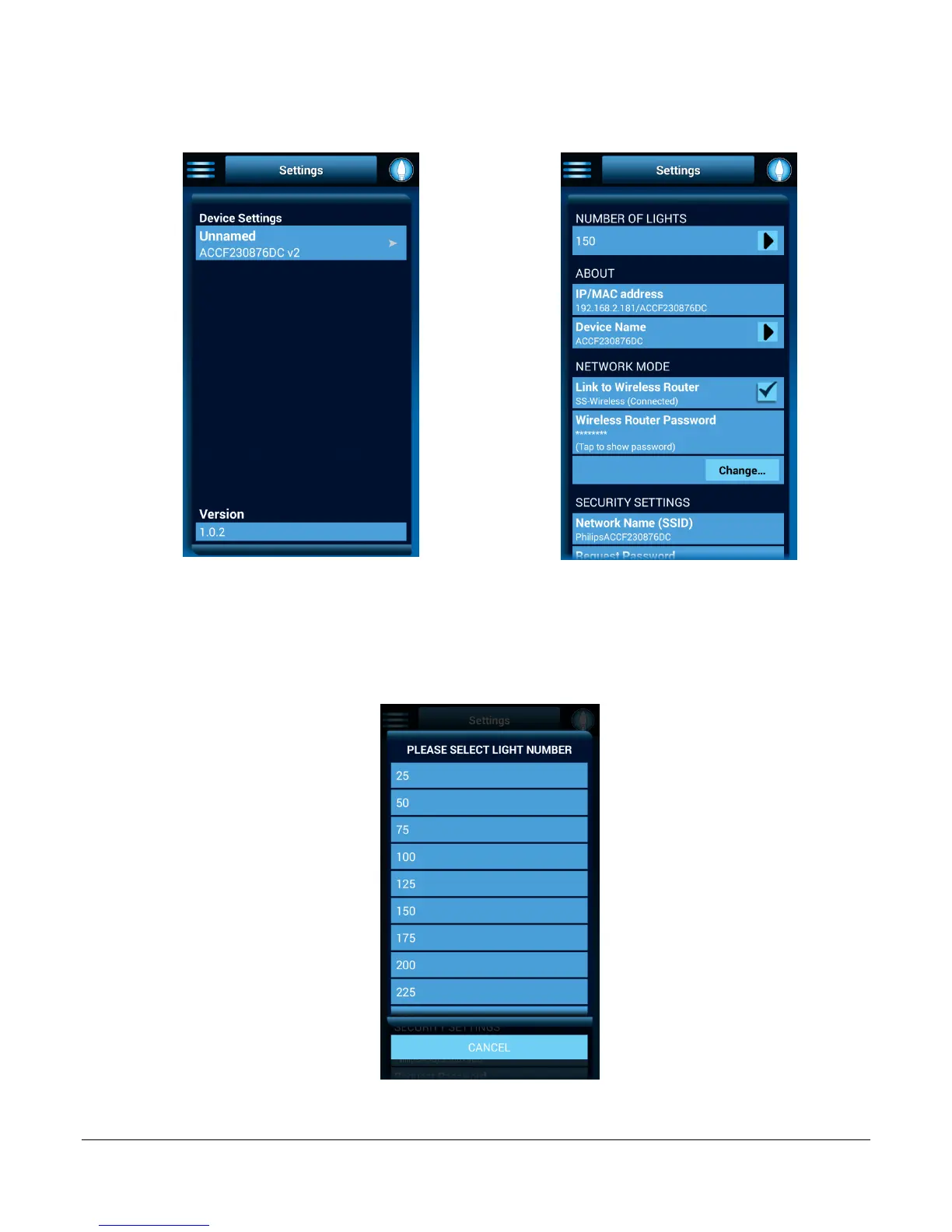
3. To change the number of lights that are connected to the box, tap the Menu button.
Select Settings. The Setting Screen will open. Tap the control box name to open the
expanded Settings screen.
Figure 4: Settings Screen
Figure 5: Expanded Settings Screen
4. In the Number of Lights field, tap the arrow. A pop-up screen appears. Select the total
number of lights connected to the control box. (Hint: Each add-on light set is 25 lights.)
The numbers of lights will be saved and the pop-up screen closes.
Figure 6: Number of Lights Pop-up Screen






 To Next Page