Mechanical Instructions
EN 25L04L AA 4.
4.3.3 LTI/CTI Interface Panel
Remove the LTI/CTI Interface panel from the Mono Carrier, by
disconnecting it from connector 1212.
4.3.4 Top Control Assy/Panel
1. Remove the two fixation screws.
2. Push the assy a little bit upwards, and then pull it
backwards to release it from the front hinge.
3. Lift the panel from its bracket, while releasing the two
fixation clamps. The panel hinges on the other side.
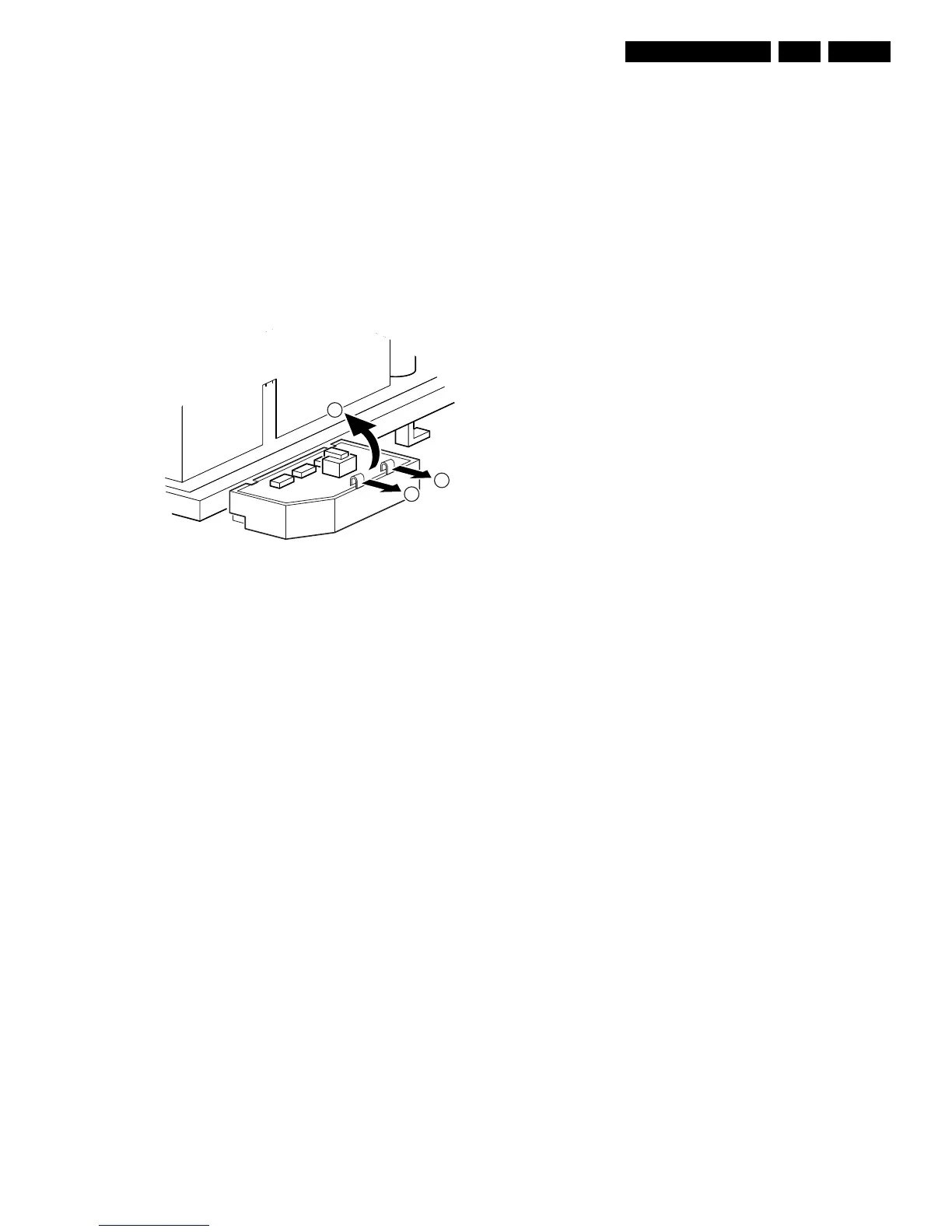
4.3.5 Linearity Assy/Panel
Figure 4-4 Linearity assy/panel removal
1. Release the two fixation clamps [1] to lift the panel out of
the bracket [2].
4.4 Set Re-assembly
To re-assemble the whole set, do all processes in reverse
order.
Note: before you mount the rear cover, perform the following
checks:
• Check whether the AC power cord is mounted correctly in
its guiding brackets.
• Check whether all cables are replaced in their original
position
E_14480_051.eps
270204
1
1
2



 To Next Page