Service Modes, Error Codes, and Fault Finding
EN 32 L04L AA5.
5.8.2 Power Supply
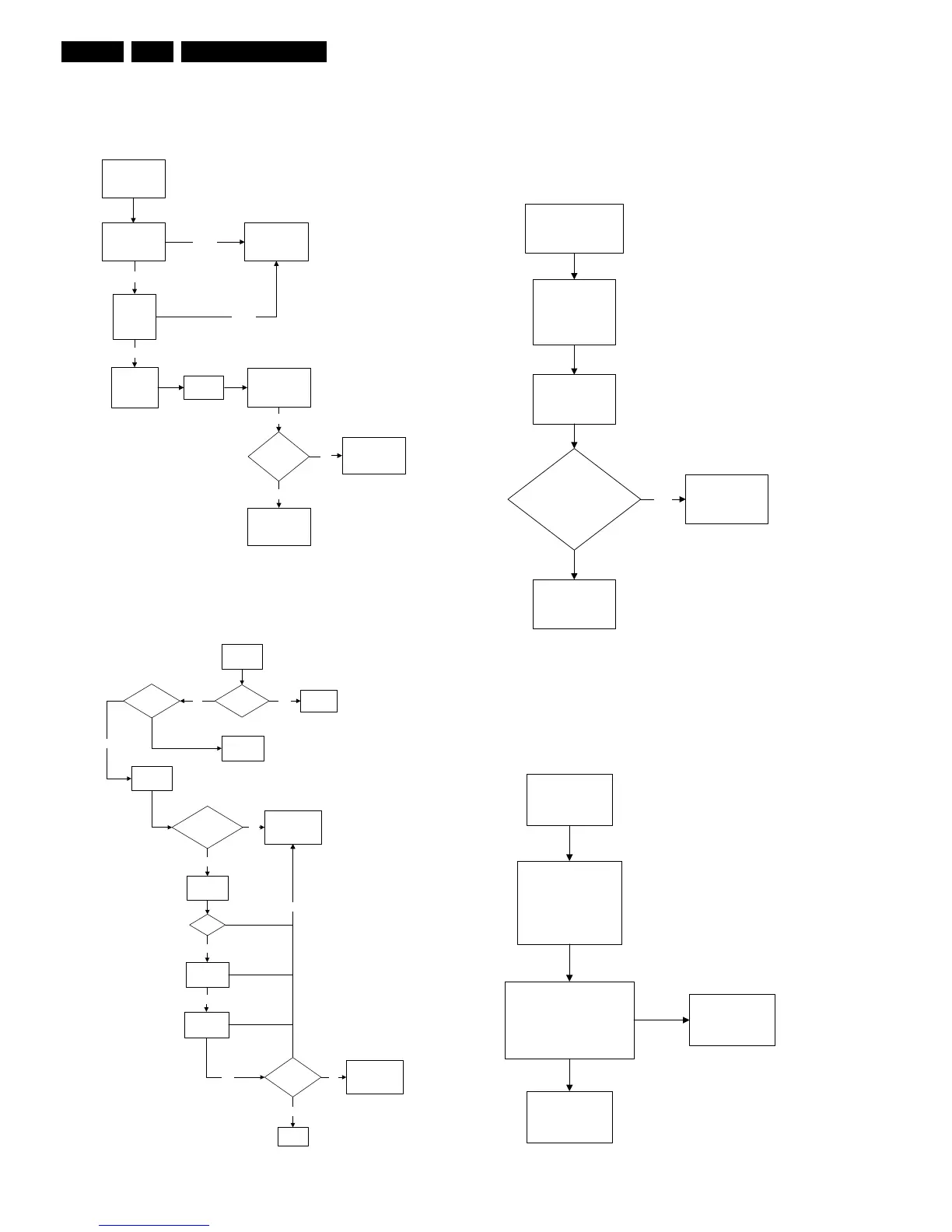
Set Not Working
Figure 5-5 Fault finding tree “Set not working”
Set Does Not Start Up
Figure 5-6 Fault finding tree “Set does not start up”
5.8.3 Deflection
One Thin Vertical Line
Quick check:
• Set in protection mode.
• LED blinking with error “3”.
Figure 5-7 Fault finding tree “One thin vertical line”
One Thin Horizontal Line
Quick check:
• Set in protection mode.
• LED blinking with error “2”.
Figure 5-8 Fault finding tree “One thin horizontal line”
Not Ok
Check fusible
resistor 3510 &
circuit before it
Check DC
voltage at
2505/2507
Ok
Ok
Check
fusible
resistor 3532
Check
7512
Check IC7511 &
IC7531
Set able to
start-up
Check other
fusible resistor
and capacitor in
the circuit
No
End
Ye s
Not Ok
Ok
Check Power
Supply Mains
Switch
Bridge Rectifier
circuit 6500
E_14480_057.eps
190204
Set Unable
to Start
Fuse Blown?
Change
Fuse
Ye s
Check
voltage
across 2552
Is Vbatt
approximately
140V
Check
voltage 2562
&2563
Ye s
16V
No
Check Power
Supply circuit
Check 3V
across 2535
Check 6V
across 2535
Software
loaded?
No
Ye s
Load
Software
Ye s
Ye s
Set able to
Start
Ye s
Ye s
End
Check Line
Transistor 7405
No
No
E_14480_058.eps
170204
One Thin Vertical Line
LED Blinking
Check Horizontal
Deflection
Circuitry
Is V
BE
between
200mV to 30mV & V
CB
approximately 500mV
Check
Line Transistor
7405
Yes
Check all
connection and
peripheral at
Deflection Circuit in
place
E_14480_059.eps
170204
Replace transistor
Check transistor
(7451, 7523, 7543) at
Vertical Deflection Circuitry
Check Vertical
Deflection Circuit
Replace transistor
E_14480_060.eps
170204
One Horizontal
Thin Line
LED Blinking
Check all connection
and peripheral at
Deflection Circuit
in place



 To Next Page