Service Modes, Error Codes, and Fault Finding
EN 35L04L AA 5.
5.8.8 Audio Processing
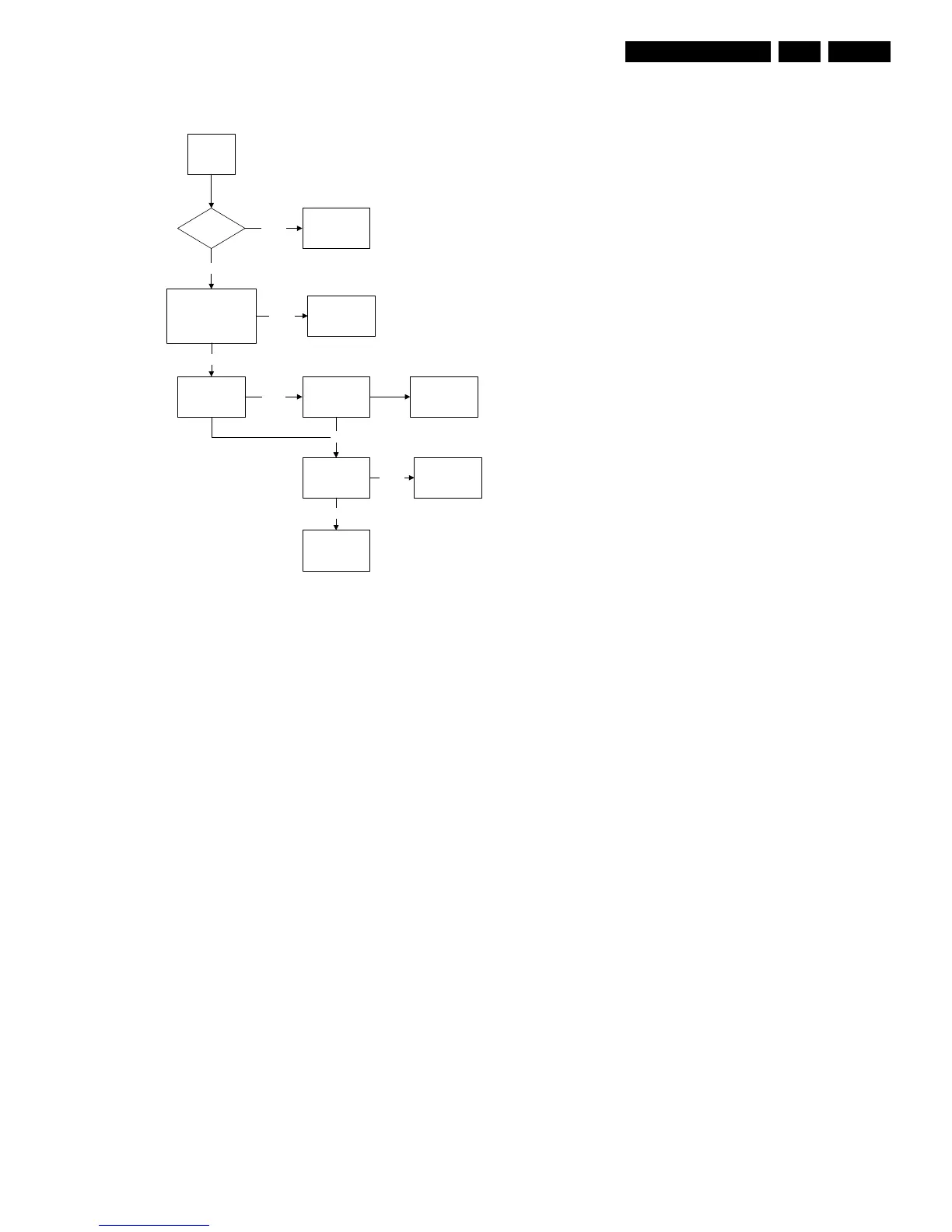
No Sound
Figure 5-13 Fault finding tree “No sound”
No RF audio for QSS/Inter-Carrier stereo sets.
1. Check pin 99 and 100 for SIF signal (for QSS) or pin 104
and 105 for video with SIF (for Inter-Carrier)
2. If signal is not present, check for the QSS/FMI bit settings.
Check also the NVM data.
3. If signals are present and still no audio, check the audio
supply voltage +8V are present.
4. If still no audio signal at Hercules output, Hercules is faulty.
No AV audio.
1. Check troubleshooting methods in section “Source
Selection”.
2. Check the output of the Hercules to see if there is signal
available. If no, check the normal operating condition and
also the NVM data.
3. If still no audio signal at Hercules output, Hercules is faulty.
Note: If there is audio signal at Hercules output and no audio
at loudspeaker, proceed to Audio Amplifier troubleshooting
methods.
5.8.9 Audio Amplifier
No RF as well as AV audio at the loudspeaker:
1. Check that the normal operation condition of the amplifier
is met.
2. If normal operation conditions are met, check the continuity
from Hercules output to input of the amplifier.
3. If continuity is there and still no audio, check speaker wire
connections. If still no audio, amplifier IC might be faulty
Picture Ok,
No Sound
Tuner IF Ok Check Tuner/IFNot Ok
Check AUDOUTLSL &
AUDOUTLSR pin at
Hercules
Ok
Check Audio
Amplifier
Check Hercules IC
Check Audio
Power Supply
Check Audio
Amplifier Circuit
and loud speaker
Check Power
Supply
Replace Audio
Amplifier
Check NVM
Not Ok
Not Ok
Not Ok
Ok
Ok
Ok
E_14480_065.eps
170204



 To Next Page