Direction of Use
7-5
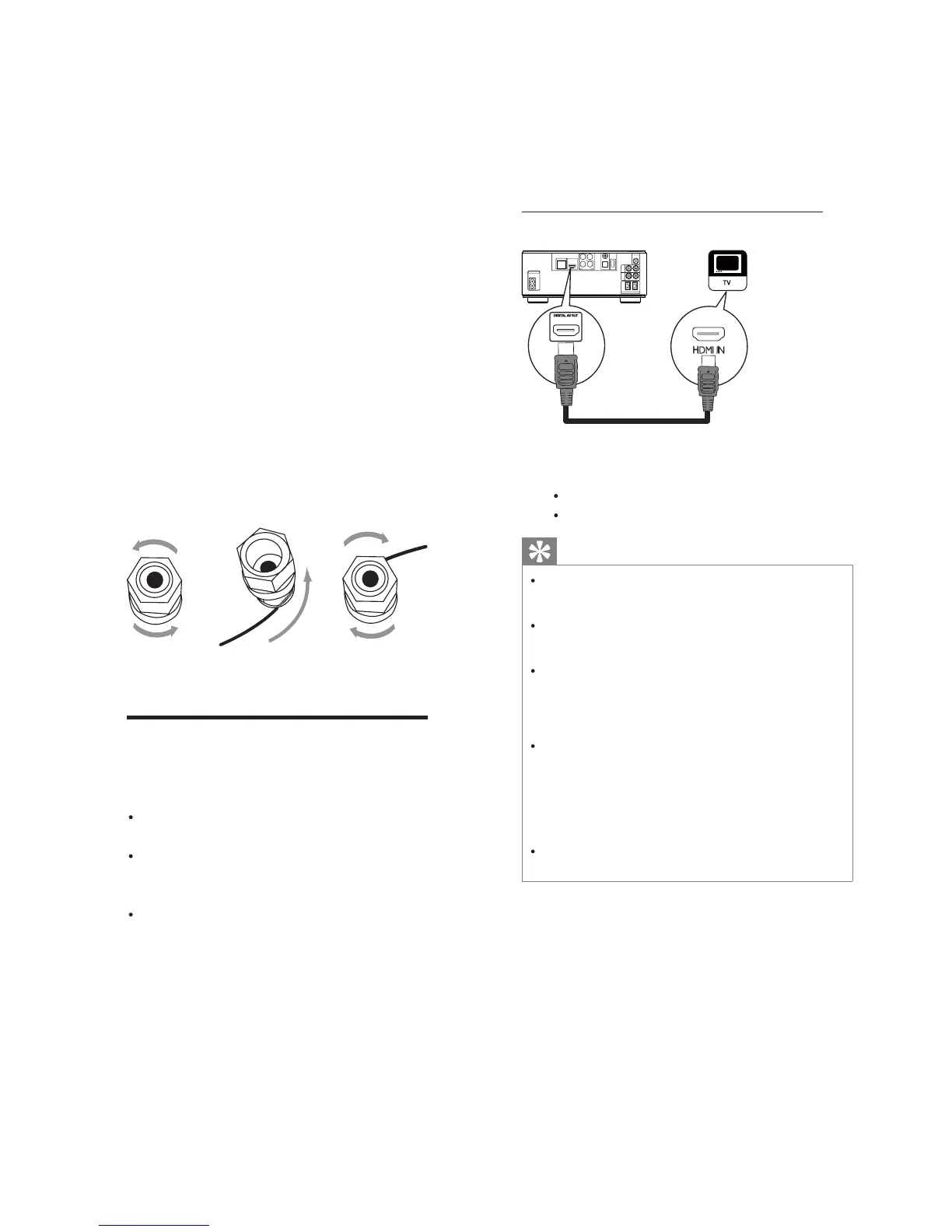
Option 1: Connect to the HDMI jack
COAXIAL
Pr/Cr
Pb/Cb
COMPONENT
Wi-Fi
Y
OPTICAL
DIGITALAUDIOOUT
O
E
D
I
V
T
U
O
DIGITALAV OUT
LAN
AC
~
AUX
IN
LINE
OUT
LR
LR
ANTENNA
FM
SPEAKER OUT
R
L
HDMI IN
HDMI
1 Connect an HDMI cable (not supplied)
to:
the
HDMI jack on this product.
theHDMIinputjackontheTV.
Tip
If the TV has a DVI connector only, connect via
an HDMI/DVI adaptor. Connect an audio cable
for sound output.
Youcanoptimizethevideooutput.Pressthe
HDMI button repeatedly to select the best
resolutiontheTVcansupport.
If this product connects to a TV compatible
with1080por1080p/24Hz,Philips
recommends HDMI category 2 cable, also
knownasHighSpeedHDMIcable,foroptimal
video and audio output.
To play the digital video images of a BD-video
or DVD-video via an HDMI connection, it
isnecessarythatboththisproductandthe
display device(or an AV receiver/amplifier)
support a copyright protection system called
HDCP (high-bandwidth digital content
protection system).
This type of connection provides best picture
quality.
For the speaker side:
1 Unscrew the speaker connectors.
2 Fortheleftspeaker,identifythespeaker
cable that is connected to the left
connectors on the main unit.
3 Insert fully the red end of the speaker
cable into the red (+) connector.
4 Screwthered(+) connectortosecure
the cable.
5 Insert fully the silver end of the speaker
cable into the black (-) connector.
6 Screw the black (-) connector to secure
the cable.
7 Repeat steps 2-6 for the right speaker.
Connect video/audio cables
Select the best video connection that the TV
can support.
Option 1: Connect to the HDMI jack (for
an HDMI, DVI or HDCP-compliant TV).
Option 2:Connect to the component
video jacks (for a standard TV or
Progressive Scan TV).
Option 3:Connect to the composite
video jack (for a standard TV).
ca
b


 To Next Page