• [On] – Enable the screen saver.
• [Off] – Disable the screen saver.
[DIVX (R) VOD]
Display the DivX® registration code.
Tip
Enter this DivX registration code when you rent or •
purchase video from http://vod.divx.com/. The DivX
videos rented or purchased through the DivX® VOD
(Video On Demand) service can be played only on the
device to which it is registered.
Audio setup
On [Audio Setup Page] , you can set the
following options:
[Analog Audio Setup]
• [LT/RT] – Select the mixed sound
output mode.
• [Stereo] – Select the ordinary stereo
sound output.
[Digital Audio Setup]
Select audio formats supported by the
connected device.
• [Off] – Turn off the digital output.
• [SPDIF/RAW] – If the connected
device supports multi-channel audio
formats, select this option.
• [PCM Only] – If the connected
device cannot decode multichannel
audio, select this option.
[Dolby Digital Setup]
Select audio signals output to speakers.
• [Stereo] – Output multichannel
sound signals to both speakers.
• [L - Mono] – Output left mono
sound signals to both speakers.
• [R - Mono] – Output right mono
sound signals to both speakers.
[3D]
Select a virtual surround sound mode from
the following modes:
6 Adjust settings
1 Press SYSTEM MENU .
2 Select a setup page and then press .
3 Select an option and then press .
4 Select a setting and then press OK .
To return to the previous menu, •
press
.
To exit the menu, press • SYSTEM
MENU .
General setup
On [General Setup Page] , you can set the
following options:
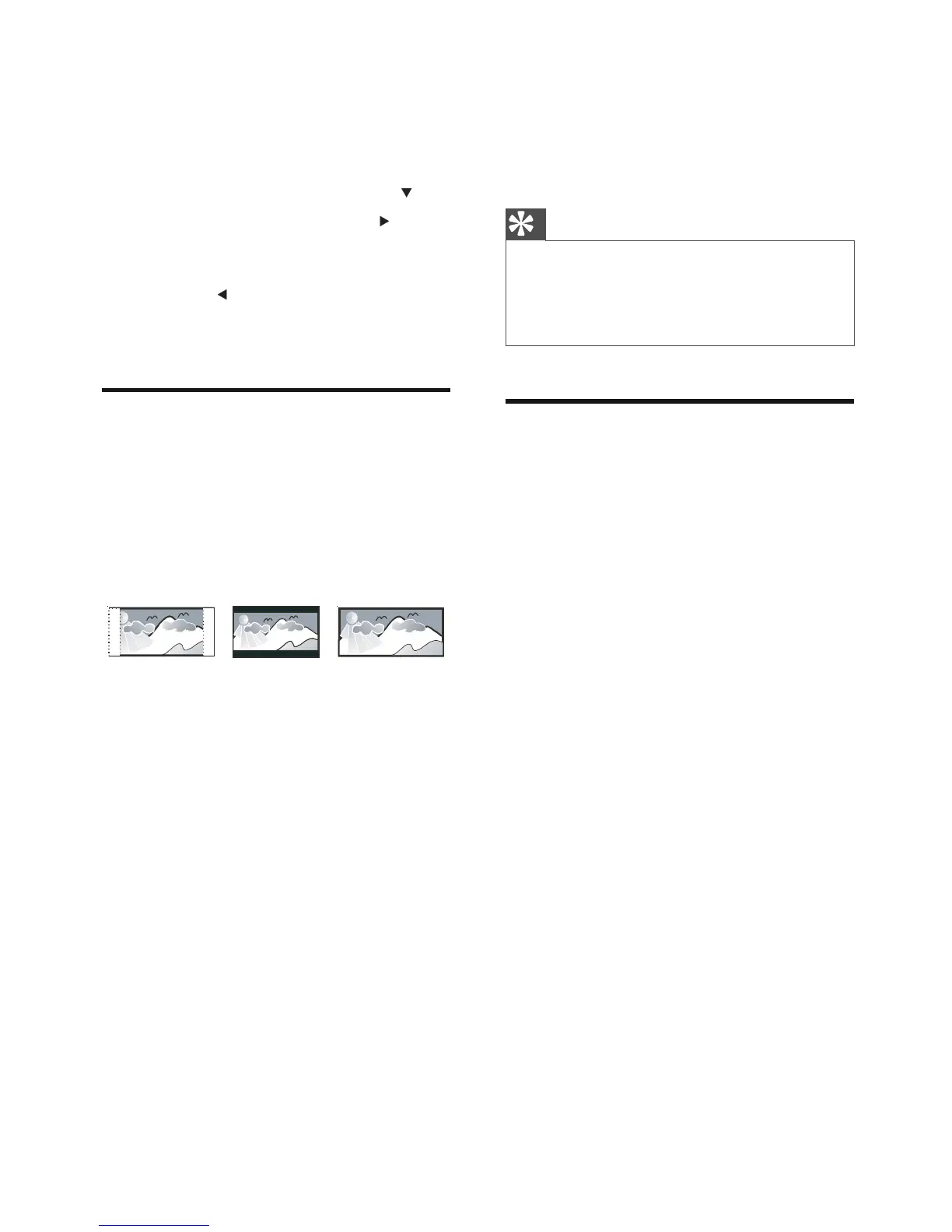
[TV Display]
The TV format determines the aspect ratio of
display according to the type of TV you have
connected.
• [4:3 Pan Scan] – For 4:3 screen TV:
full-height display with the trimmed
sides.
• [4:3 Letter Box] – For 4:3 screen TV:
wide-screen display with black bars
on the top and bottom of the screen.
• [16:9] – For wide-screen TV: display
ratio 16:9.
[OSD Language]
Select the preferred language for on-screen
display.
[Screen Saver]
The screen saver protects the TV screen
damage due to prolonged exposure to a static
image.
4:3 Letter Box (LB)
4:3 Pan Scan (PS)
16:9 (Wide Screen)



 To Next Page