EN 7
English
e
In DISC/USB mode, start or •
interrupt the play.
f SOURCE
Select the respective sound source: •
TUNER, DISC, USB or AUX.
g TUNING
/
Search within a track or disc.•
Tune to a radio station.•
h PRESET
/
Skip to the previous/next chapter/•
title/track.
Select a preset radio station.•
i AUX-IN
Connect an external non-USB device.•
j
Connect a headphone.•
k SLIDE OPEN
Slide down to expose some buttons •
and jacks on the front panel.
l
USB socket.•
m VOLUME -/+
Adjust the volume upward/•
downward.
Adjust the hours and minutes in •
clock/timer setting mode.
Select a source in timer setting mode.•
n IR Sensor
Infrared sensor for remote control.•
o EJECT
Eject a disc from the disc loader.•
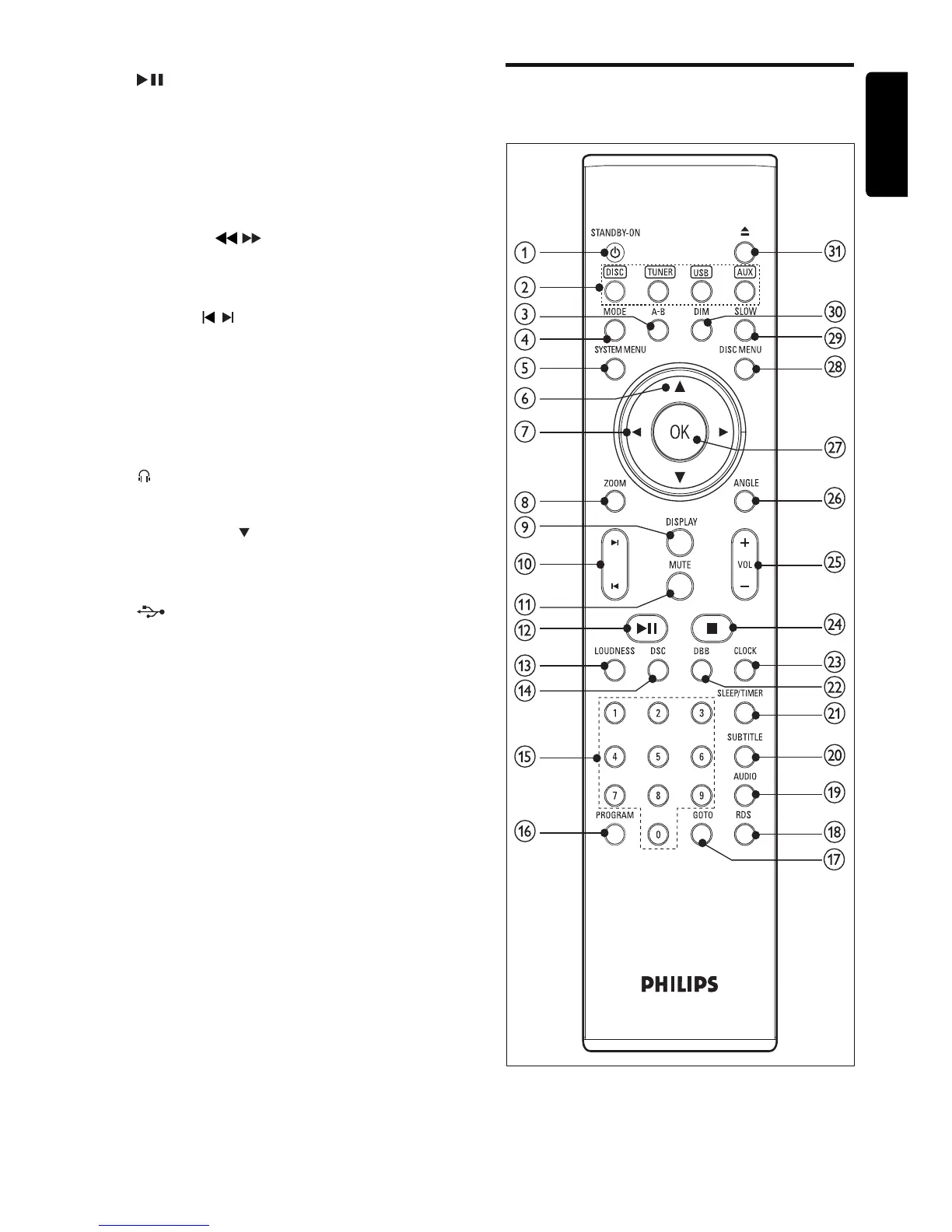
Overview of the remote
control



 To Next Page