6 EN
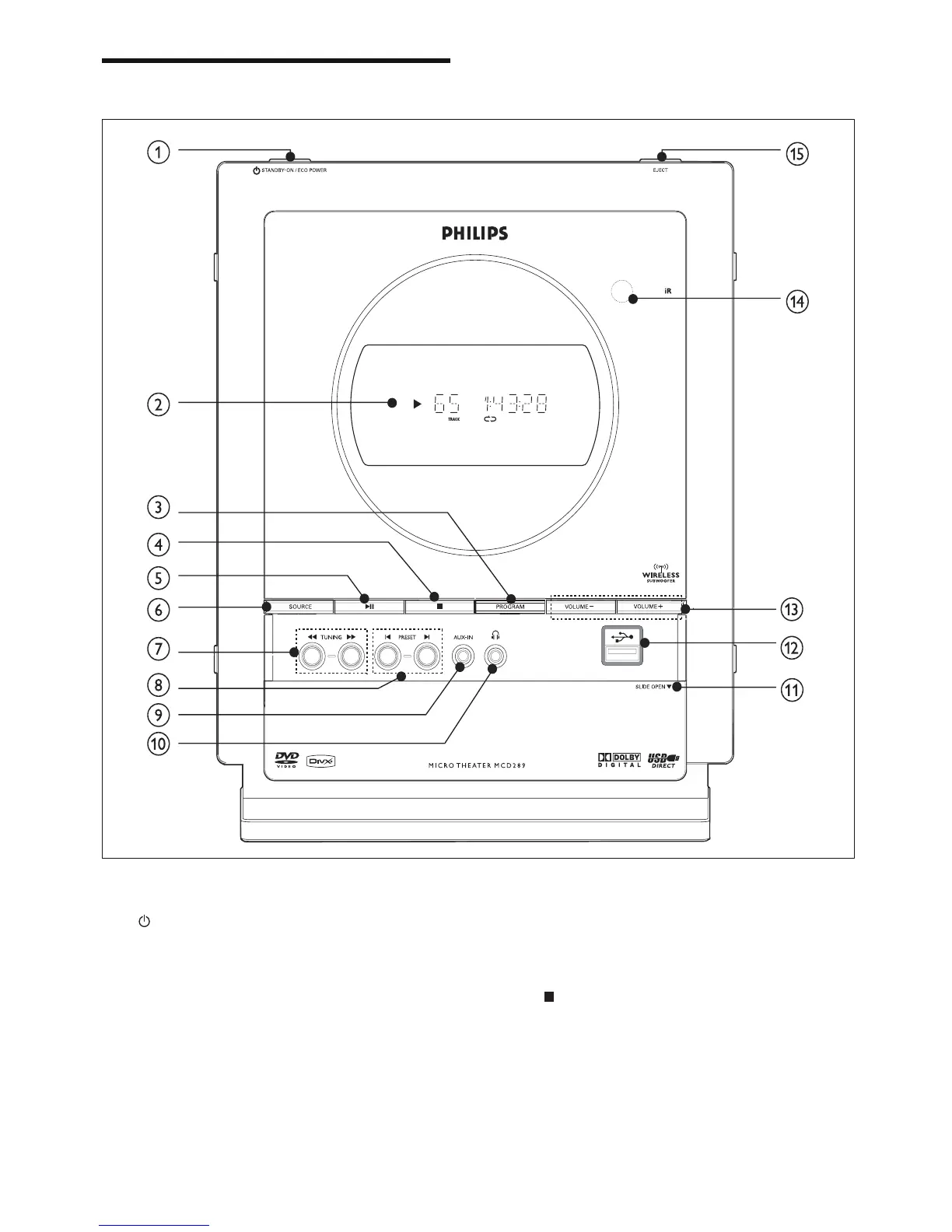
Overview of the main unit
a
STANDBY-ON/ECO POWER
Turn on the apparatus, switch •
to standby mode, or Eco Power
standby mode.
b Display screen
Display current status of the system. •
c PROGRAM
For DVD/VCD/CD/MP3-CD/USB: •
enter the program menu.
For picture CD: during playback, •
select a slide show mode.
For tuner: program preset radio stations.•
d
In DISC/USB mode, stop the play or •
clear a program.
For Demo (on the unit •
only), activate/deactivate the
demonstration.



 To Next Page