24
English
Disc Operations
Selecting a track/chapter/title (DVD/
VCD/CD/MP3/WMA)
1 Press í/ë during playback to go to the
previous or next chapter/title/track.
2 To go directly to any chapter/ title/track, enter
the chapter/ title/track number using the
Numeric Keypad (0-9).
Resuming playback from the last
stopped point (DVD/VCD/CD/MP3
/WMA)
● In stop mode and when a disc has not been
removed, press 2;.
To cancel resume mode
● In stop mode, press 9 again.
Zoom (DVD/VCD/JPEG)
Zooming allows you to enlarge or reduce the
video image during playback.
1 Press ZOOM repeatedly to enlarge or reduce
the playback video image.
2 Press 22/33/5/4 to pan across the TV
screen.
Differnt play modes: SHUFFLE and
REPEAT (DVD/VCD/CD/MP3/WMA)
● Press MODE on the remote control repeatedly
to choose a repeat mode during playback.
For DVD - repeat chapter/title
● Press MODE repeatedly to select the following:
REPEAT CHAPTER ➜ REPEAT TITLE ➜
REPEAT ALL ➜ SHUFFLE ➜ NORMAL
PLAYBACK
For SVCD/VCD/CD - repeat track/disc
● Press MODE repeatedly to select the following:
REPEAT TRACK ➜ REPEAT ALL➜SHUFFLE ➜
NORMAL PLAYBACK
For MP3/WMA repeat - track/album/disc
in Folder mode:
● Press MODE repeatedly to select the following:
REPEAT ONE ➜ REPEAT ALL ➜ SHUFFLE ➜
NORMAL PLAYBACK
in File list / Playlist mode:
● Press MODE repeatedly to select the
following:
REPEAT ONE ➜ REPEAT ALL ➜ SHUFFLE ➜
NORMAL PLAYBACK
In shuffle playback mode:
● Press P button to select another track in a
shuffle order.
● Press 9 to stop shuffle playback.
Repeat A-B (DVD/VCD/CD/MP3/WMA)
1 Press A-B at your chosen starting point.
2 Press A-B again at your chosen end point.
➜ The section A and B can be set only within
the same chapter/track.
➜ The section will now repeat continuously.
3 To exit the sequence, press A-B again.
Slow Motion (DVD/VCD)
1 Press 5 or 4 on the remote control during
playback to select the required forward or
backward speed: 1/2, 1/4, 1/8 or 1/16.
➜ Sound will be muted.
2 To return to normal speed, press 2;.
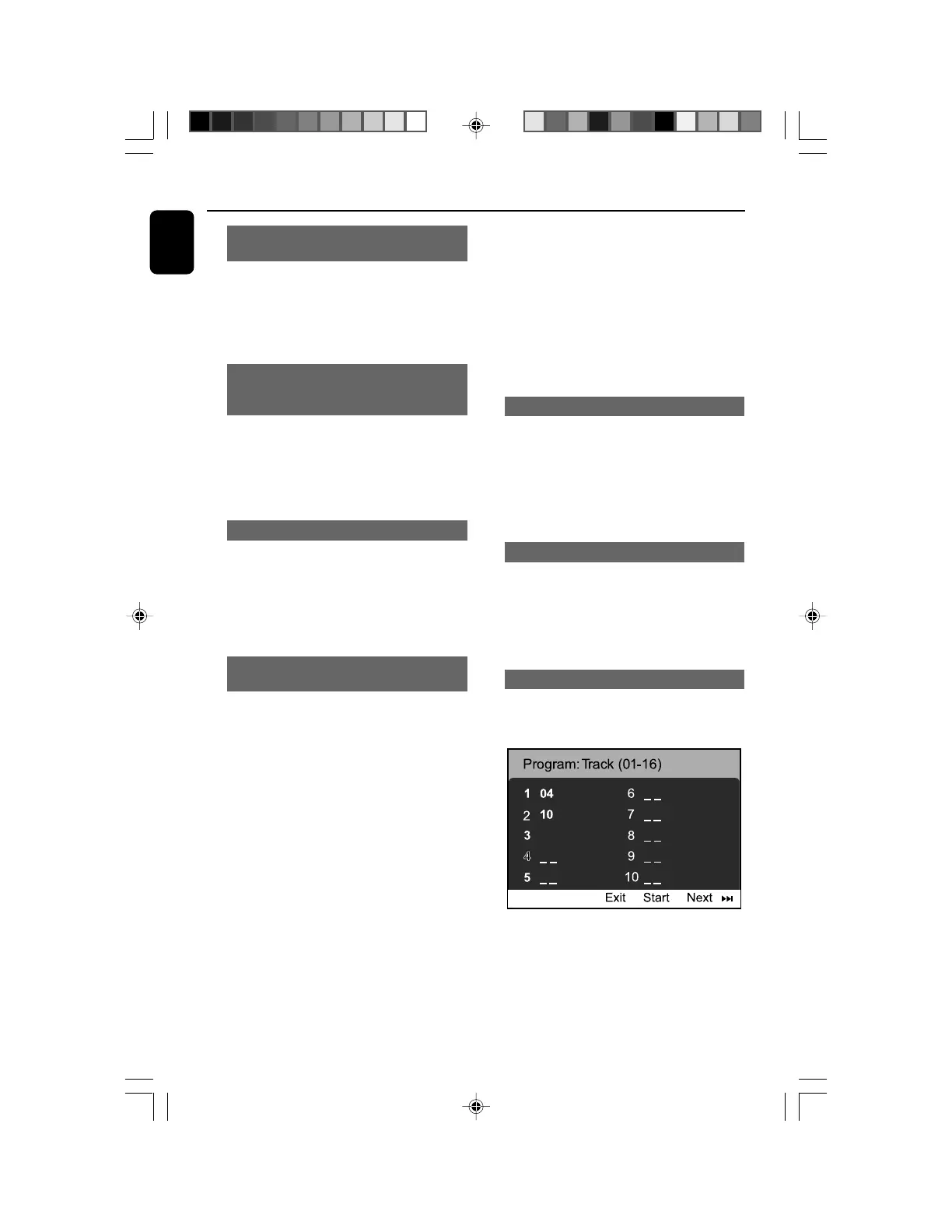
Program (not for Picture CD)
To select favourite tracks/chapters for playback in
preferred sequence.
12
1 Press PROGRAM to enter the program mode.
2 Use the Numerical Keypad (0-9) to directly
input the tracks or chapters.
3 Move the cursor by pressing à/á/5/4 to
select START.
4 Press OK to start playback.
pg021-pg044_MCD299-98-Eng-B 2007.9.27, 13:0424















 To Next Page