12
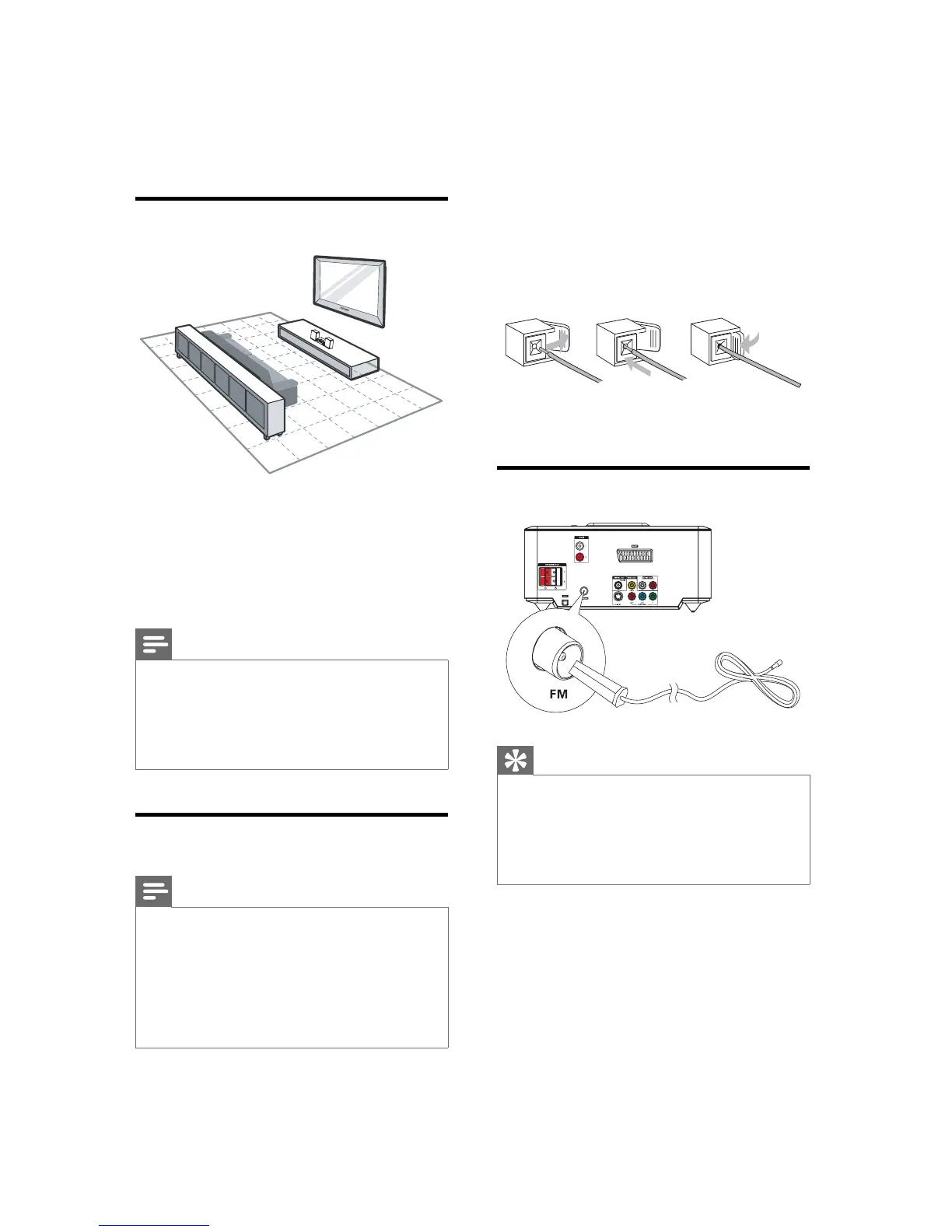
2 Insert the stripped part of the wire
completely.
Insert the right speaker wires to “ • R”,
left speaker wires to “ L”.
Insert the red wires to “ • +”, black
wires to “ -”.
3 Release the socket fl ap.
Connect FM antenna
Tip
For optimal reception, fully extend and adjust •
the position of the antenna.
For better FM stereo reception, connect an •
outdoor FM antenna to the FM AERIAL jack.
The unit does not support MW radio •
reception.
1 Connect the supplied FM wire antenna to
the FM AERIAL socket on the unit.
abc
3 Connect
Place the unit
1 Place the unit near to the TV.
2 Place the left and right speakers at equal
distance from the TV and at an angle
of approximately 45 degrees from the
listening position.
Note
To avoid magnetic interference or unwanted •
noise, never place this apparatus and speakers
too close to any radiation devices.
Never place this unit in an enclosed cabinet.•
Install this unit near the AC outlet where the •
AC power plug can be easily reached.
Connect speakers
Note
Ensure that the colors of the speaker wires and •
terminals are matched.
For optimal sound, use the supplied speakers •
only.
Connect only speakers with impedance that is •
the same or higher than the supplied speakers.
Refer to the Specifi cations section of this
manual.
1 Hold down the socket fl ap.
EN


 To Next Page
 Loading...