19
3 Select a fi le to play and press OK / .
To stop play, press •
.
To pause or resume play, press • OK
/
.
To change a subtitle language, press •
SUBTITLE.
Note
You can only play DivX videos rented or •
purchased through the DivX registration code
of this unit.
Subtitle fi les with the following fi lename •
extensions (.srt, .smi, .sub, .ssa, .ass) are
supported but do not appear on the fi le
navigation menu.
The subtitle fi lename has to be the same as •
the fi le name of the video.
Play MP3/WMA/picture fi les
You can play MP3/WMA/picture fi les copied
onto a CD-R/RW, recordable DVD or USB
device.
1 Insert a disc or connect a USB device.
2 Select a source:
For discs, press • DISC.
For USB devices, press • USB.
3 Press / to select a folder, then press
OK /
to confi rm.
4 Press / to select a fi le from the folder.
5 Press OK / to start play.
To stop play, press •
.
To pause or resume play, press • OK
/
.
To skip to the previous/next fi le, •
press
/ .
To return to the upper-level menu, •
press DISC MENU, then press OK
to confi rm.
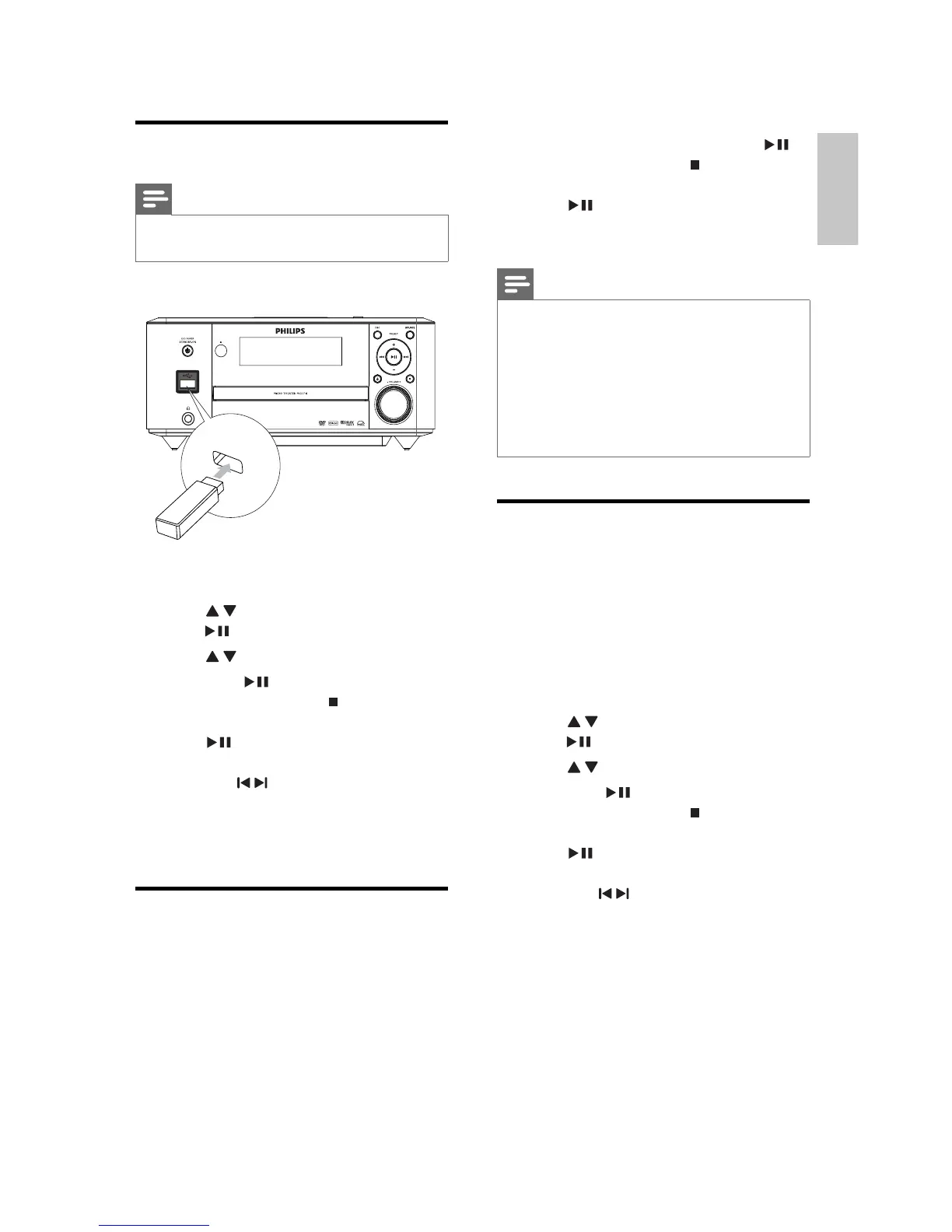
Play from USB
Note
Ensure that the USB device contains playable •
music, pictures or video.
1 Insert the USB device.
2 Press USB to select the USB source.
3 Press / to select a folder, then press
OK /
to confi rm.
4 Press / to select a fi le from the folder.
5 Press OK / to start play.
To stop play, press •
.
To pause or resume play, press • OK
/
.
To skip to the previous/next fi le, •
press
/ .
To return to the upper-level menu, •
press DISC MENU, then press OK
to confi rm.
Play DivX video
You can play DivX fi les copied onto a CD-R/
RW, recordable DVD or USB device.
1 Insert a disc or connect a USB device.
2 Select a source:
For discs, press • DISC.
For USB devices, press • USB.
English
EN



 To Next Page
 Loading...